100 CONTENTS
12.2 mvDeviceConfigure
mvDeviceConfigure (p. 100) is an interactive GUI tool to configure MATRIX VISION devices. It shows all connected
devices. With mvDeviceConfigure (p. 100) it is possible e.g.
• to check, if the camera is accessible on host PC,
• to update firmware of the mvBlueFOX3 or
• to upload a GenICam (p. 155) XML file.
Various things can also be done without user interaction (e.g. updating the firmware of a device). To find out how to
do this please start mvDeviceConfigure and have a look at the available command line options presented in the
text window in the lower section (the text control) of the application.
12.2.1 How to update the firmware
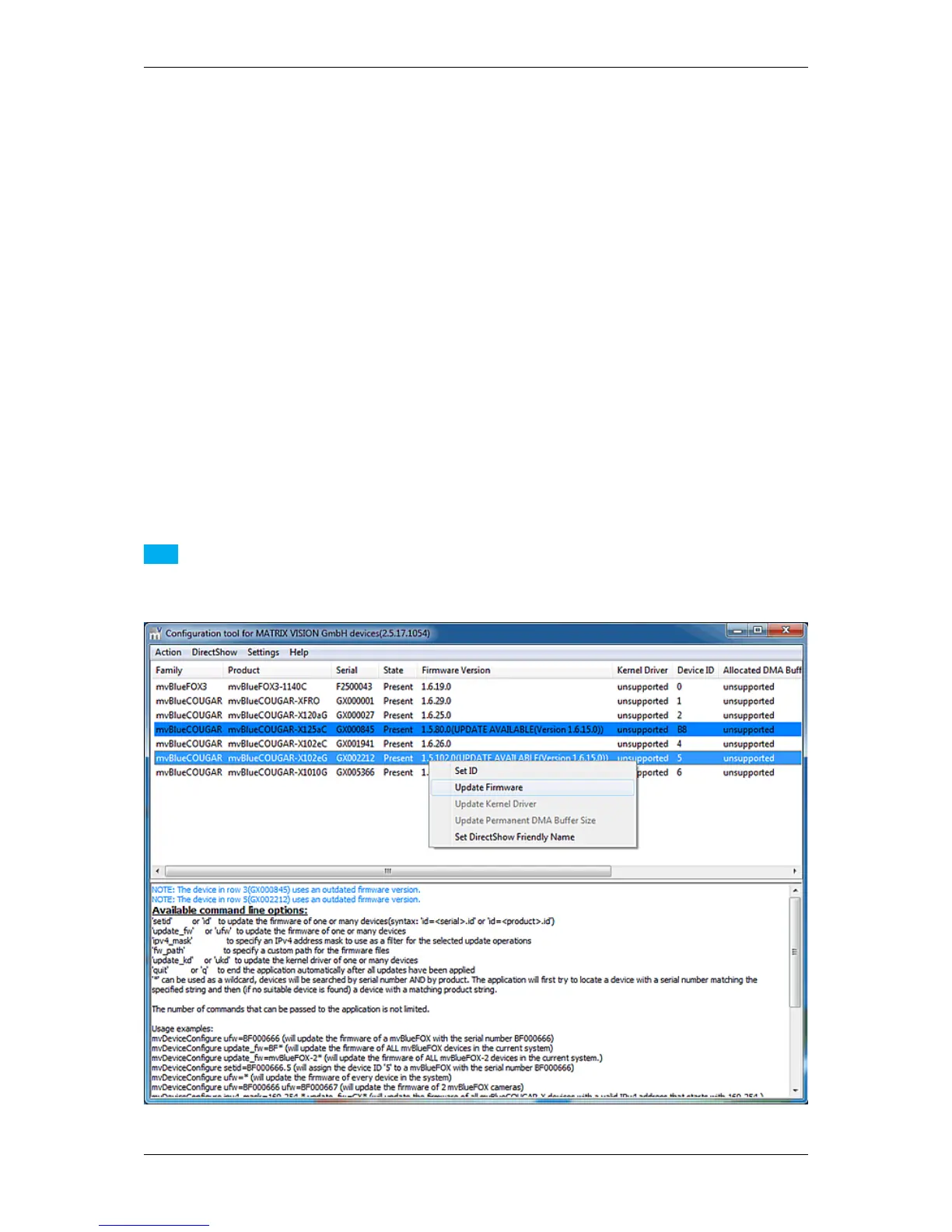
With the mvDeviceConfigure (p. 100) tool it is also possible to update the firmware. In the device list, new firmware
versions, if available, will be marked in blue.
To update the firmware on a MATRIX VISION device, the following steps are necessary:
12.2.1.1 Step 1: Device selection
Select the device you want to set up. Select the menu item Action and click on Update firmware.
Note
It is also possible to select the action with a right click on the device.
Figure 26: mvDeviceConfigure - Select action
MATRIX VISION GmbH



 To Next Page