20.9 Working with device features 273
20.9.2 Synchronizing camera timestamps without IEEE 1588
20.9.2.1 Introduction
Camera timestamps are a recommended Genicam (p. 155) / SFNC (p. 159) feature to add the information when an
image was taken (exactly: when the exposure of the image started).
Without additional synchronization it is merely a camera individual timer with a vendor specific increment and im-
plementation dependent accuracy. Each camera starts its own timestamp beginning with zero and there are no
means to adjust or synchronize them among cameras or host PCs. There is effort ongoing to widely establish the
precision timestamp according to "IEEE 1588" into GigE cameras. This involves cameras which are able to perform
the required synchronization as well as specific network hardware and driver software and procedures to do and
maintain the synchronization.
There are many applications which do not or cannot profit from "IEEE 1588" but have certain synchronization
needs. Solutions for these scenarios are describes as follows.
20.9.2.2 Using and resetting timestamp
First of all the standard does not provide hardware means to reset the timestamp in a camera other than plug off and
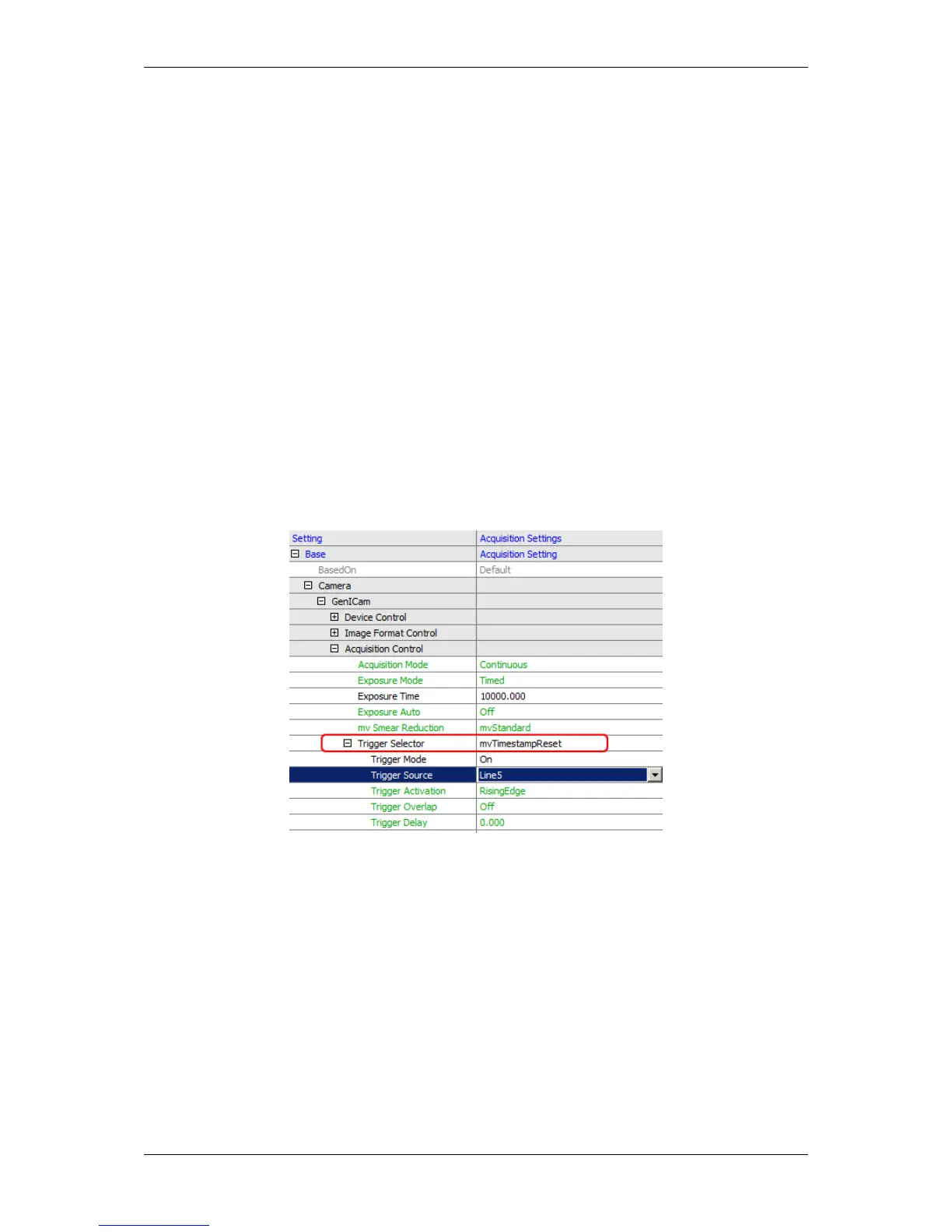
on again. Therefore MATRIX VISION has created its own mechanism mvTimestampReset to reset the timestamp
by a hardware input.
Figure 1: mvTimestampReset
This can be elegantly used for synchronization purposes by means of wiring an input of all cameras together
and reset all camera timestamps at the beginning by a defined signal edge from the process. From this reset on
all cameras start at zero local time and will increment independently their timestamp so that we achieve a basic
accuracy only limited by drift of the clock main frequency (e.g. a 1 MHz oscillator in the FPGA) over time.
In order to compensate for this drift we can in addition reset the timestamp every second or minute or so and count
the reset pulse itself by a counter in each camera. Assuming this reset pulse is generated by the master camera
itself by means of a timer and output as the hardware reset signal for all cameras, we now can count the reset pulse
with all cameras and put both the count and the reset timestamp as so called chunk data in the images.
We thus have achieved a synchronized timestamp with the precision of the master camera among all connected
cameras.
Settings required are shown using MATRIX VISION’s wxPropView (p. 74) tool:
MATRIX VISION GmbH



 To Next Page