20.2 Introducing acquisition / recording possibilities 177
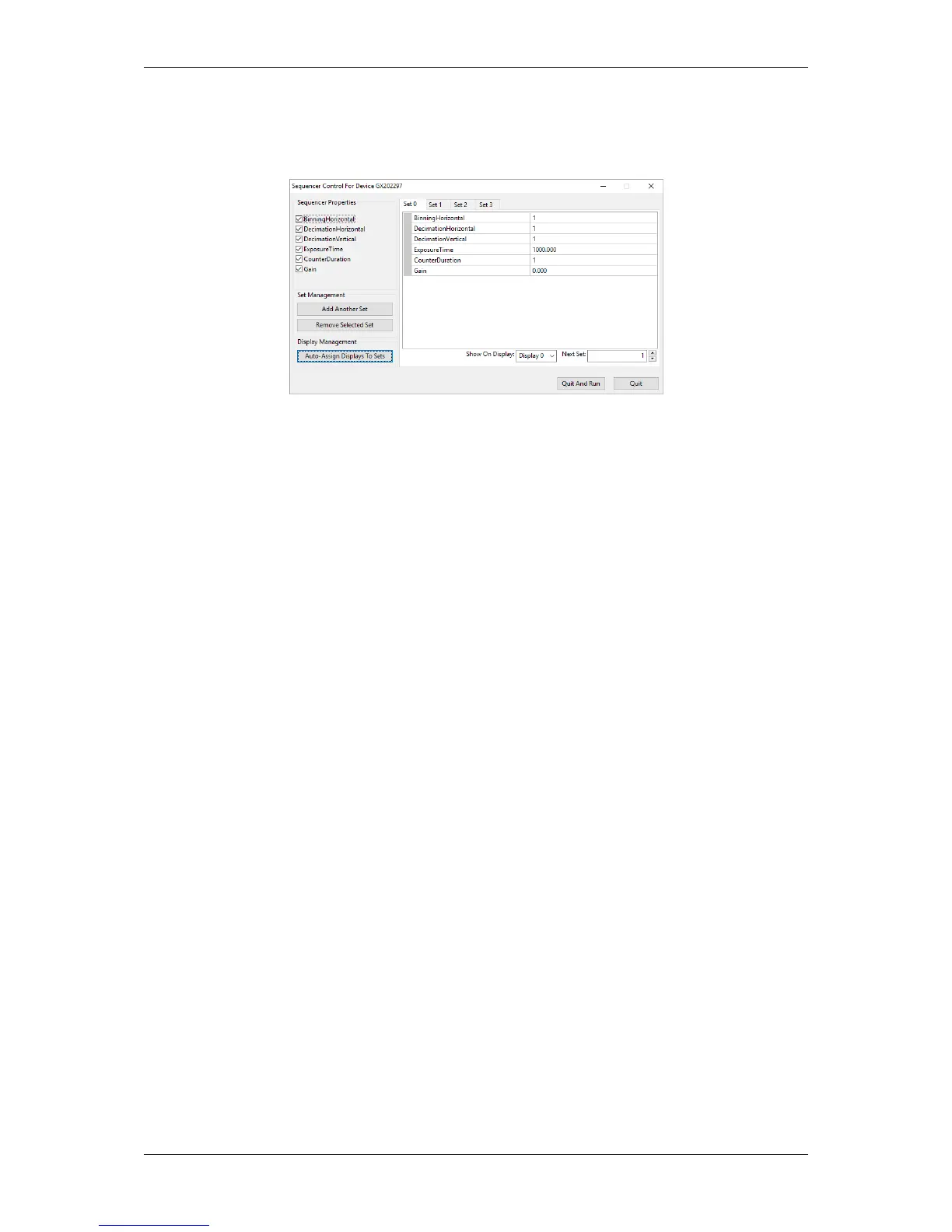
The wizard can be used to get a comfortable overview about the settings of the sequence sets and to create and
set a sequence sets in a much easier way:
Figure 9: wxPropView - Sequencer Control wizard
Just
• select the desired properties,
• select the desired Set tabs,
• set the properties in the table directly, and
• "Auto-Assign Displays To Sets", if you like to show each sequence set in a different display.
Do not forget to save the settings at the end.
20.2.5 Working with multiple AOIs (mv Multi Area Mode)
Since
mvIMPACT Acquire 2.18.3
20.2.5.1 Introduction
A special feature of Pregius sensors (a.k.a. IMX) from Sony is the possbility to define multiple AOIs (Areas of
Interests - a.k.a. ROI - Regions of Interests) and to transfer them at the same time. Because many applications just
need one or several specific parts in an image to be checked, this functionality can increase the frame rate.
Once activated, the "mv Multi Area Mode" allows you, depending on the sensor, to define up to eight AOIs (mvArea0
to mvArea7) in one image. There are several parameters in combination with the AOIs which are illustrated in the
following figure:
MATRIX VISION GmbH



 To Next Page