176 CONTENTS
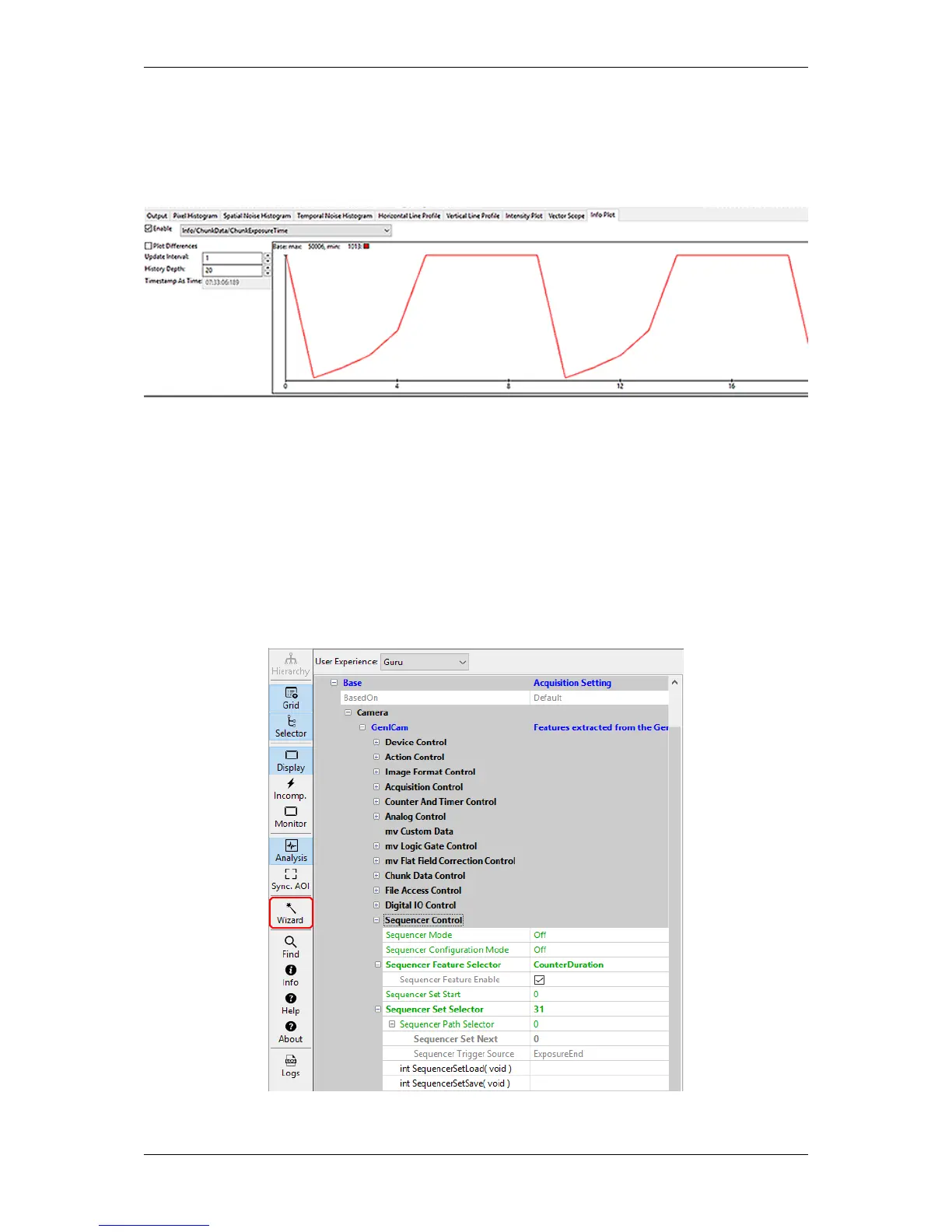
You will now see that the sequencer sets are processed endlessly. Via the chunk data (activate chunk data (p. 118)
via "Setting -> Base -> Camera -> GenICam -> Chunk Data Control" - activate "Chunk Mode Active"), the "Info
Plot" of the analysis grid can be used to visualize the exposure times:
Figure 7: wxPropView - Info Plot shows the exposure times
20.2.4.3 Using the Sequencer Control wizard
Since
mvIMPACT Acquire 2.18.0
wxPropView (p. 74) offers a wizard for the Sequencer Control (p. 122) usage:
Figure 8: wxPropView - Wizard button
MATRIX VISION GmbH



 To Next Page