138 CONTENTS
18 Troubleshooting
18.1 There are Image Error Counts
Modern PC's, notebook's, etc. try to save energy by using a smart power management. For example, if processor
load is not need the processor changes to a power saving (sleep) state automatically and vice versa. Every state
change will stop the processor for microseconds. This time is enough to cause image error counts!
With mvDeviceConfigure (p. 100) you can disable the CPU sleep states on Windows (p. 103) systems.
A description for Linux users is in the pipeline.
18.2 I cannot see the mvBlueFOX3 or I can see it but I cannot use it
A USB3 Vision (p. 161) camera is part of the bus or system to which it is connected. Like other devices (e.g. PCIe
card, mouse, etc.) a USB3 Vision (p. 161) device is bound to the system via a driver. Because a device can only
be bound to one driver in the system, it could be possible that the mvBlueFOX3 is bound to another USB3 Vision
(p. 161) driver which is available on the system.
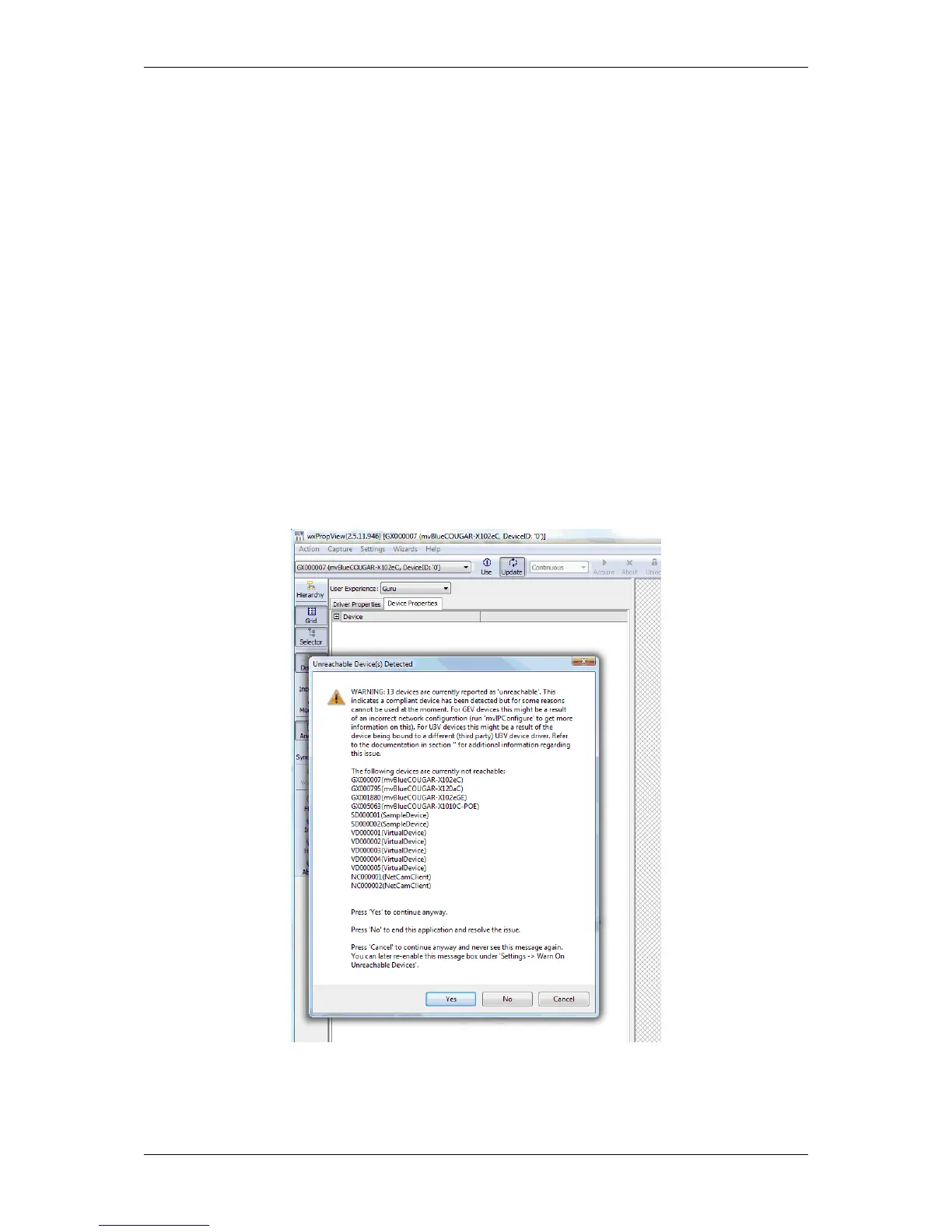
In this case it can be possible that you cannot see the mvBlueFOX3 using the MATRIX VISION tools like wxProp←-
View (p. 74) or you can see it but you cannot use it. A dialog like the following might appear:
Figure 1: Unreachable devices
However, you can change the bounding using the Windows "Device Manager":
MATRIX VISION GmbH



 To Next Page