18.2 I cannot see the mvBlueFOX3 or I can see it but I cannot use it 139
Note
Please be sure, that you have already installed the mvGenTL_Acquire driver (p. 38).
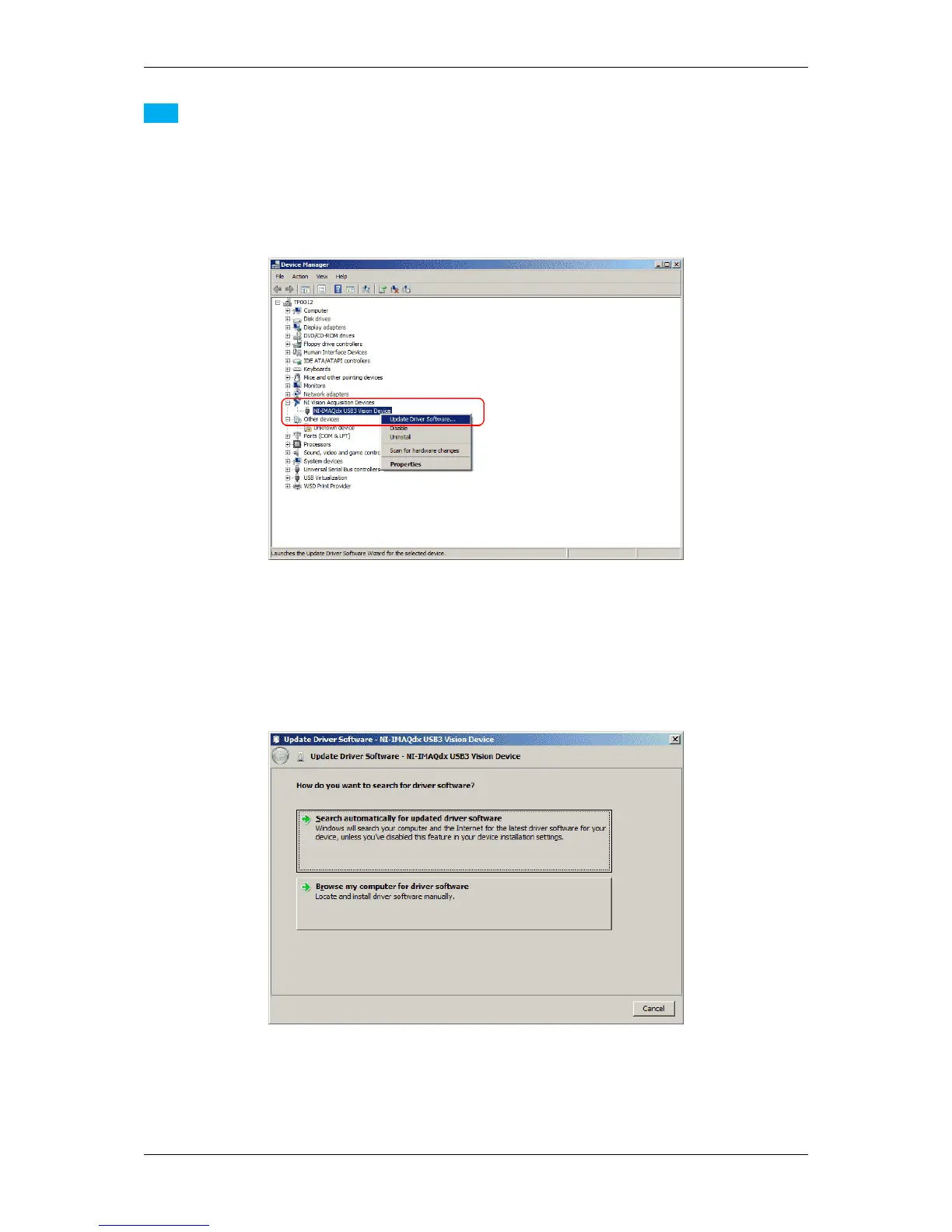
• Open the "Device Manager" from "Control Panel -> System -> Device Manager".
On this system, the mvBlueFOX3 is bound to the "NI Acquisition Device" driver
Figure 2: mvBlueFOX3 as a NI Acquisition Device
• Right-click the device and select "Update Driver Software...".
• Click on "Browse my computer for driver software":
Figure 3: Browse my computer for driver software
• Click on "Let me pick from a list of device drivers on my computer":
MATRIX VISION GmbH



 To Next Page