140 CONTENTS
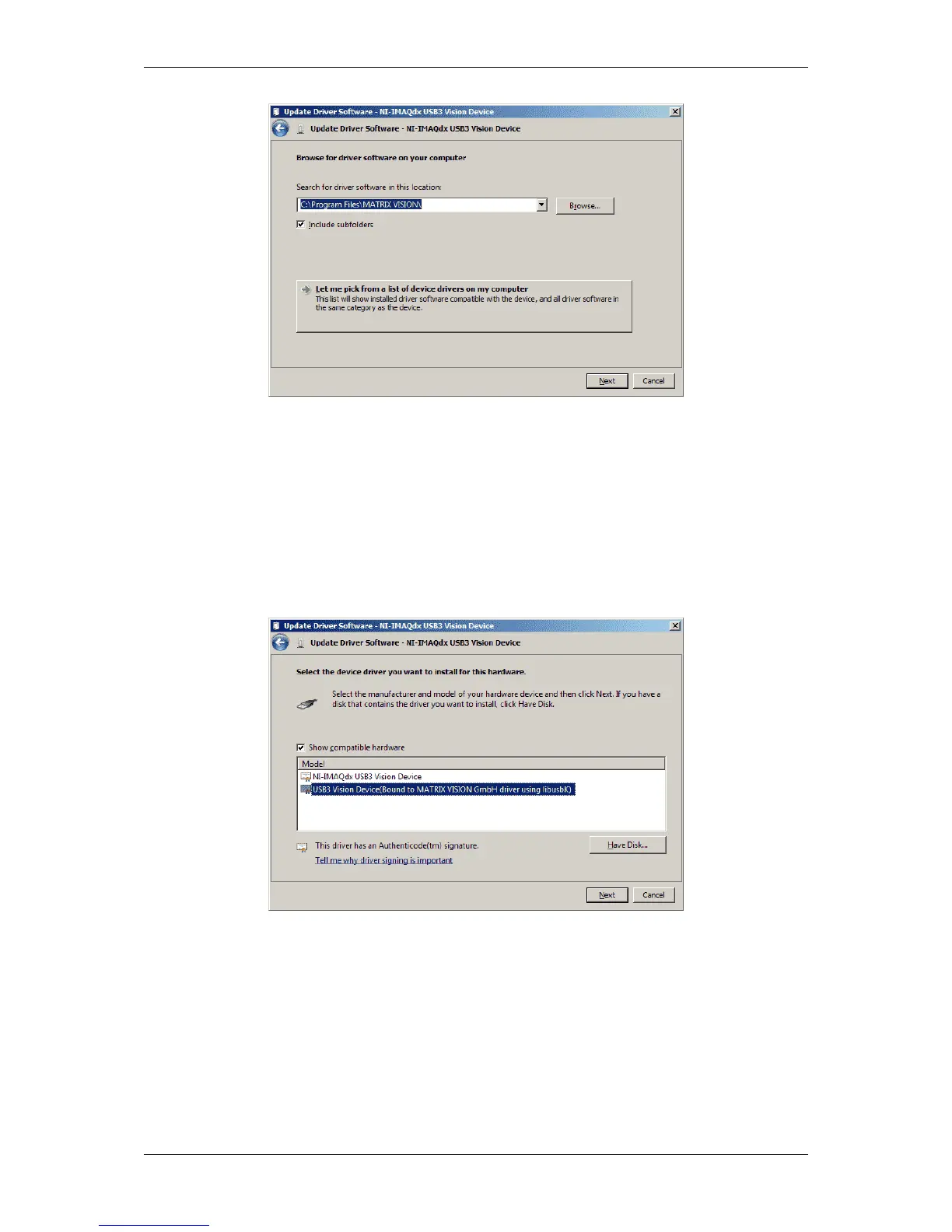
Figure 4: Let me pick from a list of device drivers on my computer
• Select the MATRIX VISON USB3 Vision driver called "USB3 Vision Device(Bound to MATRIX
VISION !GmbH driver using libusbK)" and click on "Next":
Figure 5: Select the MATRIX VISION driver
Afterwards, the driver will be switched.
• Finally, click on "Close":
MATRIX VISION GmbH



 To Next Page