13.5 Counter And Timer Control 113
See also
The use case SmartFrameRecall shows how this feature works.
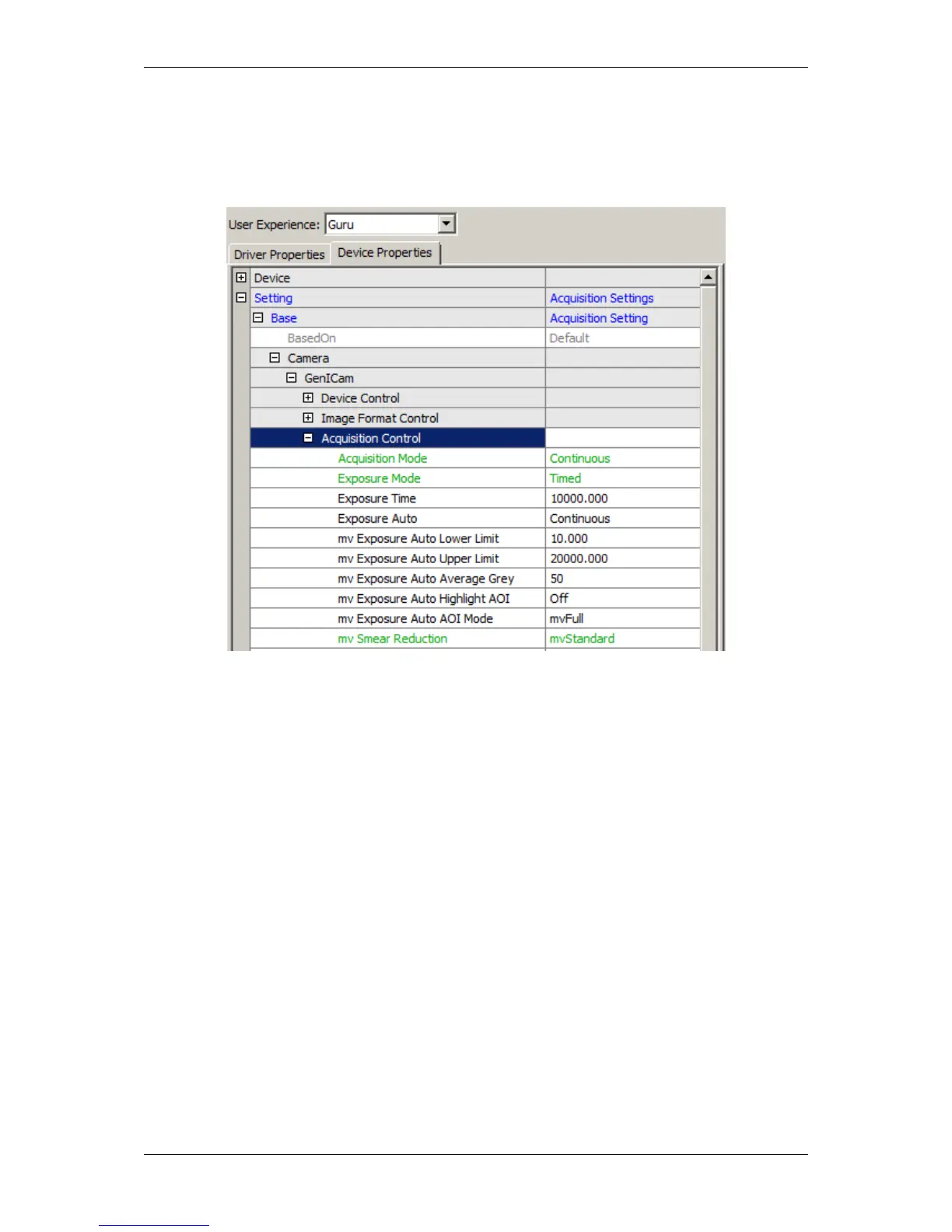
For "Exposure Auto Mode", in wxPropView (p. 74) just select in "Exposure Auto" "Continuous". After-
wards, you have the possibility to set lower and upper limit, average gray combined with AOI setting:
Figure 2: Acquire Control -> Exposure Auto
13.5 Counter And Timer Control
The "Counter And Timer Control" is a powerful feature which MATRIX VISION customers already know under
the name Hardware Real-Time Controller (HRTC). mvBlueCOUGAR-X provides:
• 4 counters for counting events or external signals (compare number of triggers vs. number of frames; over-
trigger) and
• 2 timers.
Counter and Timers can be used, for example,
• for pulse width modulation (PWM) (p. 229) and
• to generate output signals of variable length, depending on conditions in camera.
This achieves complete HRTC functionality which supports following applications:
• frame rate by timer
• exposure time by timer
• pulse width at input
The "Counter And Timer Control" contains features like
MATRIX VISION GmbH



 To Next Page