48 CONTENTS
8.3.5.4 For NVIDIA Tegra TK1 Users
To use the camera following adaptions are necessary in the standard configuration of the NVIDIA Tegra TK1 board:
1. Update the software to version 21.3. Please follow this descripion.
2. Afterwards, you have to adapt the boot parameters in /boot/extlinux/extlinux.conf:
(a) Change "usb_port_owner_info=0" to "usb_port_owner_info=2" (this will change the USB port behavior
from USB 2.0 to USB 3.0).
(b) Set "usbcore.autosuspend=-1" (power save mode is off now).
(c) Set "usbcore.usbfs_memory_mb=256" (this will increase the buffer of the USB bus)
3. Install the mvGenTL_Acquire driver.
Now, the camera should work. If you could not find the mvBlueFOX3 driver, you would add the current user to the
plugdev group:
sudo usermod -a -G plugdev ubuntu
8.4 Relationship between driver, firmware, FPGA file and user settings
To operate a GenICam (p. 155) based device like mvBlueFOX3 apart from the physical hardware itself 2 pieces of
software are needed:
• A firmware running on the device. This firmware consists of
– A GenICam (p. 155) compliant XML file exposing the features in a generic and standard compliant way
– A FPGA file
– The actual micro-code making the device operational
• A device driver (this is the mvGenTLConsumer.dll and the mvGenTLProducer.cti on Windows
and the libmvGenTLConsumer.so and the libmvGenTLProducer.so on Linux when using mv←-
IMPACT Acquire, but can be any other USB3 Vision (p. 161) compliant driver package from a third party
vendor) running of the host system (provides control over the device from an application running on the host
system).
The physical GenICam (p. 155) compliant device has a firmware programmed into the device's non-volatile memory,
thus allowing the device to boot to a fully functional state without the need of any additional software running on
the host. The firmware version that will be used when operating the device does NOT depend on the driver version
that is used to communicate with the device. This will allow any piece of compliant third party software to operate
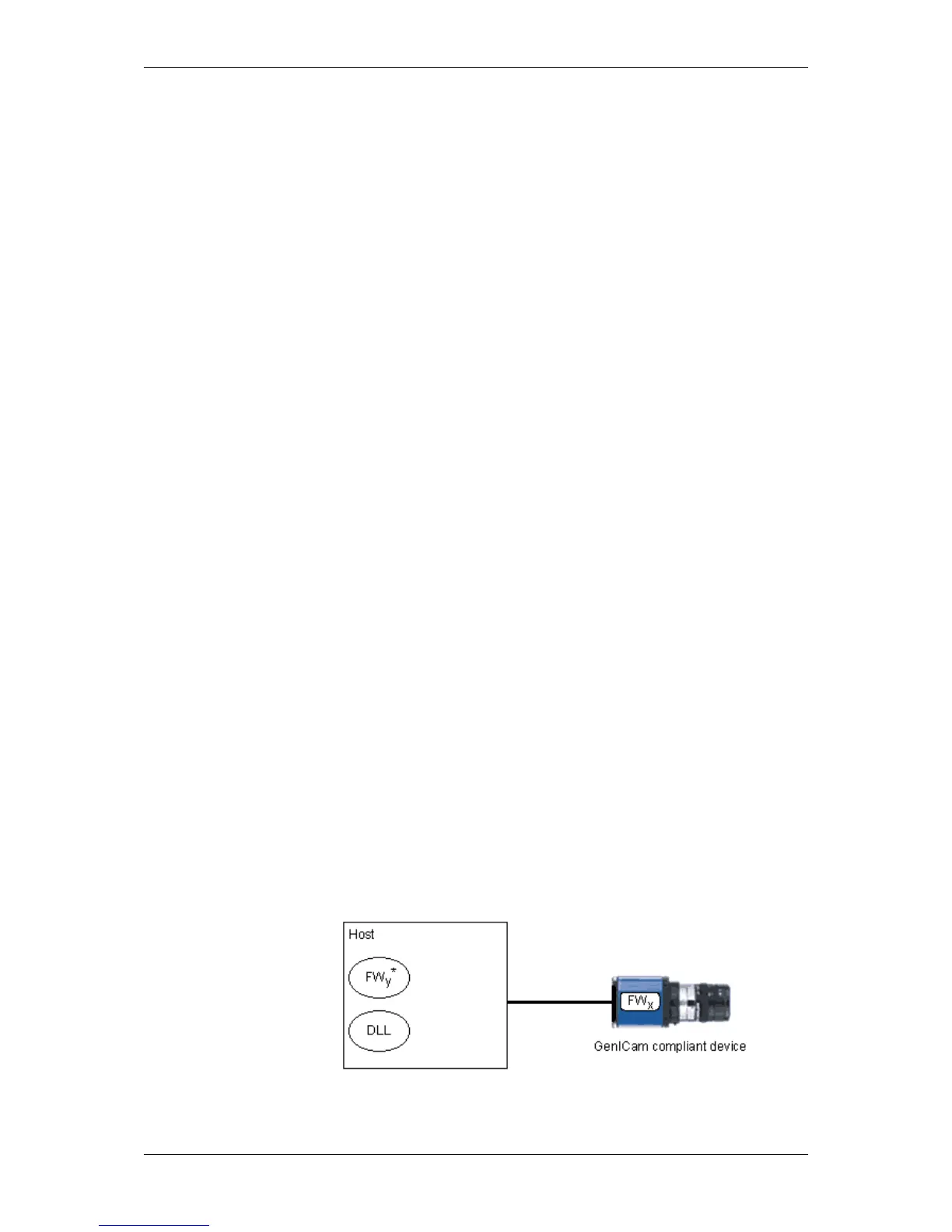
the device without the need to have special knowledge about the firmware structure. This shall be illustrated by the
following figure:
Figure 7: The firmware is not a part of the device driver
MATRIX VISION GmbH



 To Next Page