168 CONTENTS
20.2.3.2 How it works
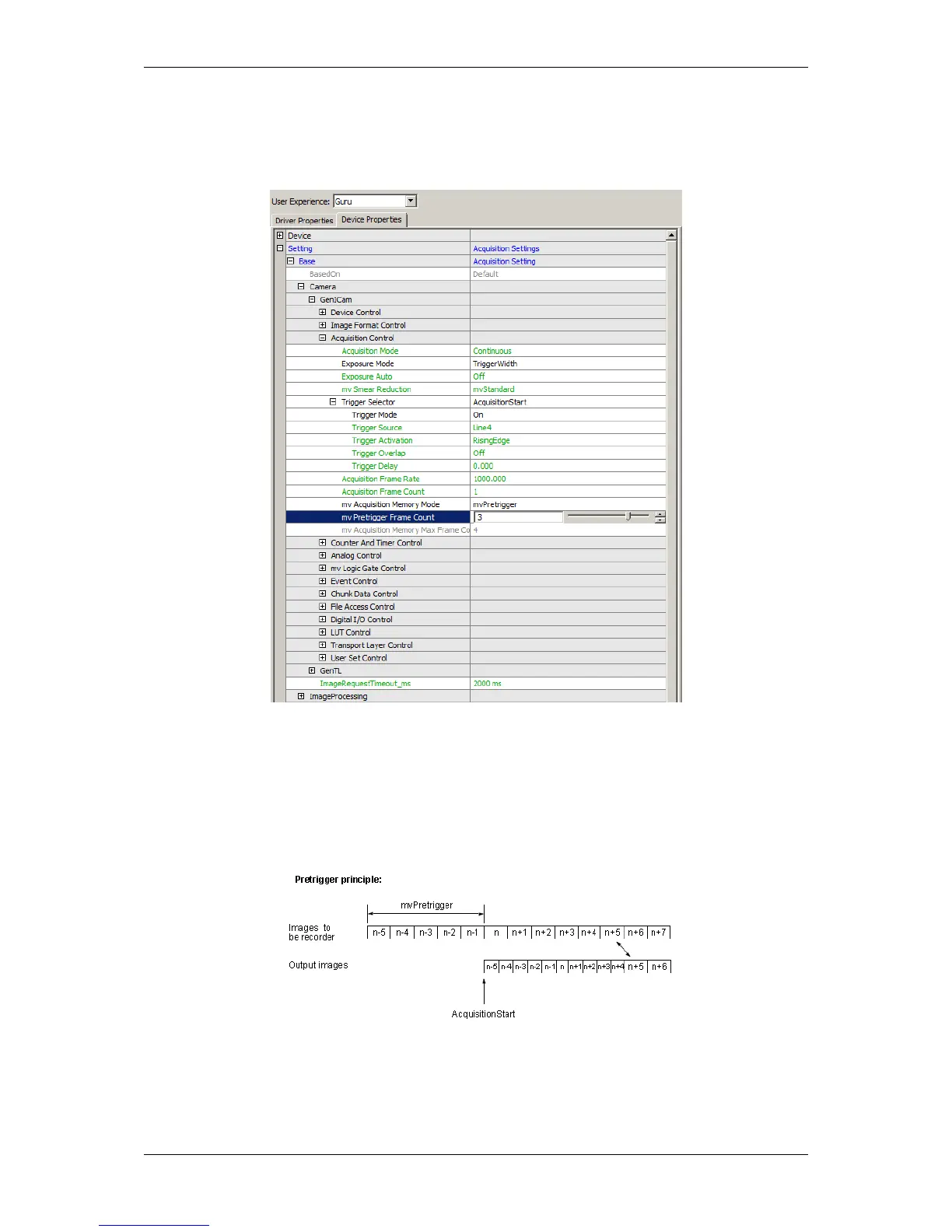
To use this functionality you have to set the mv Acquisition Memory Mode (p. 109) to "mvPretrigger". This can
be used to define the number of frames which will be recorded before the trigger event occurs:
Figure 1: wxPropView - setting pre-trigger
Afterwards, you have to define the "AcquisitionStart" or "AcquisitionActive" event. In figure 1 this is Line4 as
trigger event, which starts the regular camera streaming.
Now, start the camera by pressing "Live" and generate the acquisition event.
The camera will output the number of pre-trigger frames as fast as possible followed by the frames in live mode as
fast as possible until the frame rate is in sync:
Figure 2: wxPropView - recorded / output images
MATRIX VISION GmbH



 To Next Page