180 CONTENTS
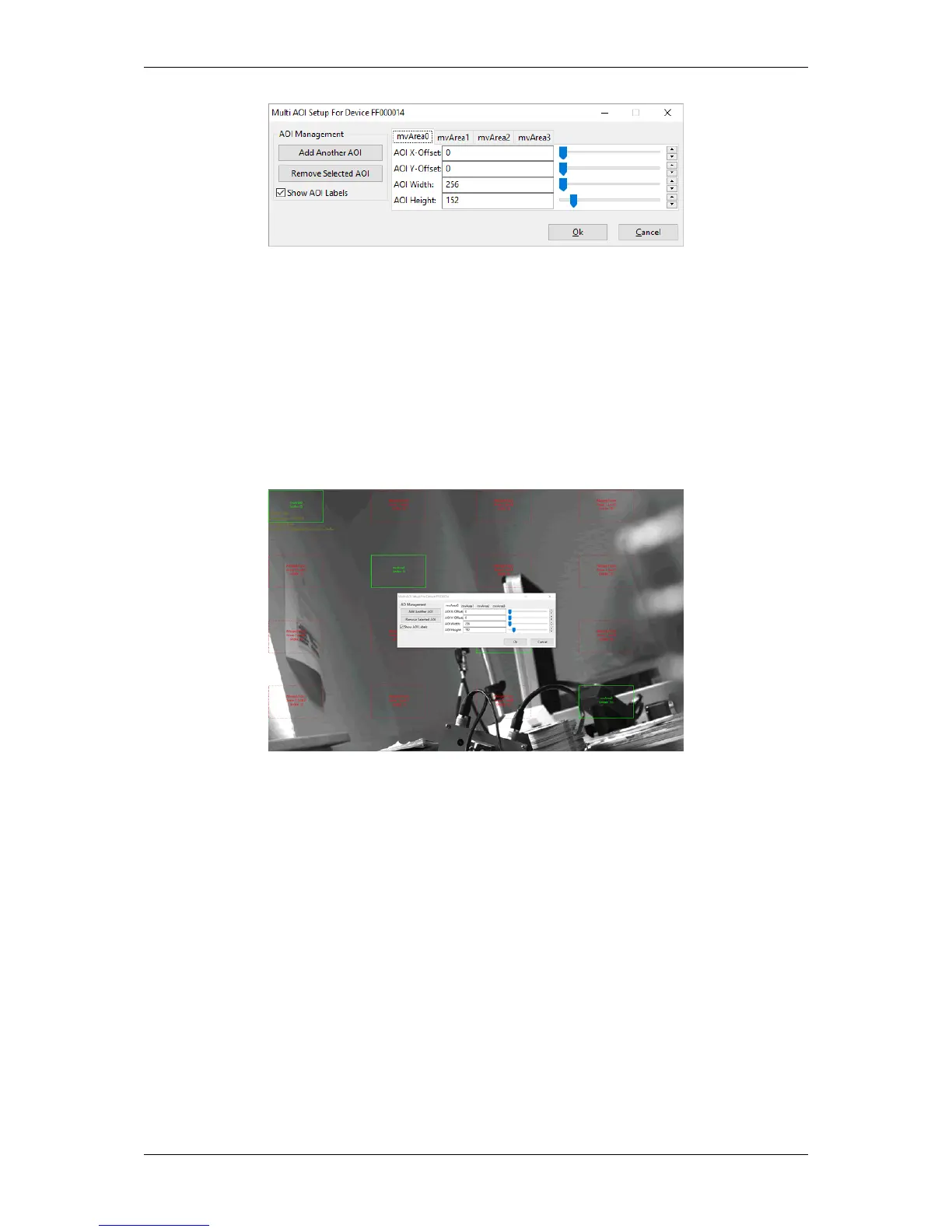
Figure 4: wxPropView - Multi AOI wizard
Just
• select the desired mvArea tabs,
• set the properties like offset, width, and height in the table directly, and
• confirm the changes at the end using the Ok button.
The live image shows the created AOIs and the merged or "missing" areas which are used to get the final rectangular
output image.
Figure 4: wxPropView - Multi AOI wizard - Live image
20.2.5.3 Programming multiple AOIs
#include <mvIMPACT_CPP/mvIMPACT_acquire.h>
#include <mvIMPACT_CPP/mvIMPACT_acquire_GenICam.h>
...
GenICam::ImageFormatControl ifc( pDev );
ifc.mvMultiAreaMode.writeS( "mvMultiAreasCombined" );
ifc.mvAreaSelector.writeS( "mvArea0" );
ifc.mvAreaEnable.write( bTrue );
ifc.mvAreaOffsetX.write( 0 );
ifc.mvAreaOffsetY.write( 0 );
ifc.mvAreaWidth.write( 256 );
ifc.mvAreaHeight.write( 152 );
ifc.mvAreaSelector.writeS( "mvArea1" );
ifc.mvAreaEnable.write( bFalse );
ifc.mvAreaSelector.writeS( "mvArea2" );
ifc.mvAreaEnable.write( bFalse );
ifc.mvAreaSelector.writeS( "mvArea3" );
ifc.mvAreaEnable.write( bTrue );
ifc.mvAreaOffsetX.write( 0 );
ifc.mvAreaOffsetY.write( 0 );
ifc.mvAreaWidth.write( 256 );
ifc.mvAreaHeight.write( 152 );
ifc.mvAreaOffsetX.write( 1448 );
ifc.mvAreaOffsetY.write( 912 );
...
MATRIX VISION GmbH



 To Next Page