20.2 Introducing acquisition / recording possibilities 193
• Exposure End (= sensor's exposure end)
• Line 4 (= DigIn0) Rising Edge
• Line 5 (= DigIn1) Rising Edge
• Frame End (= the camera is ready for a new trigger)
20.2.9.1 Setting Event notifications using wxPropView
To activate the notifications, just
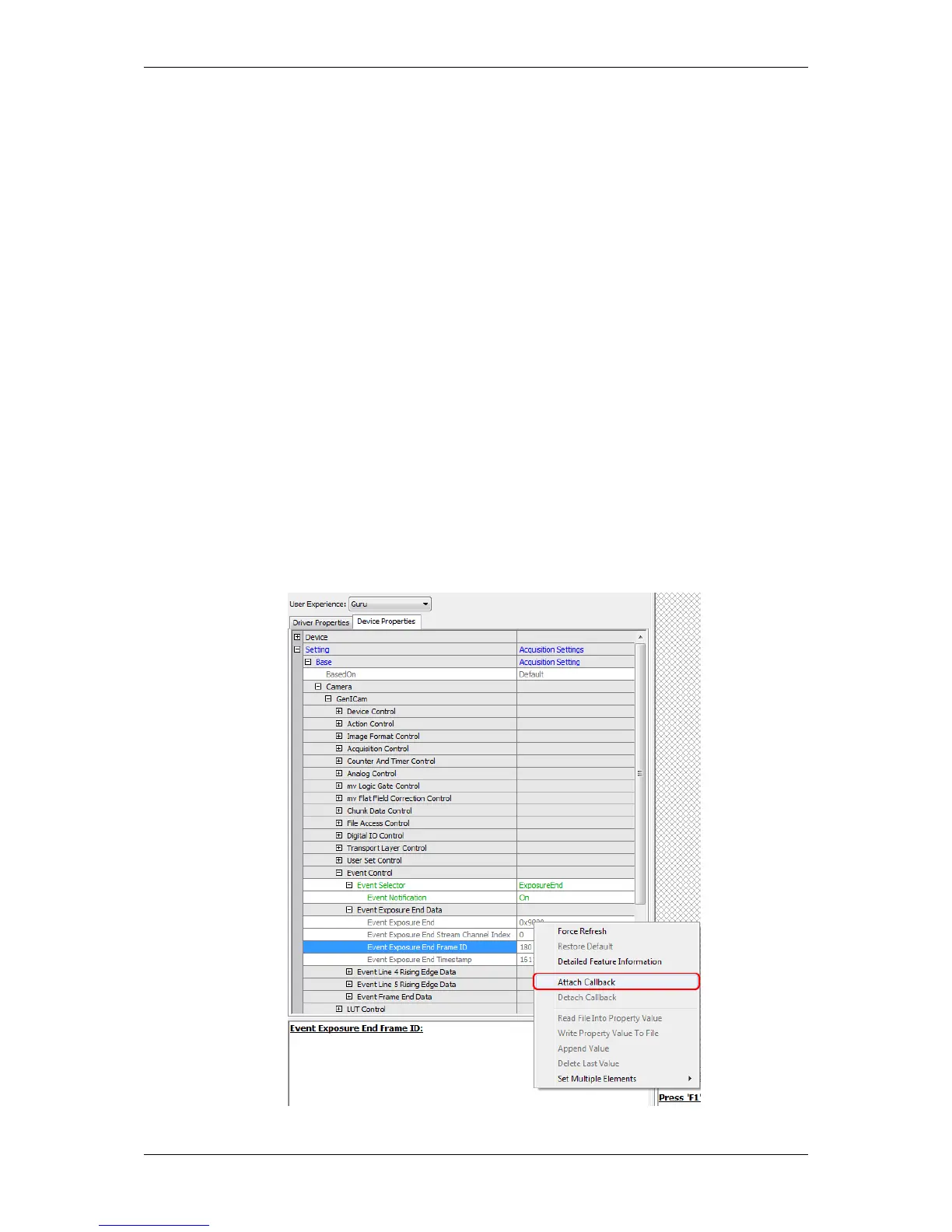
1. Select the Event via "Setting -> Base -> Camera -> GenICam -> Event Control -> Event Selector", e.g.
ExposureEnd .
2. Set the "Event Notification" to "On" .
Afterwards, it is possible to attach a custom callback that gets called whenever the property is modified. E.g. if you
want to attach a callback to the Frame ID after the exposure was finished, you have to
1. select "Setting -> Base -> Camera -> GenICam -> Event Control -> Event Exposure End Data -> Event
Exposure End Frame ID",
2. right-click on the property, and
3. click on "Attach Callback".
Figure 1: wxPropView - "Attach Callback" to Event Exposure End Frame ID
MATRIX VISION GmbH



 To Next Page