228 CONTENTS
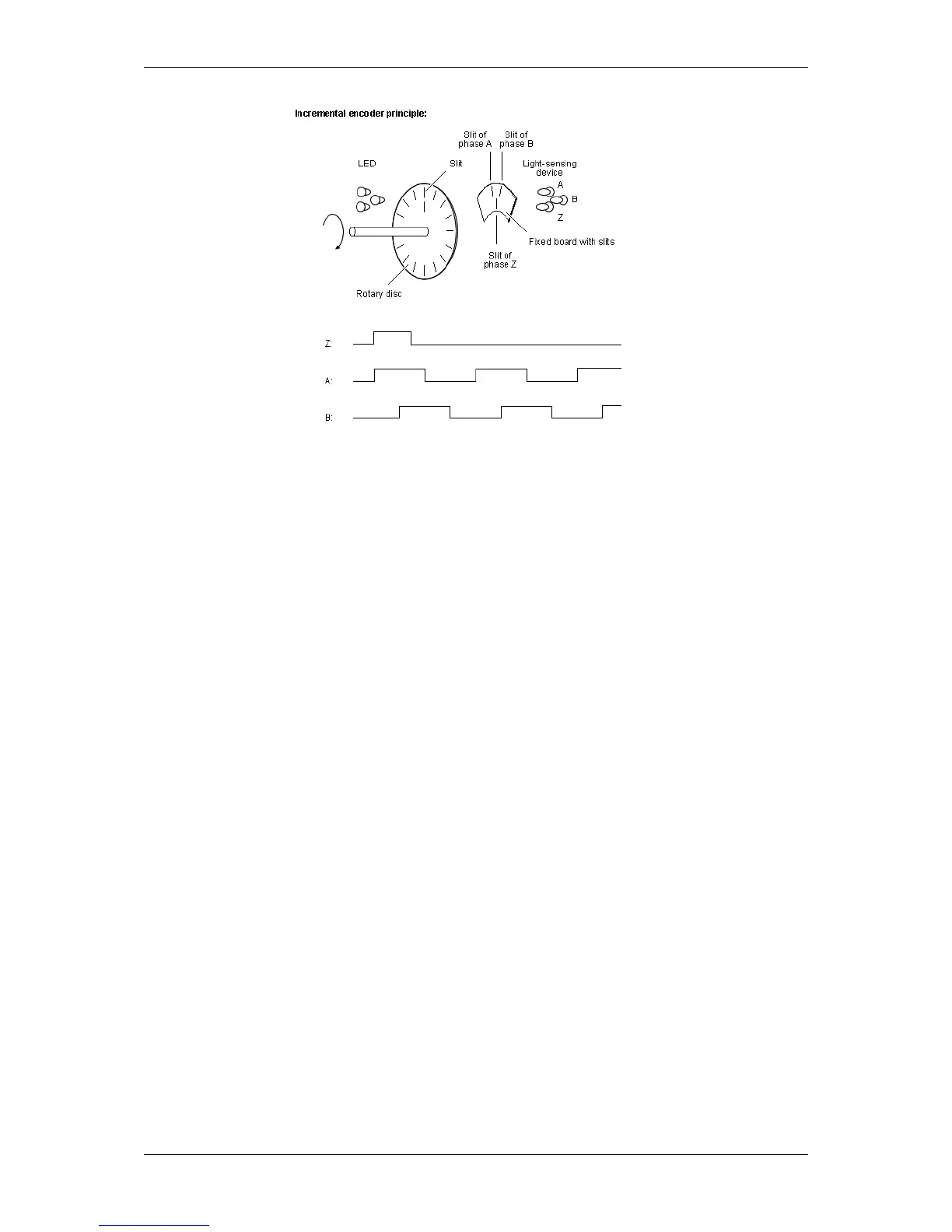
Figure 1: Principle of an incremental encoder
This incremental encoder will send a A, B, and Z pulse.
To create an external trigger event by an incremental encoder, please follow these steps:
1. Connect the incremental encoder output signal A, for example, to the digital input 0 ("Line4") of the mv←-
BlueFOX3.
This line counts the forward pulses of the incremental encoder.
2. Set "Setting -> Base -> Camera -> GenICam -> Counter and Timer Control -> Counter Selector" to "←-
Counter1" and
3. "Counter Event Source" to "Line4" to count the number of pulses e.g. as per revolution (e.g. "Counter
Duration" to 3600).
4. Then set the trigger "Setting -> Base -> Camera -> GenICam -> Acquisition Control -> Trigger Selector"
"FrameStart" to the "Counter1End" ("Trigger Source") signal.
MATRIX VISION GmbH



 To Next Page