12.1 wxPropView 79
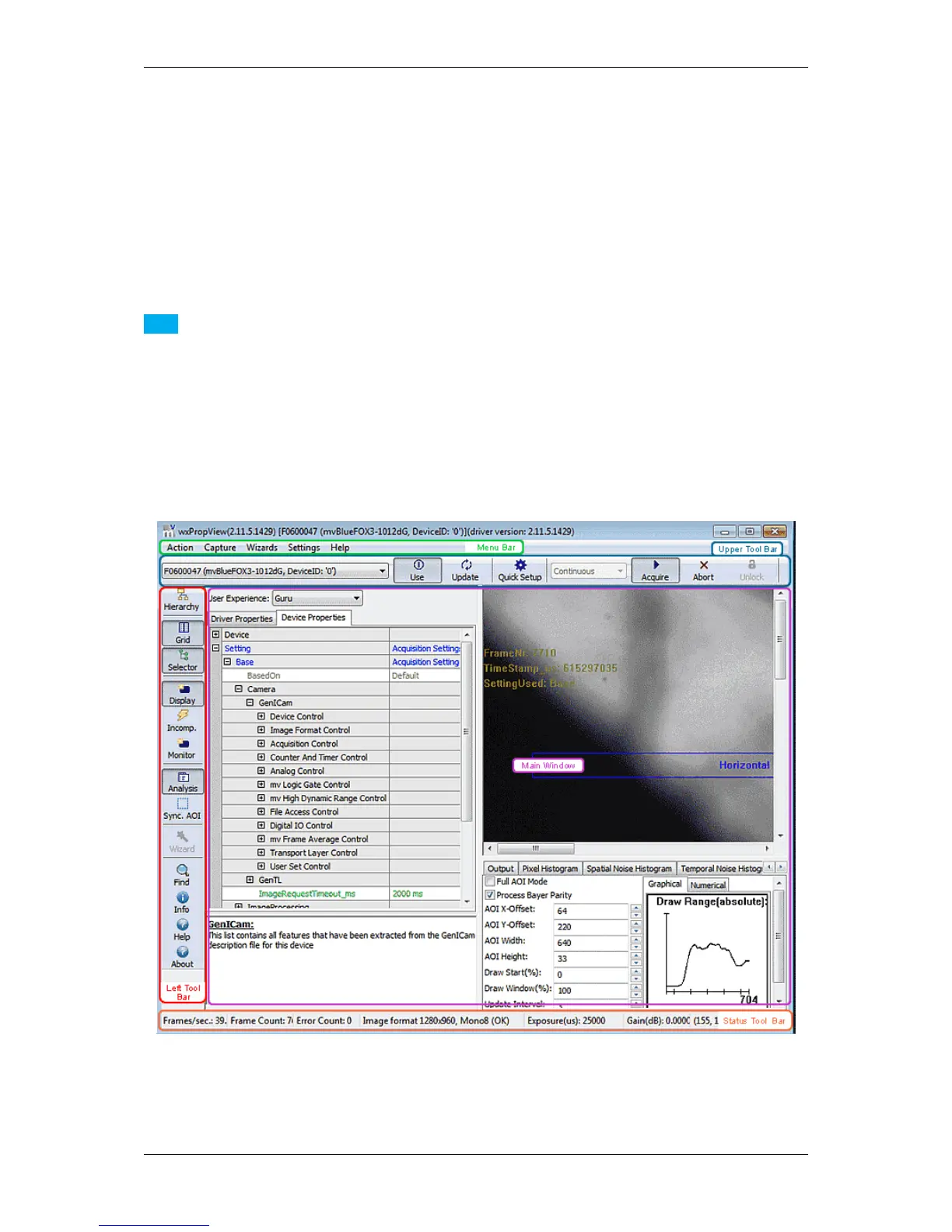
12.1.1.3 How to see the first image
As described earlier, for each recognized device in the system the devices serial number will appear in the drop
down menu in the upper left corner of the "Upper Tool Bar". When this is the first time you start the application after
the system has been booted this might take some seconds when working with devices that are not connected to
the host system via PCI or PCIe.
Once you have selected the device of your choice from the drop down menu click on the "Use" button to open it.
When the device has been opened successfully, the remaining buttons of the dialog will be enabled:
Note
Following screenshots are representative and where made using a mvBlueFOX3 camera as the capturing
device.
For color sensors, it is recommended to perform a white balance (p. 95) calibration before acquiring images. This
will improve the quality of the resulting images significantly.
Figure 3:wxPropView - First start
MATRIX VISION GmbH



 To Next Page