October 2008 "3072ES / 3772ES / 3772ES HD" Service & Parts Manual
Page 4-8
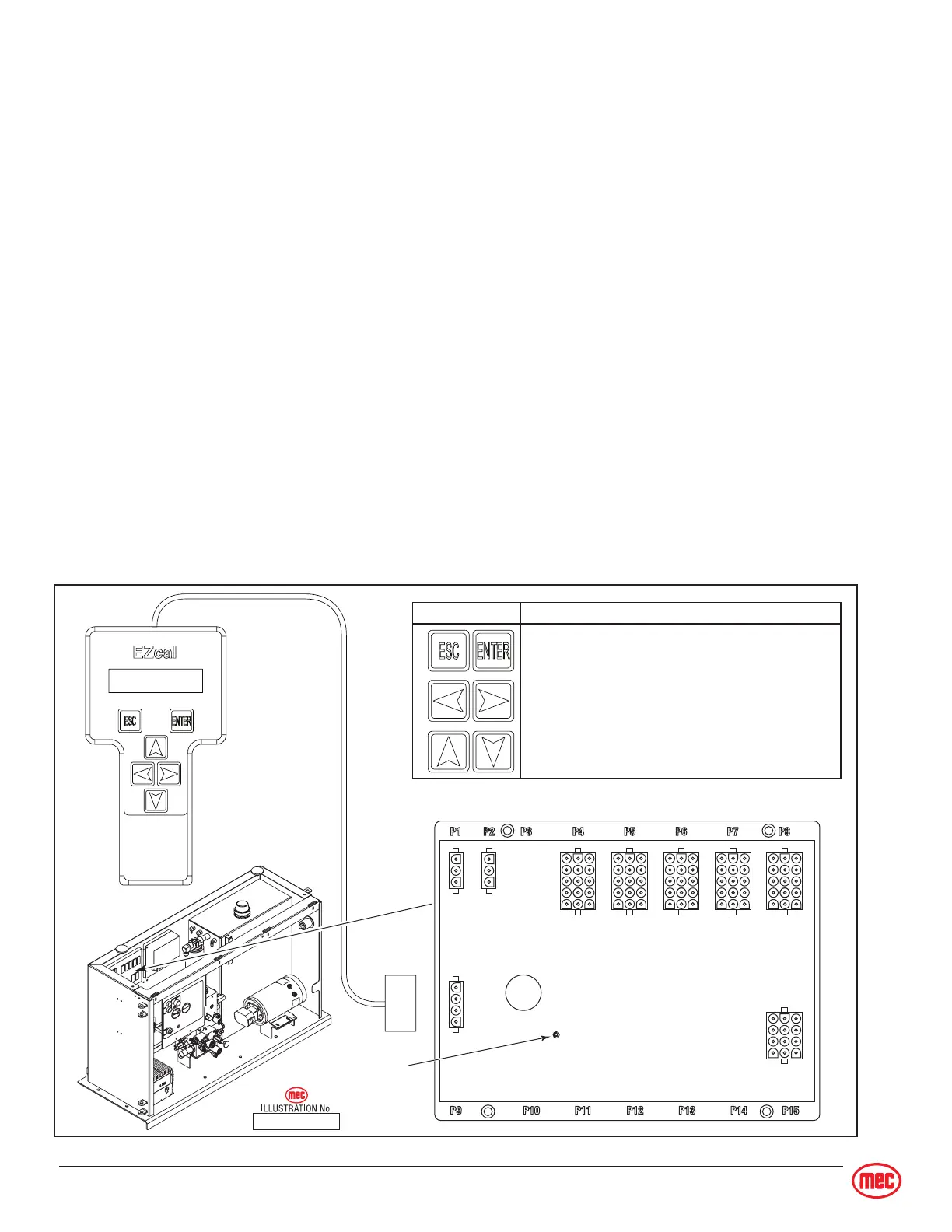
SYMBOL KEY FUNCTIONS
ESC/ENTER BUTTONS
To move back and forth between menu and sub-menu
LEFT/RIGHT BUTTONS
Select menus and setting to be adjusted
UP/DOWN BUTTONS
Adjust setting values
EZ-Cal
Calibrator
MEC P/N 90888
Connect
to P9
Diagnostic
LED
GP400 Control Module
ART_2576
EZ-CAL SCAN TOOL
The EZ-Cal is a hand-held interface tool that communicates with the GP400 processor to provide
troubleshooting information and adjustments. The EZ-Cal receives its power from the GP400 when
connected. It also conveniently provides back-lighting to the display.
EZ-Cal Operation
The system must be powered up to use the EZ-Cal. To power the system up;
• put the battery disconnect switch in the ON position
• reset the Base and the Platform emergency stop switches
• at the upper controls, turn the key switch to ON
• at the lower controls, select the station you will operate from (Base or Platform).
To operate the EZ-Cal, plug the cable into the open 4-terminal receptacle on the GP400 and power
the system up.
• The EZ-Cal display will illuminate and read “HELP: PRESS ENTER”. From this point, use the
right and left arrows to scroll through the base menus.
• Once the desired base menu is obtained press Enter to access sub menus.
• Use the right and left arrows to scroll through sub menus, press Enter again.
• The up/down arrows are used to change settings.
• Press ESC to go back one level.
The EZ-Cal Flow Chart on page 4-10 through page 4-13, and the EZ-Cal Tables beginning on
page 4-14 will help to quickly locate diagnostic and adjustments information.



 To Next Page