2-11
2.8.4. Install Accessories on Top Rail Section
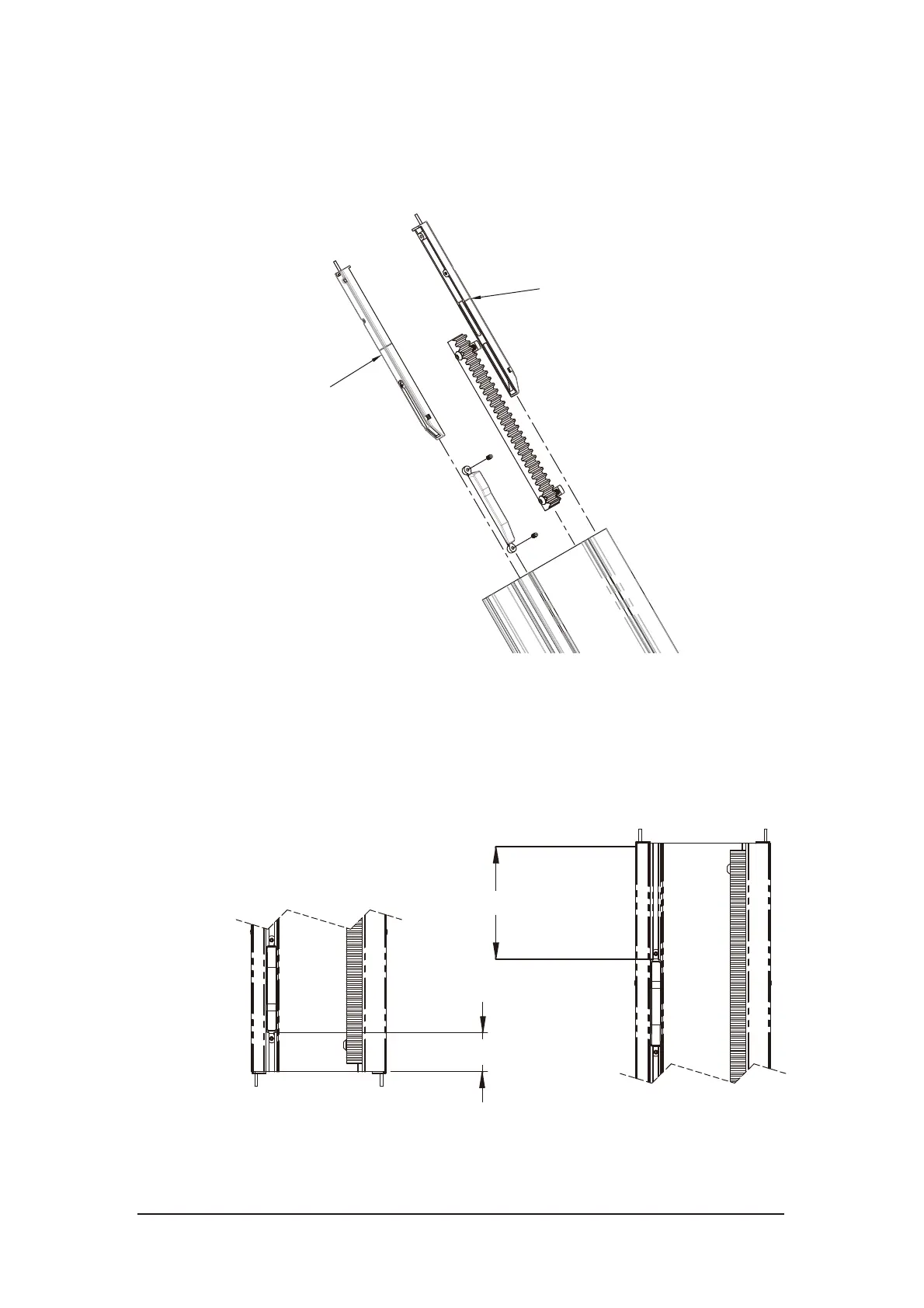
Assemble the charging bases on the top rail section. The negative ports are
always installed on the rack side. Tighten the set screws. Install the limit switch
cam on the top rail.
Figure 2-15 Install accessories on top rail section
2.8.5. Adjust Location of Top and Bottom Limit Switch Cams
Loosen the set screws on the cam. Slide the cams to the correct location and then
tighten the set screws.
Figure 2-16 Location of limit switch cams
115mm(4-1/2”)
60mm(2-3/8”)
Bottom
Top
Negative(-)
Black
Positive(+)
Red



 To Next Page