3-4
3.4. Carriage Testing
3.4.1. Obstacle Detection
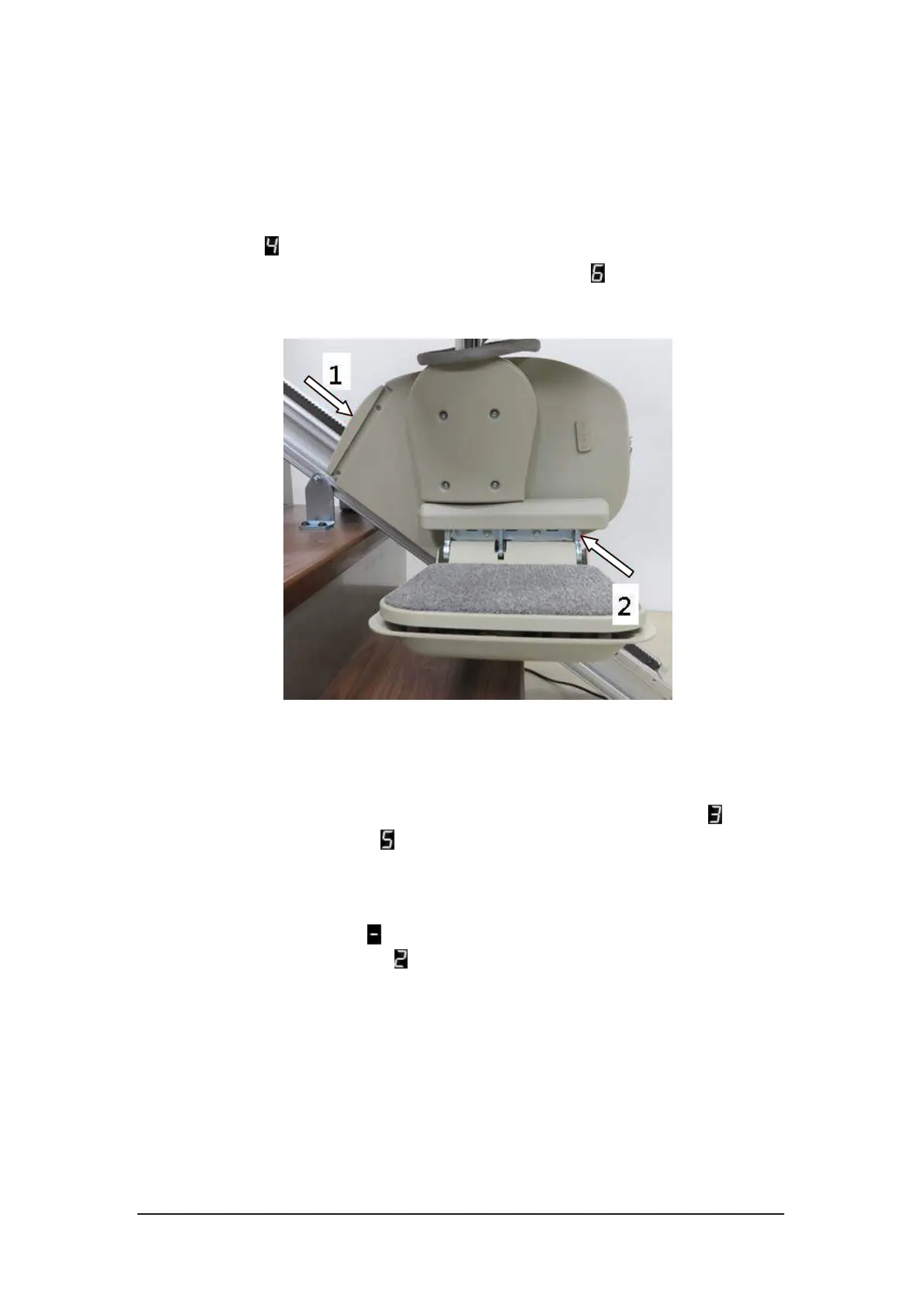
Move the stairlift in up direction and then push the obstacle covers as shown in
Figure 3-6. The stairlift stops while pushing in direction “1”. The status display
indicates . Move the stairlift in down direction and test again. It stops while
Figure 3-6 Carriage obstacle test
3.4.2. Limit Switch Detection
Move the stairlift up or down. The limit switches should stop the stairlift when
it reaches the top or bottom of the rail. The status display indicates when it
reaches the top limit and for bottom limit.
3.4.3. Charging
Move the stairlift up or down until it reached the limit switches and stops. The
status display indicates when the batteries are charging. Check the charger if
the status display indicates and the warning sound is beeping.
pushing in direction “2”. The status display indicates .



 To Next Page