6-2
6.2. Diagnostic Codes
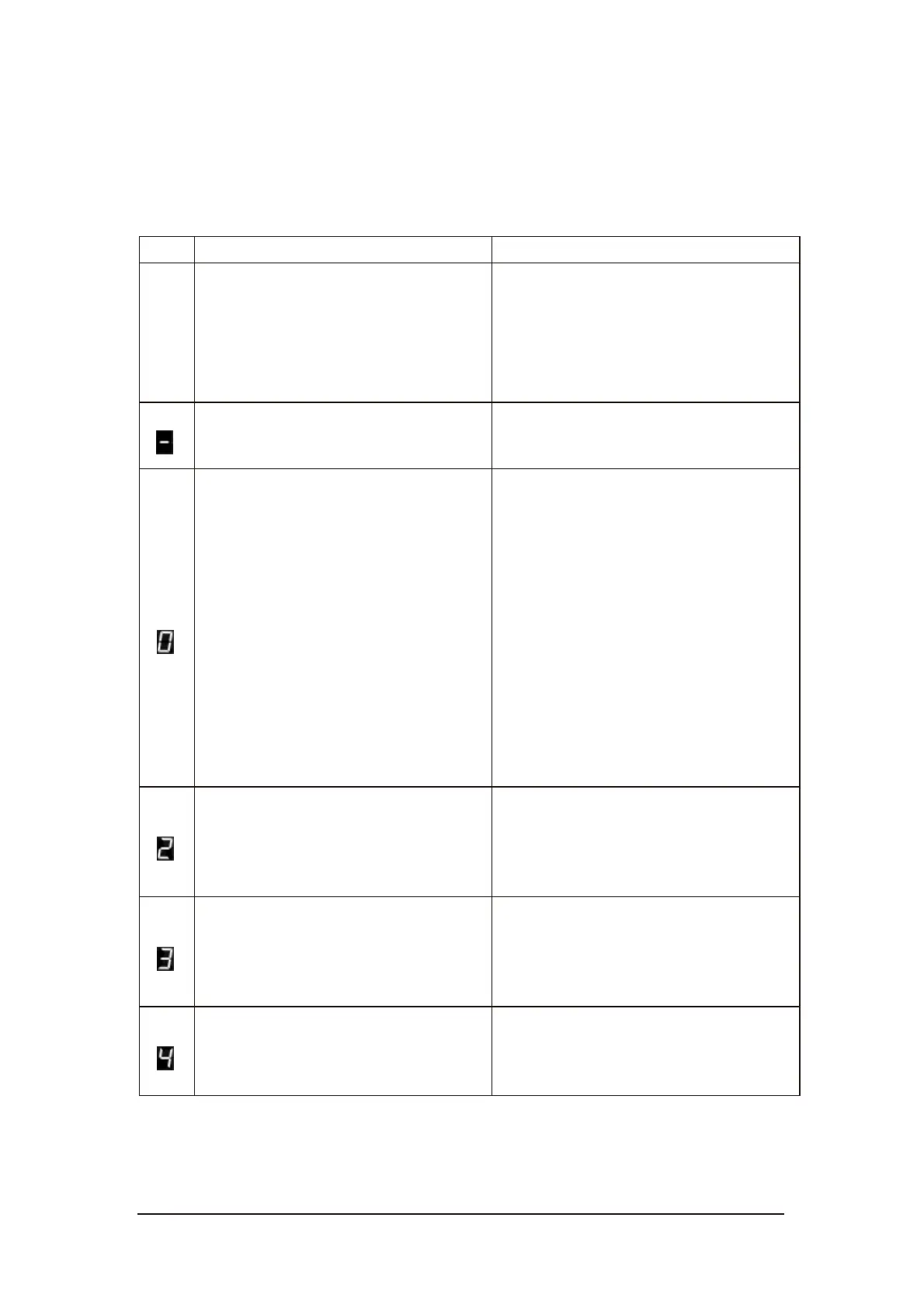
Refer to the following table to help diagnose and correct any faults.
Table 6-1 Troubleshooting
Cod
e
Status/Fault
Recommended Corrective Action
No display.
Check that the key switch and ON/OFF
switch are turned on.
Replace status display PCB if stairlift
is working correctly except no display.
The stairlift is ready to use.
No action required.
1. The swivel seat switch is activated.
2. The armrest switch is activated.
3. The Emergency Stop Button has
been pressed.
4. The final limit switch is activated.
5. The over speed governor (optional)
is activated.
1. Rotate and lock the seat in the right
position.
2. Fold down the armrest.
3. Release the Emergency Stop Button.
4. Use hand crank to move the carriage
until the final limit switch is not
activated. Check the top or bottom
limit switch. Replace the damaged
switch.
5. Use hand crank to move the stairlift
up about one inch to reset it.
Batteries are not charging.
Check that the charger is plugged in
and charging.
Check the charging pins. Replace if the
pins are worn or damaged.
Upper limit switch is activated.
You have reached the upper limit. Run
the unit in the down direction.
Check the switch if the stairlift is not
stopping at the upper limit.
Safety sensor in up direction is
activated.
Remove any obstacle that may have
activated the switch. Check the switch.



 To Next Page