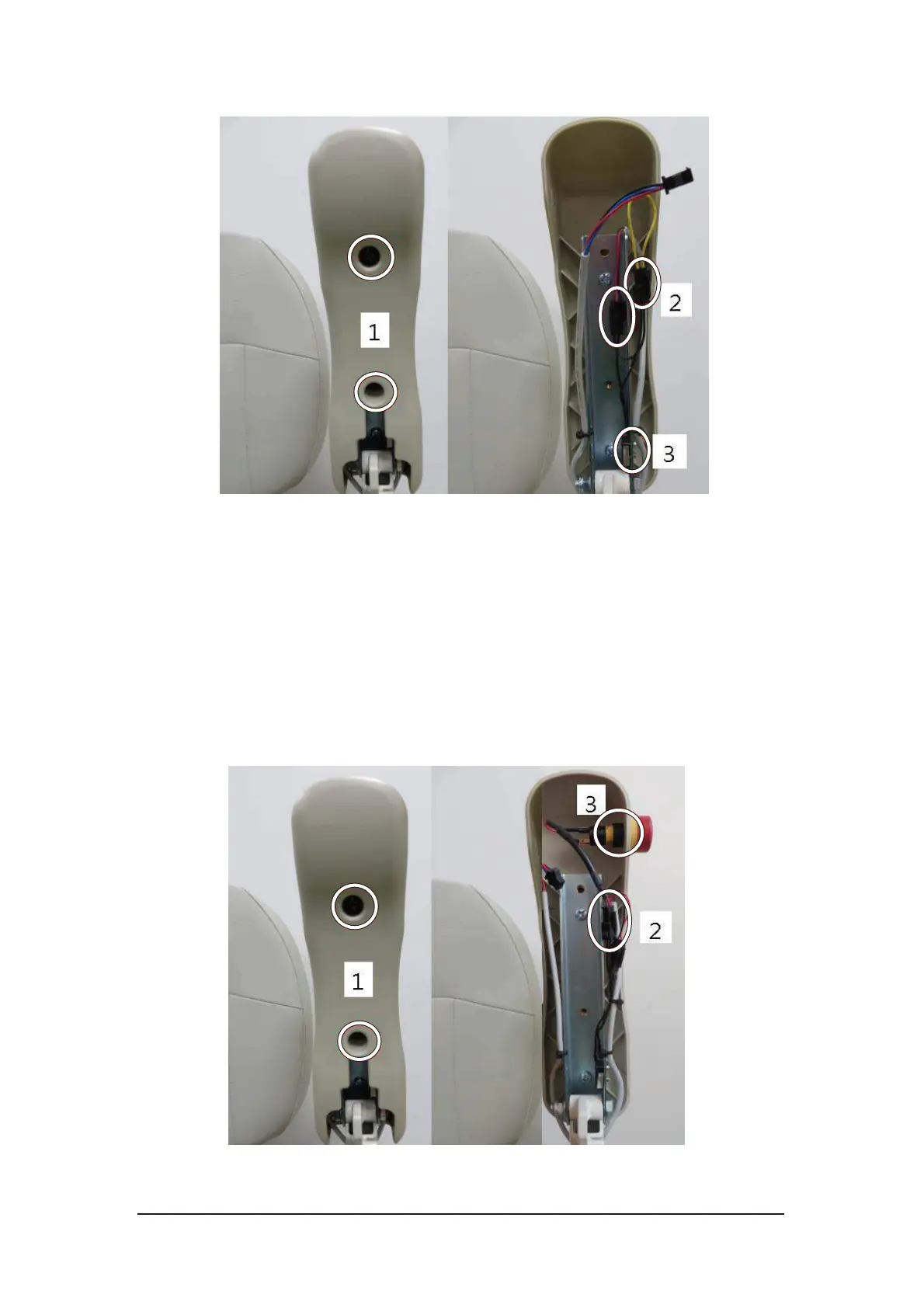
4-3
Figure 4-3 Armrest switch replacement
4.1.3. Emergency Stop Button Replacement (optional)
i. Loosen the two screws from the bottom of the armrest and take the cover
apart from the armrest.
ii. Disconnect the connector of emergency stop button.
iii. Loosen the nut on the button.
iv. Install the new emergency stop button and tighten the nut.
v. Reconnect the connector and assemble the bottom cover. Be careful not
to trap the cables while assembling this cover.
Figure 4-4 Emergency stop button replacement



 To Next Page