4-17
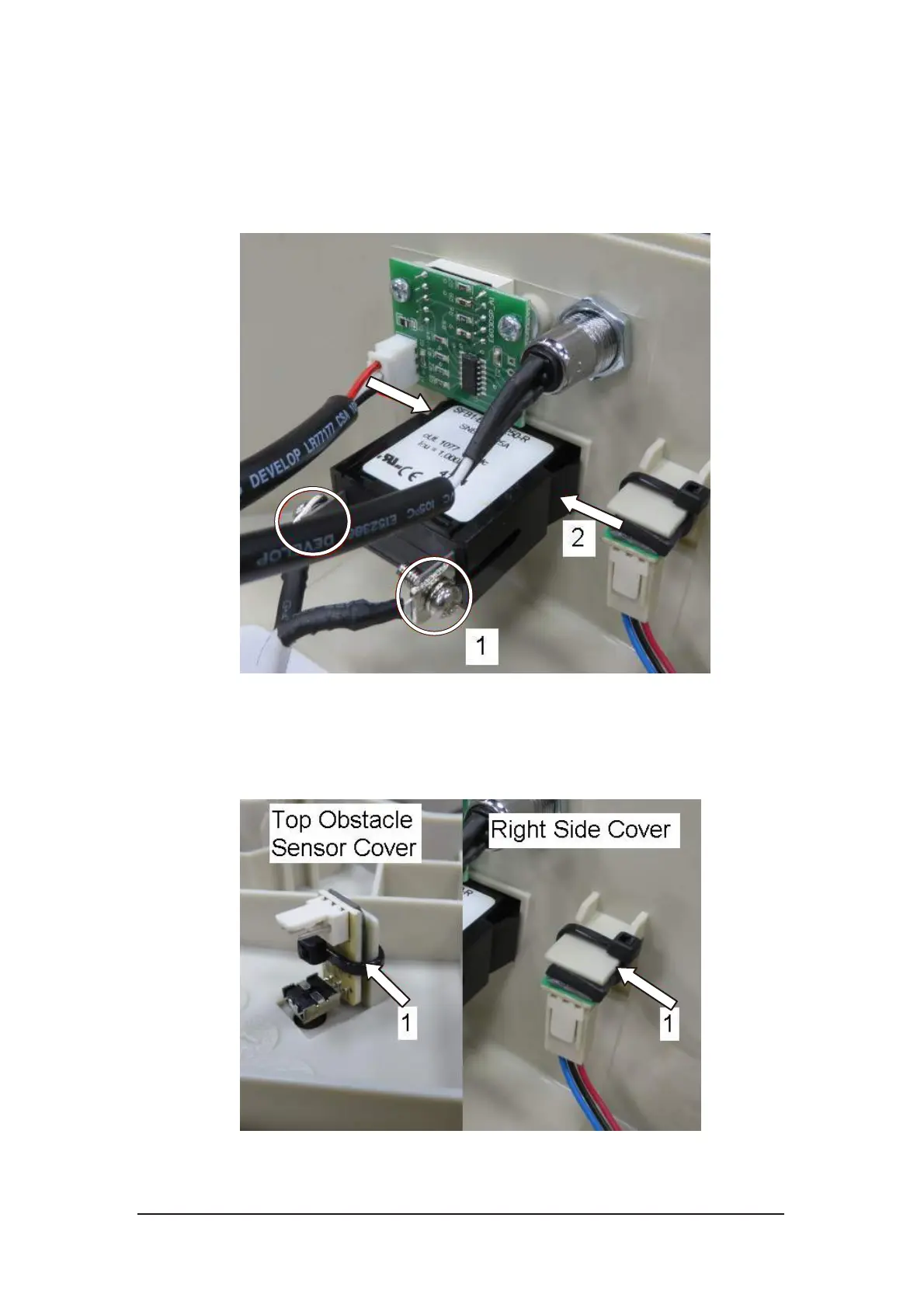
4.4.7. Power Switch Replacement
i. Loosen the screws on the power switch and remove cables.
ii. Press the snap features on both side of power switch and then push
the switch out.
Figure 4-31 Power switch removal
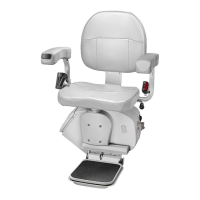
4.4.8. IR PCB Replacement
i. Cut the cable tie to remove the IR PCB from the cover.
Figure 4-32 IR PCB removal



 To Next Page