4-14
WARNING
DO NOT short the battery terminals.
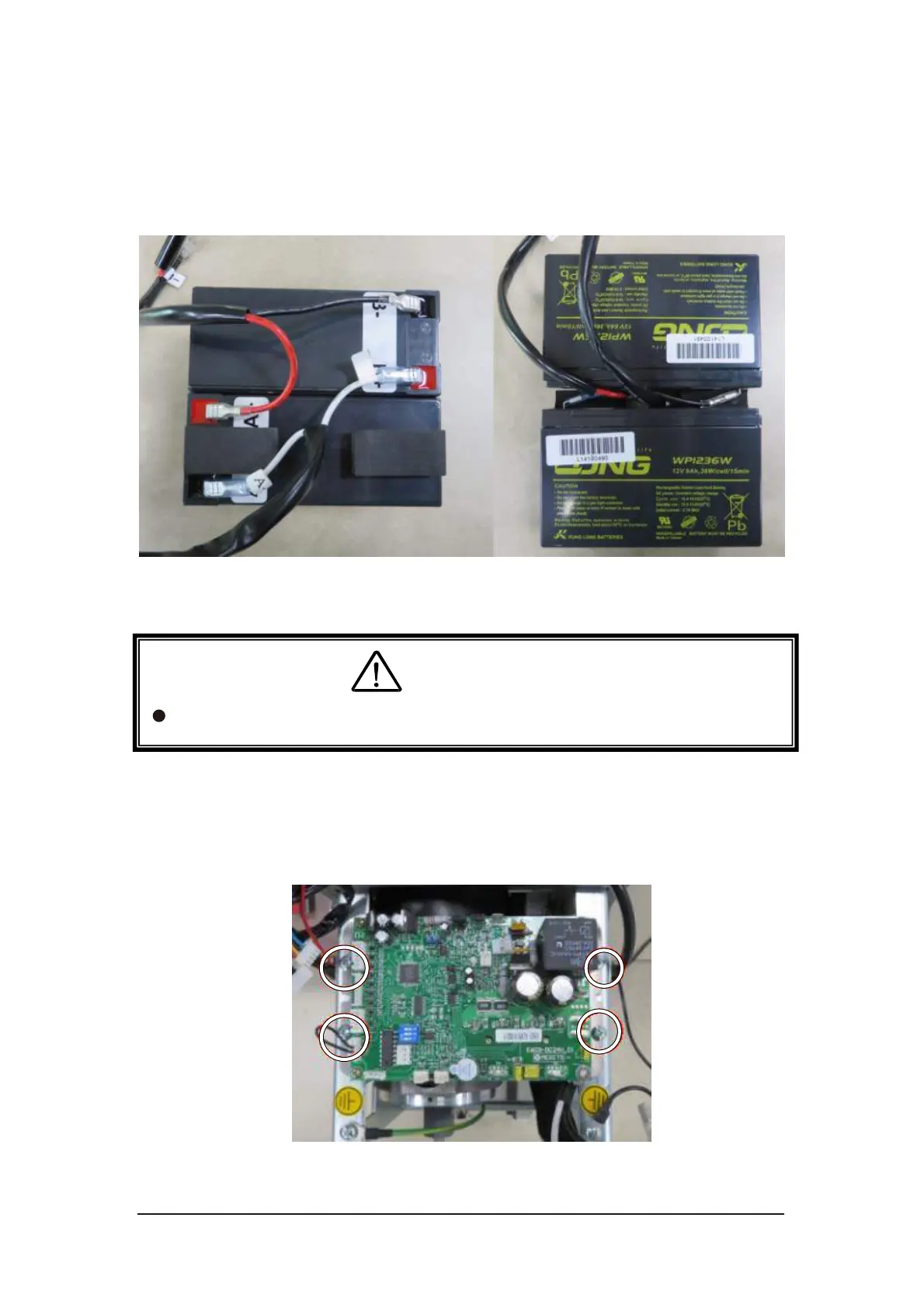
iv. Replace the batteries and reconnect the cables. Follow the labels on the
batteries and cables to plug the terminals. Attach the foam blocks on the
new battery.
v. Install new batteries and plug the terminals on the control PCB.
Figure 4-25 Battery cables
4.4.2. Control PCB Replacement
i. Disconnect all connectors.
ii. Loosen four screws to replace the control PCB.
Figure 4-26 Control PCB screws



 To Next Page