© Microhard Systems Inc. 186
Appendix E: VPN Example
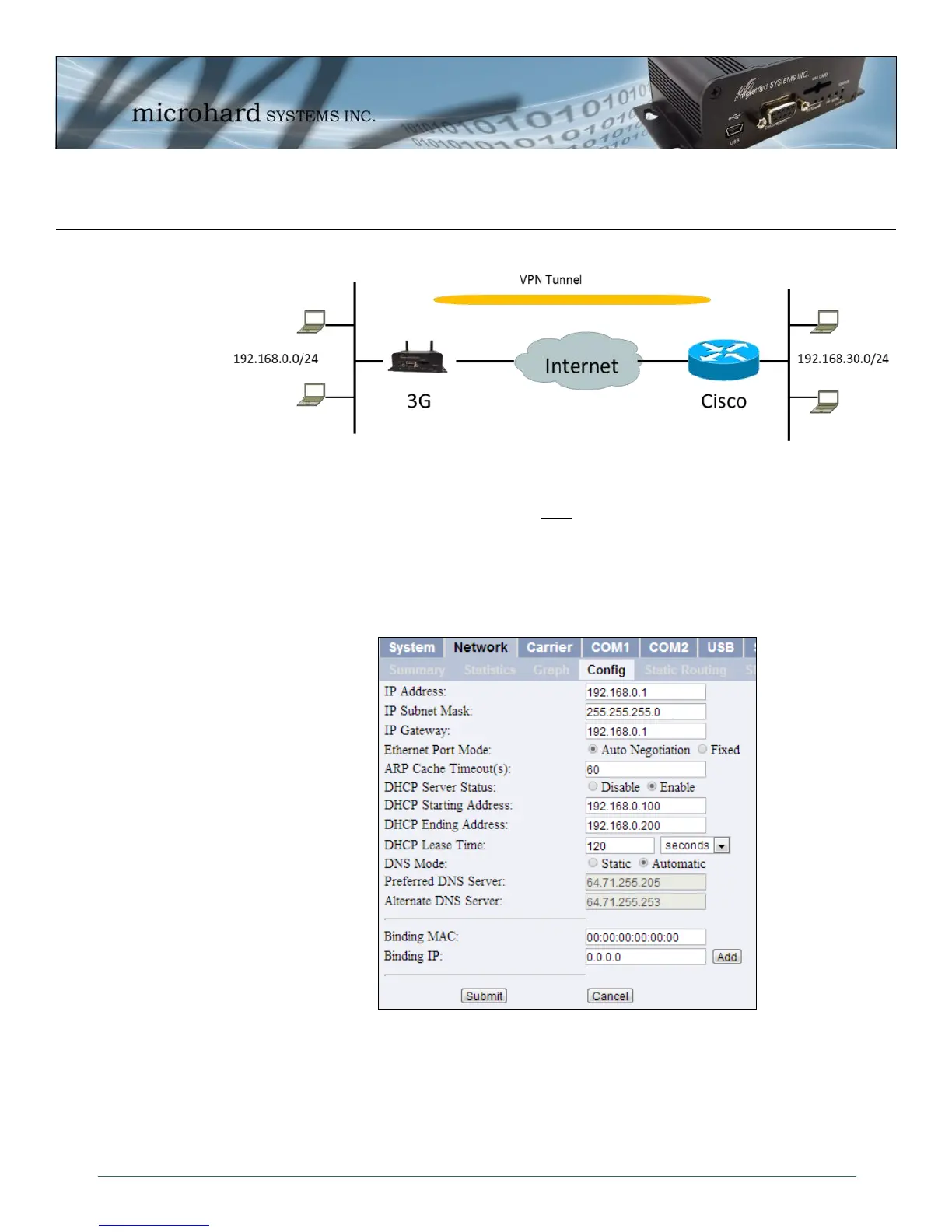
Example 2: IPn3G to Cisco ASA 5505
Step 1
Log into the IPn3G (Refer to Quick Start), and ensure that the Firewall is enabled. This can be found under Firewall >
General. Also ensure that either WAN Request is set to Allow, which allows traffic to come in from the WAN, or that
sufficient Rules or IP lists have been setup to allow specific traffic to pass through the IPn3G. Once that is complete,
remember to “Apply” the changes.
Step 2
Configure the LAN IP and subnet for the IPn3G.



 To Next Page