© Microhard Systems Inc. 119
4.0 WebUI Configuration
4.11.1.3 Restoring Configuration Settings
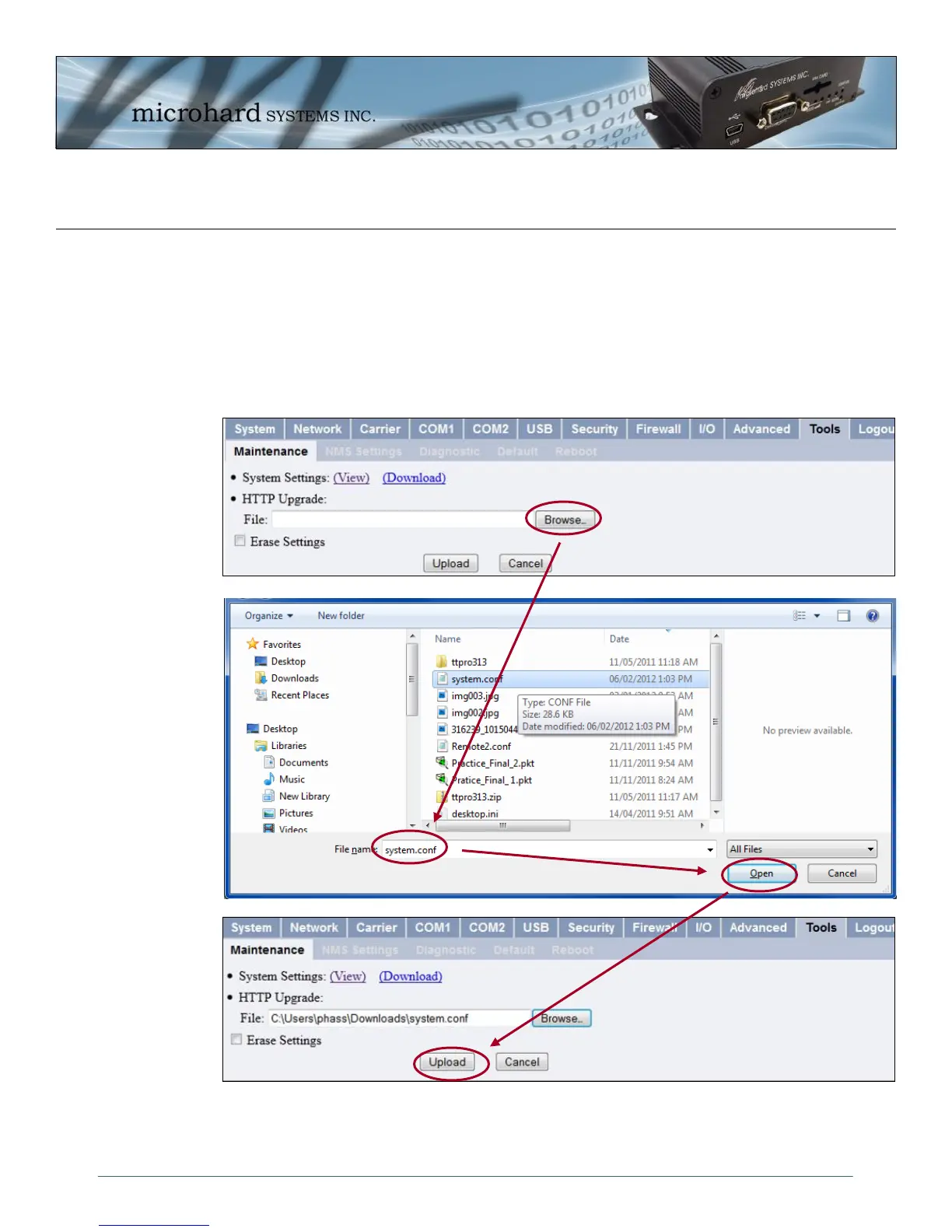
A system.conf file can be uploaded to the IPn3G to restore previous settings or as a template to aid in
configuration of multiple units that have similar settings. The filename must be “system.conf” or an
error message will be reported by the IPn3G.
To upload a “system.conf” file, click the browse button on the File: path selection bar under HTTP Upgrade.
Select the “system.conf” file that is to be uploaded to the IPn3G, and then click the upload button. The
setting will be loaded on the IPn3G and the unit will immediately reboot.
Image 4-77: Tools > Maintenance > Configuration Restore (WebUI)



 To Next Page