© Microhard Systems Inc. 33
4.0 WebUI Configuration
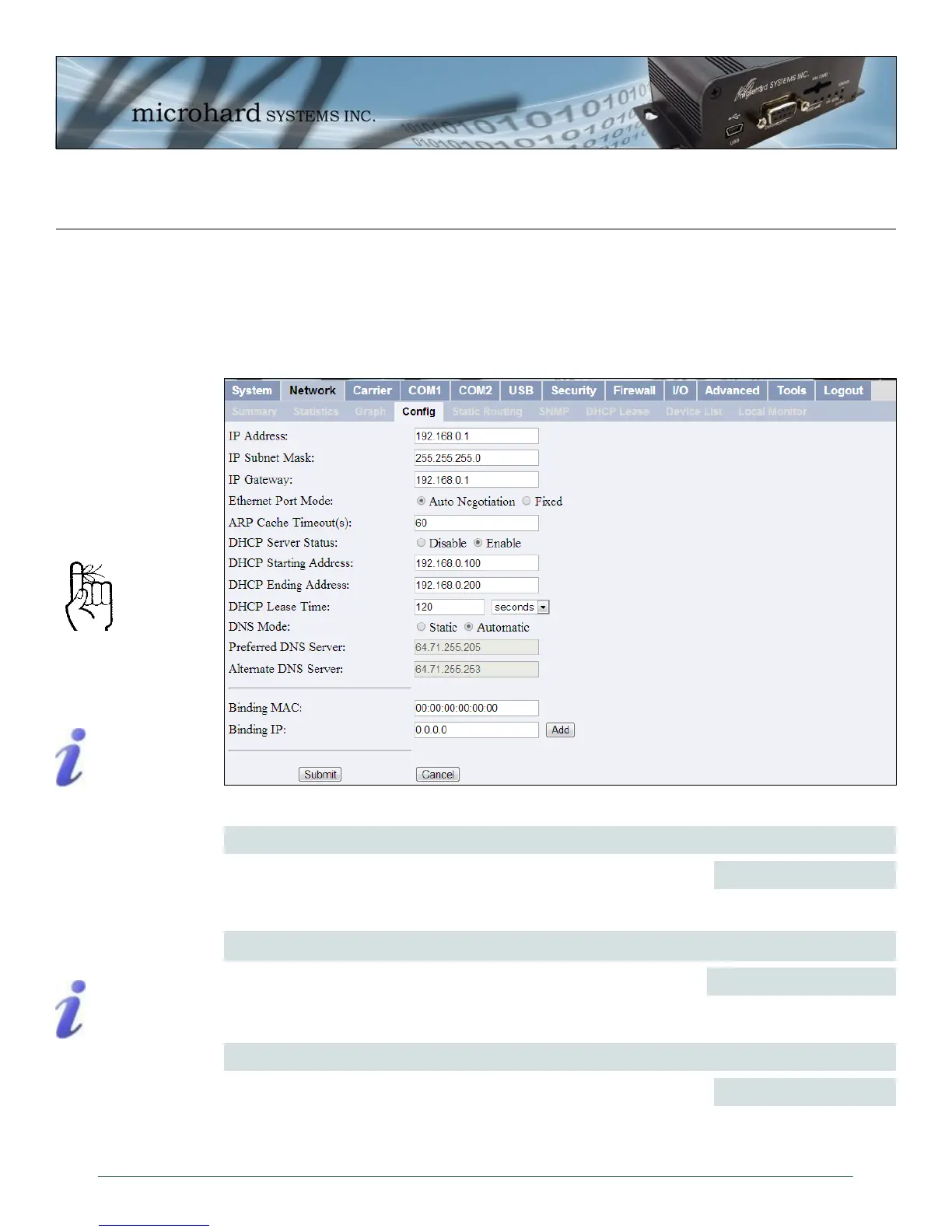
Image 4-11: Network Configuration , Local IP Configuration Submenu
4.3.4 Network > Config
The Network > Config tab allows the configuration of the Ethernet port on the IPn3G (Rear RJ45). This port
is configured as static port and must be configured by the user if the default values are not to be used. By
default this port acts as a simple DHCP server, allowing the IPn3G to assign IP addresses and enable
communication to attached devices. Caution must be taken not to connect the IPn3G to an existing
network where a DHCP server may already be running.
IP Address
Enter a valid IP Address. The default IP address for the Ethernet Port on
the IPn3G is 192.168.0.1.
192.168.0.1
IP Subnet Mask
For a small private network with IP addresses appearing similar to
192.168.1.xx (Class C address), the standard 255.255.255.0 subnet mask
may be applicable.
255.255.255.0
Values
Values
Within any IP network,
each device must have its
own unique IP address.
A SUBNET MASK is a bit
mask that separates the
network and host (device)
portions of an IP address.
The ‘unmasked’ portion
leaves available the
information required to
identify the various
devices on the subnet.
If the IPn3G units are integrated into a network which has a defined
gateway, then, as with other hosts on the network, this gateway’s IP
address will be entered into this field.
192.168.0.1
IP Gateway
Values
A GATEWAY is a point
within a network that acts
as an entrance to another
network.
In typical networks, a
router acts as a gateway.



 To Next Page