© Microhard Systems Inc. 67
4.0 WebUI Configuration
USB Device Port Mode (Continued)
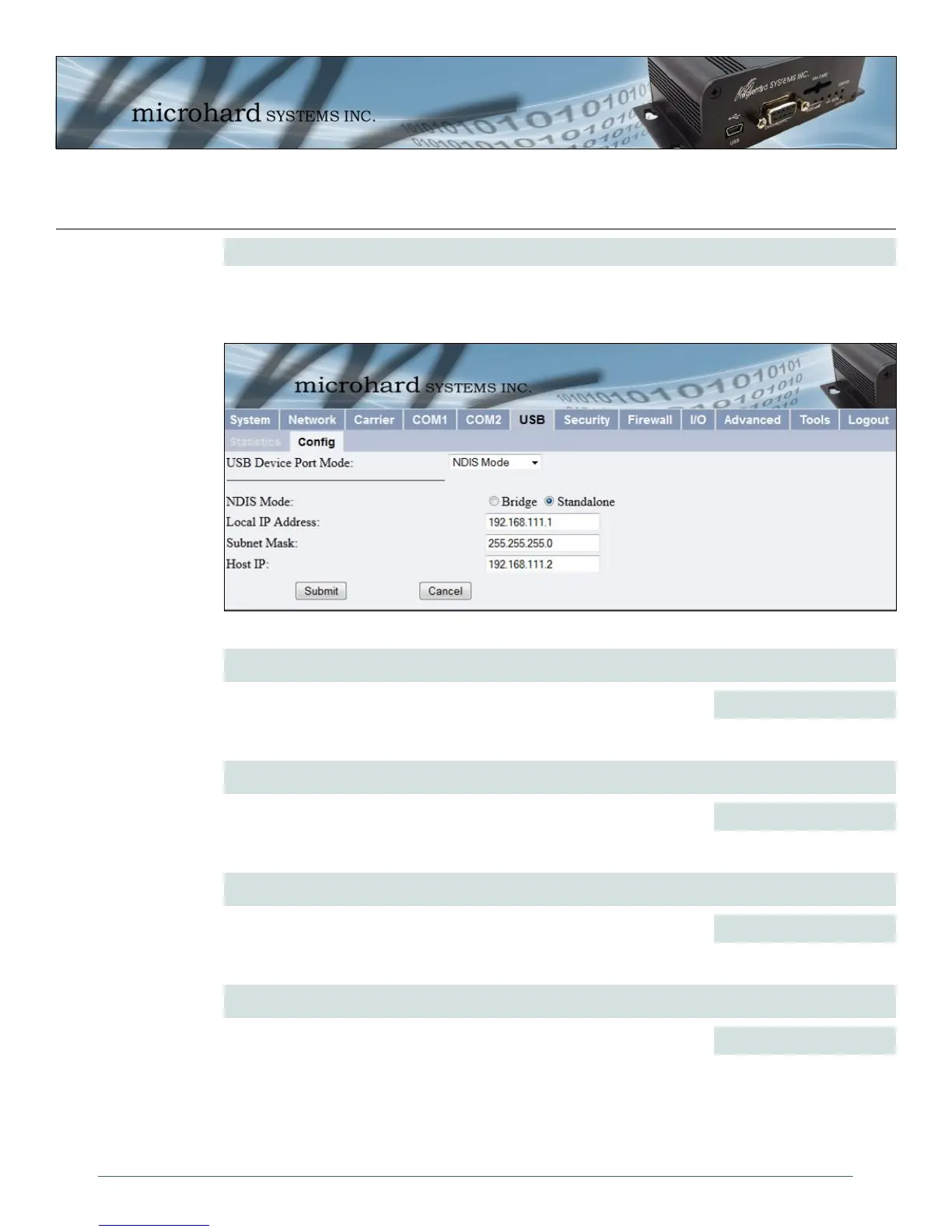
NDIS Mode:
NDIS Standalone Mode is enabled by default. This setting will allow the USB port to act as a network
interface card.
Image 4-32: USB NDIS Network Configuration
NDIS Mode
In standalone Mode the USB port will act as a separate NIC for the IPn3G.
In Bridge Mode the USB port wil use the same settings as the rear ethernet
port.
Bridge / Standalone
Values (selection)
Local IP Address
This is the IP Address of the USB NDIS adapter on the IPn3G. The IPn3G
acts as a DHCP server on this port and assigns an IP address to
connecting devices, i.e your PC.
192.168.111.1
Values
Subnet Mask
Enter a valid subnet for the USB NIC.
255.255.255.0
Values
Host IP
Enter a valid host IP for the USB NIC.
192.168.111.2
Values



 To Next Page