© Microhard Systems Inc. 63
4.0 WebUI Configuration
Protocol Config (continued)
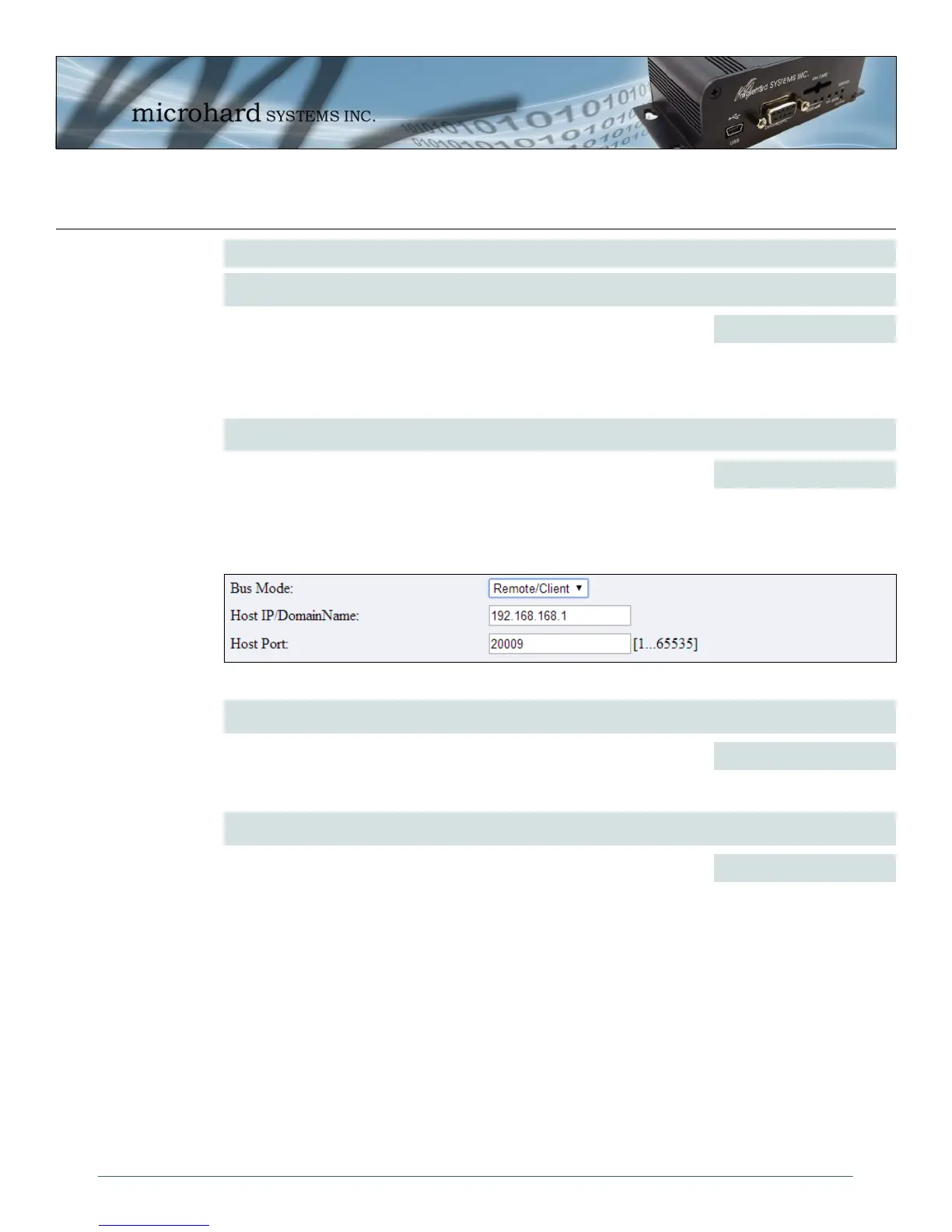
Image 4-30: COM1 > Wireless Bus Mode (Remote/Client)
Host IP/Domain Name
When the Bus Mode is configured for Remote/Client, enter the IP address
or domain address where the Host/Server is located.
192.168.168.1
Values (IP/Domain)
Send Mode
When configured as Host/Server Bus Mode, this option will allow a user to
select between Modbus RTU, Modbus ASCII, or as Broadcast (for other
protocols. When set to broadcast the IPn3G will send any incoming serial
data to all the IP/Port numbers listed. When in either Modbus mode the
IPn3G will only send to the IP/Port that matches the Modbus ID.
RTU Modbus Direct Access
ASCII Modbus Direct Access
Broadcast For Any Protocol
Values (selection)
Remote IP/ Adress Config
For each remote IPn3G enter the reachable IP address and configured
UDP port configured for serial data. The ModbusID is not required when in
broadcast mode for polled protocols other than Modbus.
IP Address (required)
Port (UDP Port #)
ModbusID (if applicable)
Values (UDP)
Host Port
Enter the UDP port number configured on the Host/Server where the
WirelessBus service is listening. By default this is configured as 20009 on
the Host/Server.
20009
Values (UDP Port)



 To Next Page