© Microhard Systems Inc. 79
4.0 WebUI Configuration
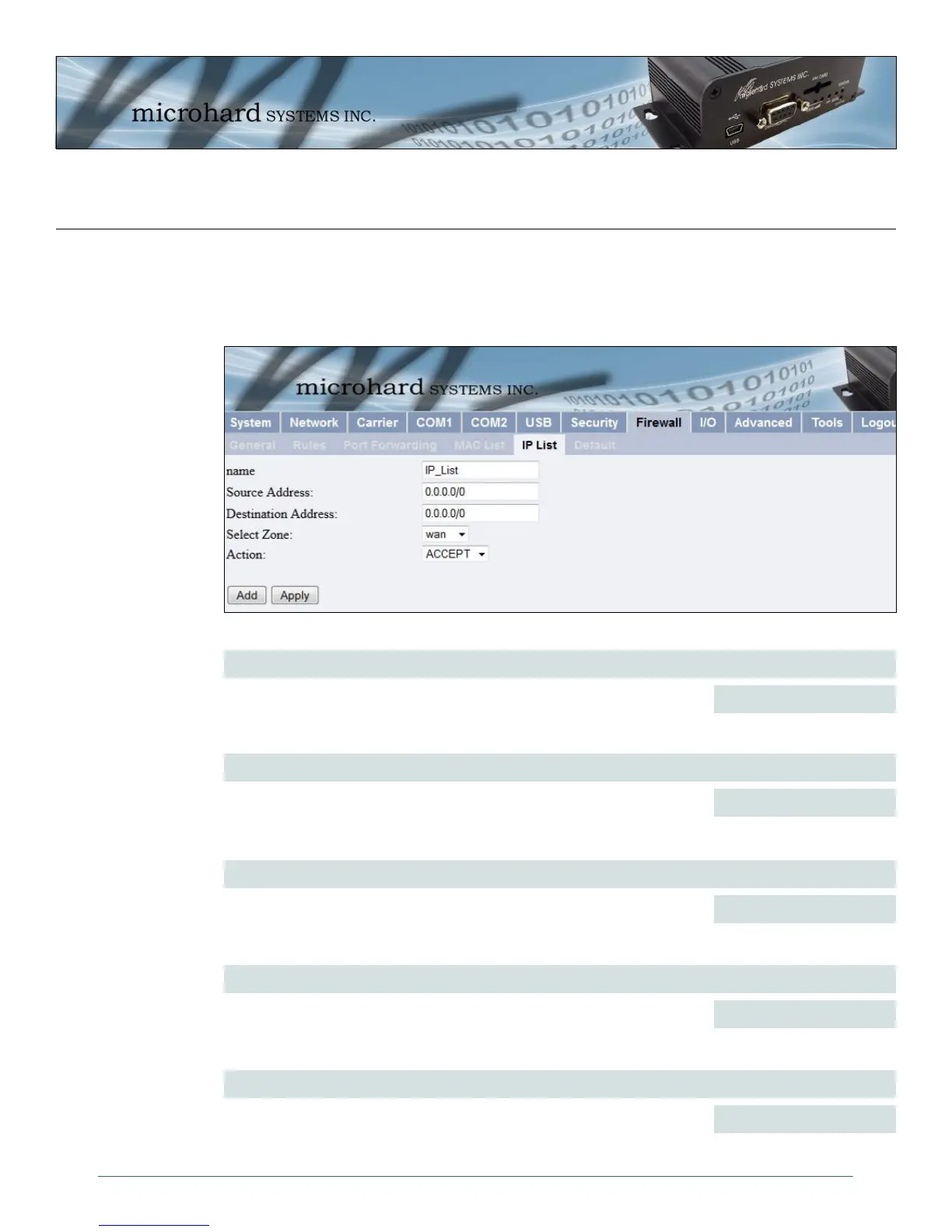
Image 4-42: Firewall Configuration, Blacklist Configuration Submenu
Rule Name
The Rule Name field is required to give the rule a convenient name for
reference. Each rule must have a unique name, up to 10 characters in
length.
Values (10 chars)
IP_List
Source Address
Specify the specific IP or Network address (With /subnet, for example
192.168.0.0/24 will apply to all IP addresses in the 192.168.0.1 -
192.168.0.254 range (subnet /24 = 255.255.255.0).
Values (IP Address)
0.0.0.0/0
Action
The Action is used to define how the rule handles the connection request.
ACCEPT will allow a connection, while REJECT (error) and DROP (quietly
dropped), will refuse connections.
Values (selection)
ACCEPT / DROP / REJECT
Destination Address
Optional, enter a destination IP address to make the IP list more specific.
Leave as 0.0.0.0/0 to not use.
Values (IP Address)
0.0.0.0/0
Select Zone
Enter the specific zone that the IP List will apply to, WAN (Wireless), LAN
(Ethernet, USB NDIS) or None (both).
Values (Selection)
WAN / LAN / NONE
4.8.4 Firewall > IP List
IP List configuration can be used to define who or what can access the IPn3G, by restricting or allowing
connections based on the IP Address/Subnet. Can be used alone or in combination with WAN Request
and LAN to Wan Access Control.



 To Next Page