© Microhard Systems Inc. 76
4.0 WebUI Configuration
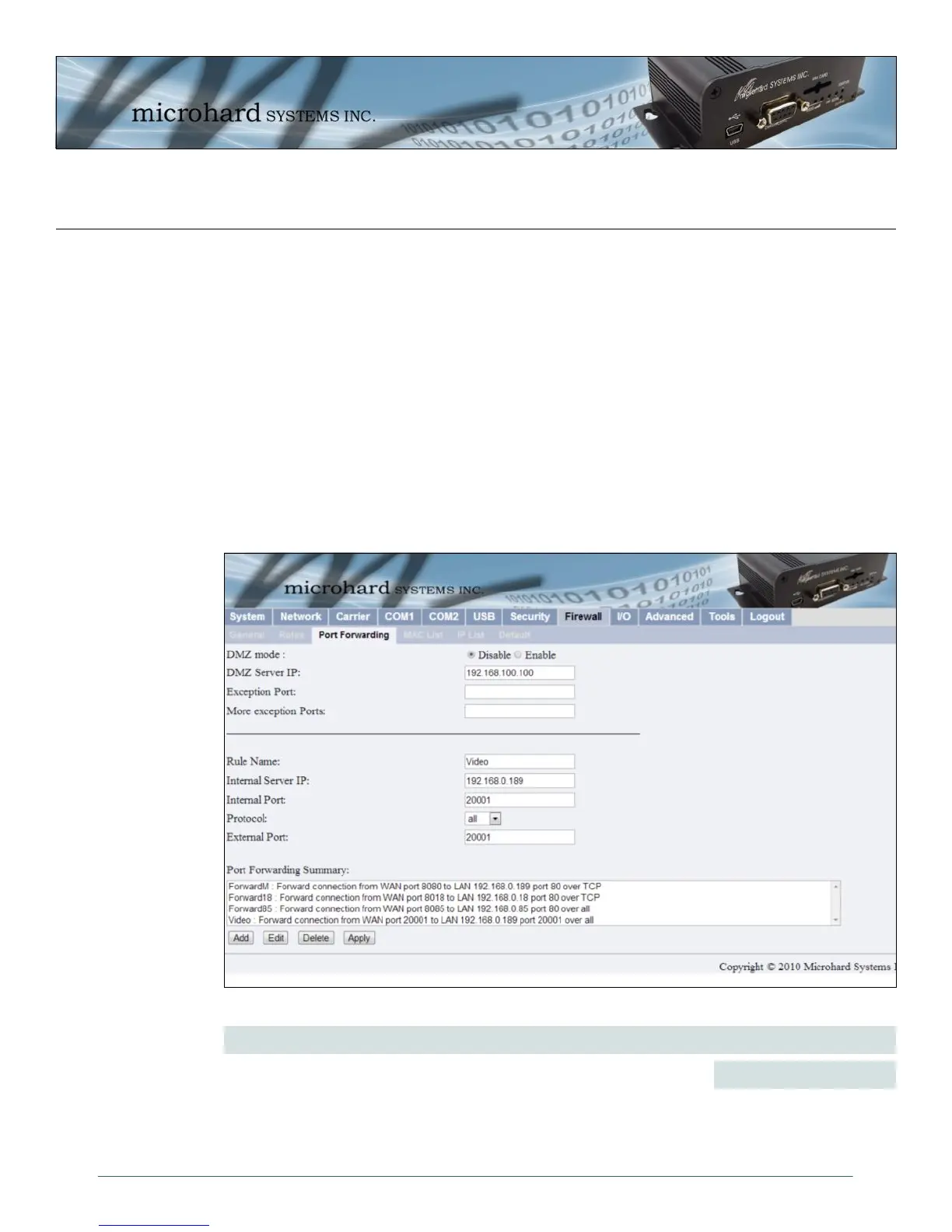
Image 4-40: Firewall Configuration, Port Forwarding Config. Submenu
DMZ Mode
Enable or disable DMZ Mode. DMZ can be used to forward all traffic to a
specific PC/Device on the LAN (DMZ Server IP listed below).
Values (selection)
Disable / Enable
4.8.2 Firewall > Port Forwarding
The IPn3G can be used to provide remote access to connected devices. To access these devices a user
must define how incoming traffic is handled by the IPn3G. If all incoming traffic is intended for a specific
connected device, DMZ could be used to simplify the process, as all incoming traffic can be directed
towards a specific IP address.
In the case where there is multiple devices, or only specific ports need to be passed, Port forwarding is
used to forward traffic coming in from the WAN (Cellular) to specific IP Addresses and Ports on the LAN.
Port forwarding can be used in combination with other firewall features, but the Firewall must be enabled
for Port forwarding to be in effect. If the WAN Request is blocked on the General Tab, additional rules and/
or IP Lists must be set up to allow the port forwarding traffic to pass through the firewall.
IP-Passthrough (Carrier > Config) is another option for passing traffic through the IPn3G, in this case all
traffic is passed to the device connected to the RJ45 port of the IPn3G, The device must be set for DHCP,
as the IPn3G assigns the WAN IP to the device, and the modem enters into a transparent mode, routing all
traffic to the RJ45 port. This option bypasses all firewall features of the IPn3G, as well as all other features
of the IPn3G such as COM, VPN, GPS etc.



 To Next Page