© Microhard Systems Inc. 73
4.0 WebUI Configuration
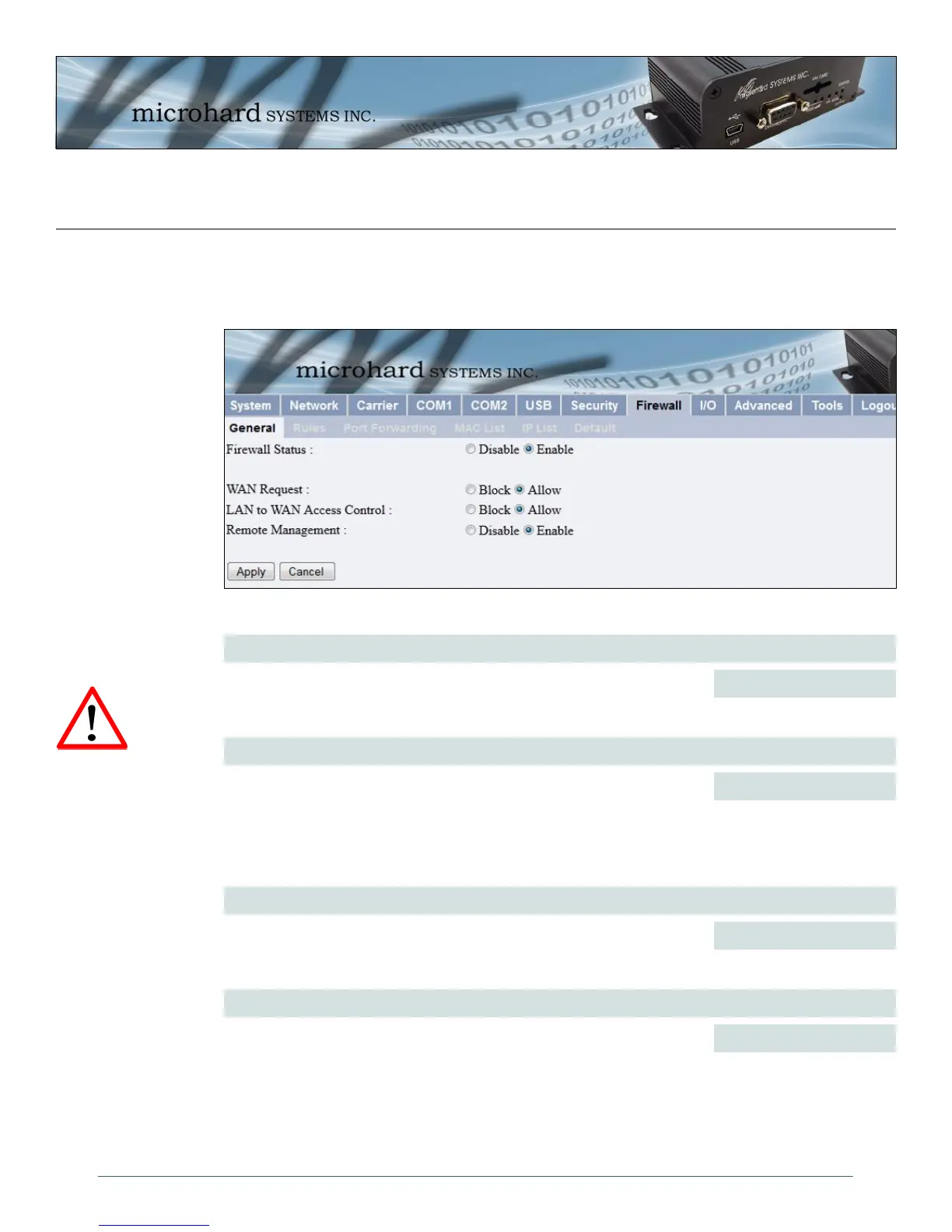
Image 4-38: Security Config. Menu, Firewall Configuration Submenu
4.8 Firewall
The Firewall Configuration is used to allow or disallow particular types of traffic access to and from the
network.
Firewall Status
When enabled, the firewall settings are in effect. When disabled, none of
the settings configured in the menu’s below have an effect, the modem is
“open”.
Values
Disable / Enable
WAN Request
When Blocked the IPn3G will block at traffic on the WAN (Wireless Carrier)
unless specified otherwise in the Access Rules, MAC List, IP List
configurations. Access to ports 80 (HTTP) and 443 (HTTPS-if enabled), is
still available unless disabled in the Remote Management option.
Values
Block / Allow
LAN to WAN Access Control
Allows or Blocks traffic from the LAN (Ethernet, USB NDIS) accessing the
WAN unless specified otherwise using the Access Rules, MAC, and IP List
configuration.
Values
Block / Allow
Remote Management
Allow remote management of the IPn3G on the WAN side using the WebUI
on port 80(HTTP), and 443 (HTTPS). If disabled, the configuration can only
be accessed from the LAN.
Values
Disable / Enable
For best practices and to
control data usage is
critical that the firewall be
configured properly.
It is recommended to
block all WAN traffic and
create rules to open
specific ports and/or use
ACL lists to limit incoming
connections.



 To Next Page