© Microhard Systems Inc. 74
4.0 WebUI Configuration
4.8.1 Firewall > Rules
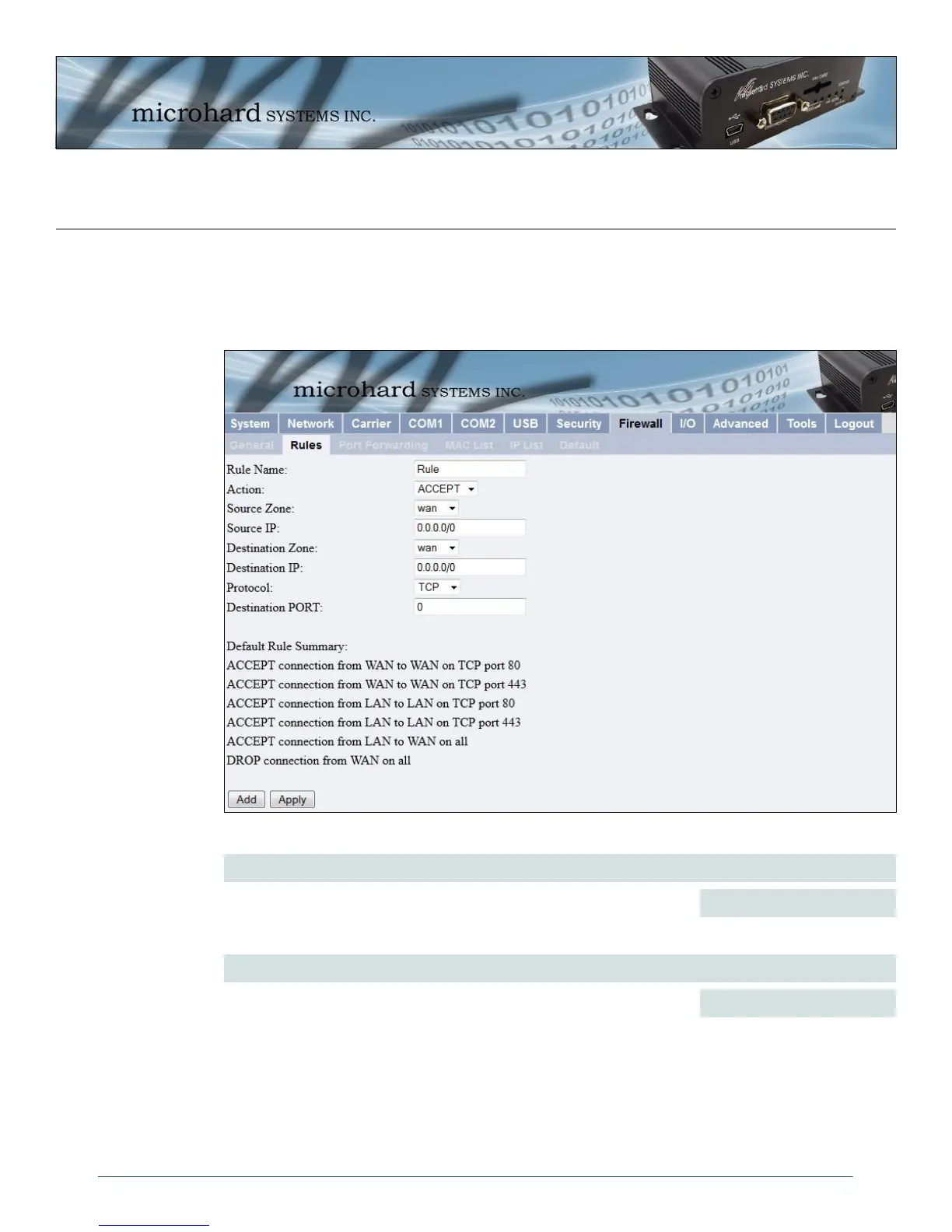
Once the firewall is turned on, rules configuration can be used to define specific rules on how local and
remote devices access different ports and services. MAC List and IP List are used for general access, and
are applied before rules are processed.
Rule Name
The rule name is used to identify the created rule. Each rule must have a
unique name and up to 10 characters can be used.
Values (10 Chars)
Image 4-39: Firewall Configuration, Rules Config. Submenu
characters
Action
The Action is used to define how the rule handles the connection request.
ACCEPT will allow a connection, while REJECT (error) and DROP
(quietly dropped), will refuse connections.
This is configured based on how the WAN Request and LAN to WAN
Access Control are configured in the previous menus.
Values (selection)
ACCEPT
REJECT
DROP



 To Next Page