© Microhard Systems Inc. 108
4.0 WebUI Configuration
4.10.7 Advanced > Netflow Report
The IPn3G can be configured to send Netflow reports to up to 4 remote systems. Netflow is a tool that
collects and reports IP traffic information, allowing a user to analyze network traffic on a per interface basis
to identity bandwidth issues and to understand data needs. Standard Netflow Filters can be applied to
narrow down results and target specific data requirements.
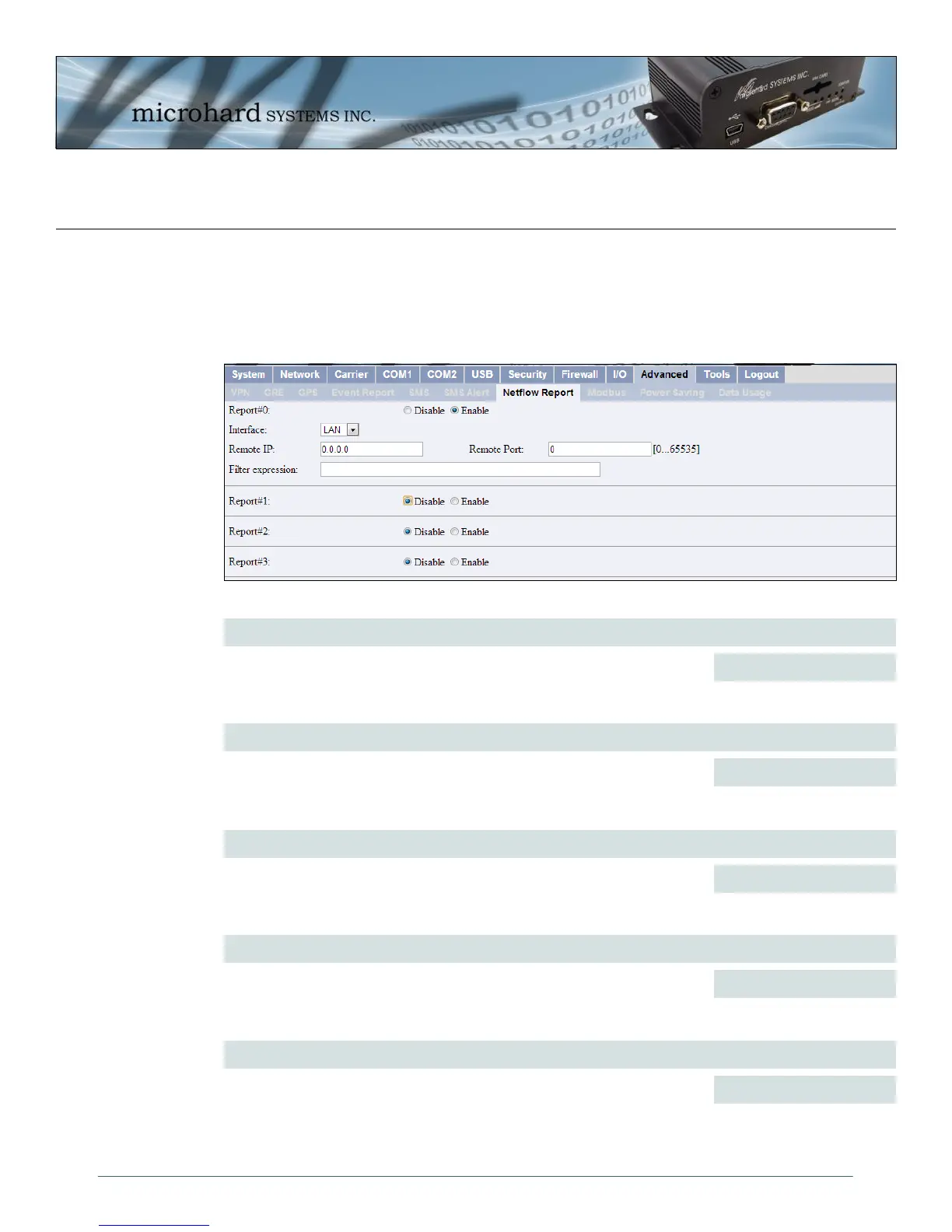
Image 4-67: Advanced > Netflow Reports
Report#
Enable / Disable Netflow Reporting.
Values (selection)
Disable / Enable
Interface
Select between WAN (3G) and LAN interfaces, or capture data from all
interfaces.
Values (selection)
LAN / WAN / ALL
Remote IP
The Remote IP is the IP Address of the NetFlow collector where the flow
reports are be sent.
Values (IP Address)
0.0.0.0
Remote Port
Enter the Remote Port number.
Values (IP Address)
0
Filter expression
Filter expression selects which packets will be captured. If no expression is
given, all packets will be captured. Otherwise, only packets for which
expression is `true' will be captured. Example: tcp&&port 80
The “tcpdump” manual, available on the internet provides detailed expression syntax.
Values (chars)
(no default)



 To Next Page