© Microhard Systems Inc. 69
4.0 WebUI Configuration
4.7.2 Security > Discovery
4.7.3 Security > Access
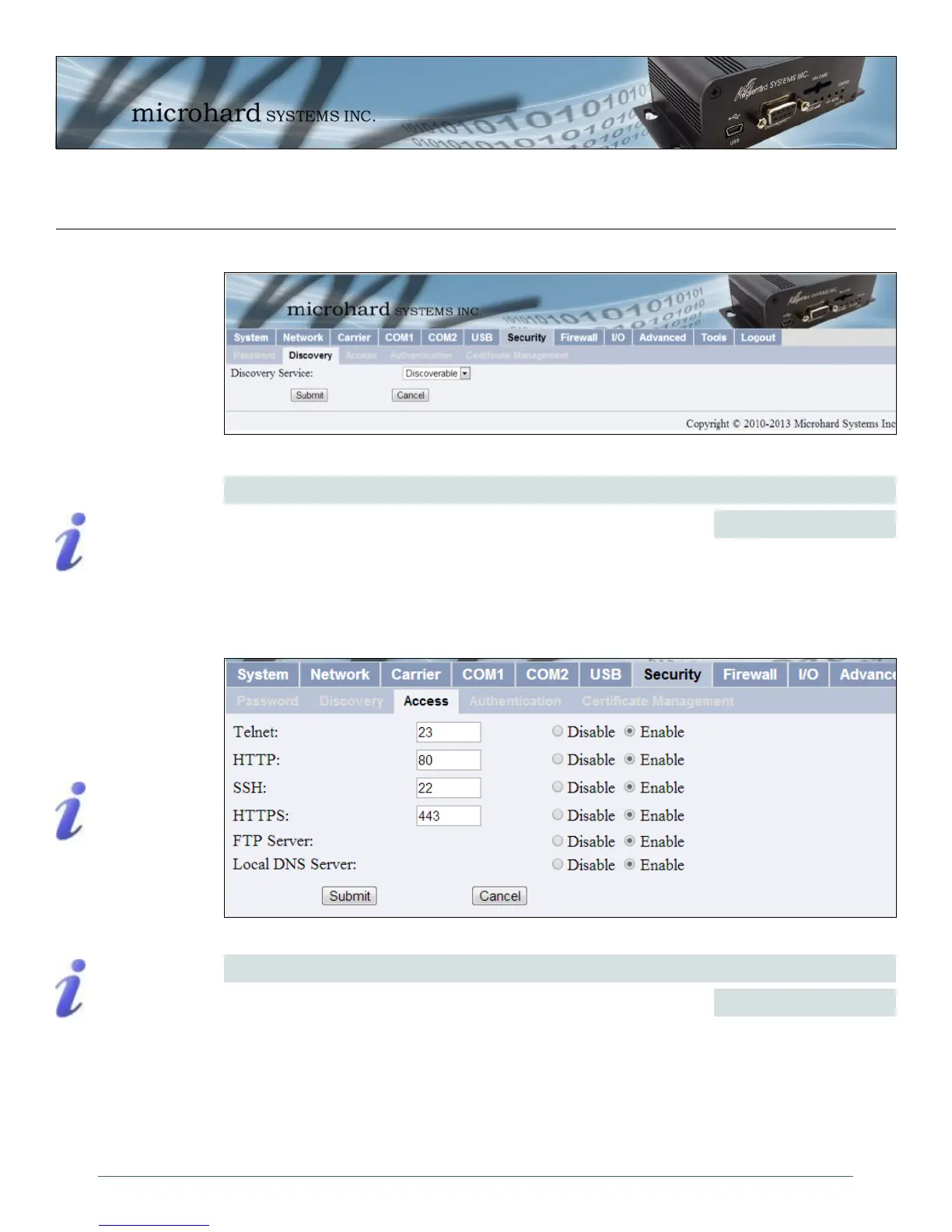
Image 4-35: Security Config. Menu, UI Access Config. Submenu
Access
Telnet: A user command
which uses the TCP/IP
protocol to access a remote
device.
Format, from DOS prompt:
>telnet 192.168.1.50
where the IP address is that
of the target device.
If the above IP address is that
of an IPn3G accessible via
the network, the user will
arrive at the unit’s LogOn
window.
HTTP: HyperText Transfer
Protocol. The standard
protocol for transferring data
between a Web server and a
Web browser.
Values (selection)
Disable / Enable
User Interface (UI) Access Configuration allows the port configuration of
access services in the IPn3G, the default ports are shown below.
Telnet (23)
HTTP (80)
SSH (22)
HTTPS (443)
It is also possible to disable the FTP Server, and the Local DNS Server.
Image 4-34: Security Config. Menu, Discovery Service Config. Submenu
Discovery Service
Values (selection)
Disable
Discoverable
Changeable
Allows, or disables use of the DiscoverIP utility. The discover IP utility
allows a user to scan a network for all available IPn3G units, and displays
the MAC and IP addresses as well as the unit description. The port used
for Discovery is 20077.
SSH & HTTPS: Must be
specified at the time of
order and enabled via the
factory. Once enabled,
the options can be set.



 To Next Page