© Microhard Systems Inc. 88
4.0 WebUI Configuration
4.10.1.2 VPN > L2TP Server
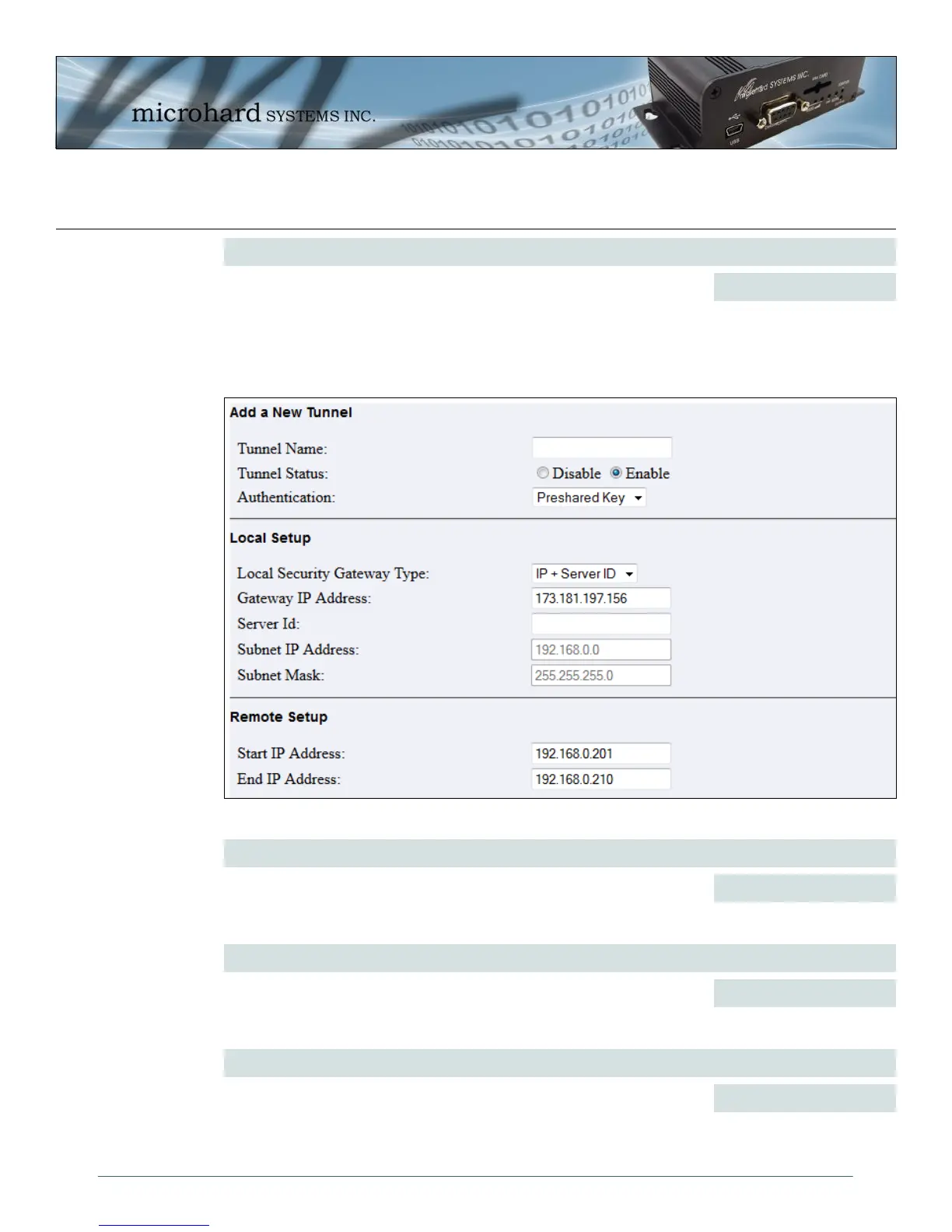
Image 4-49: VPN, L2TP Submenu
DPD Action
Set the DPD action required to authenticate with the remote VPN
router.
Values (selection)
Hold / Clear
Add/Edit Tunnel > Tunnel Name
Enter a name for the L2TP VPN Tunnel. The L2TP VPN tunnel name can
be comprised of 1-0, A-Z, a-z or ‘_’. The space and dash ‘-’, are not valid
characters.
Values (chars)
(no default)
Add/Edit Tunnel > Tunnel Status
Tunnel Status is used to Enable or Disable the current tunnel.
Values (selection)
Disable / Enable
Add/Edit Tunnel > Authentication
Select the type of Authentication. If Preshared Key is used, the same key
must be entered under IPsec Setup > Preshared Key. If X.509 is selected,
Certificate Management (Security) must be used to load the required
certificates and private keys related to X.509
Values (selection)
Preshared Key
X.509 CA



 To Next Page