© Microhard Systems Inc. 25
4.0 WebUI Configuration
4.2.2 System > Config
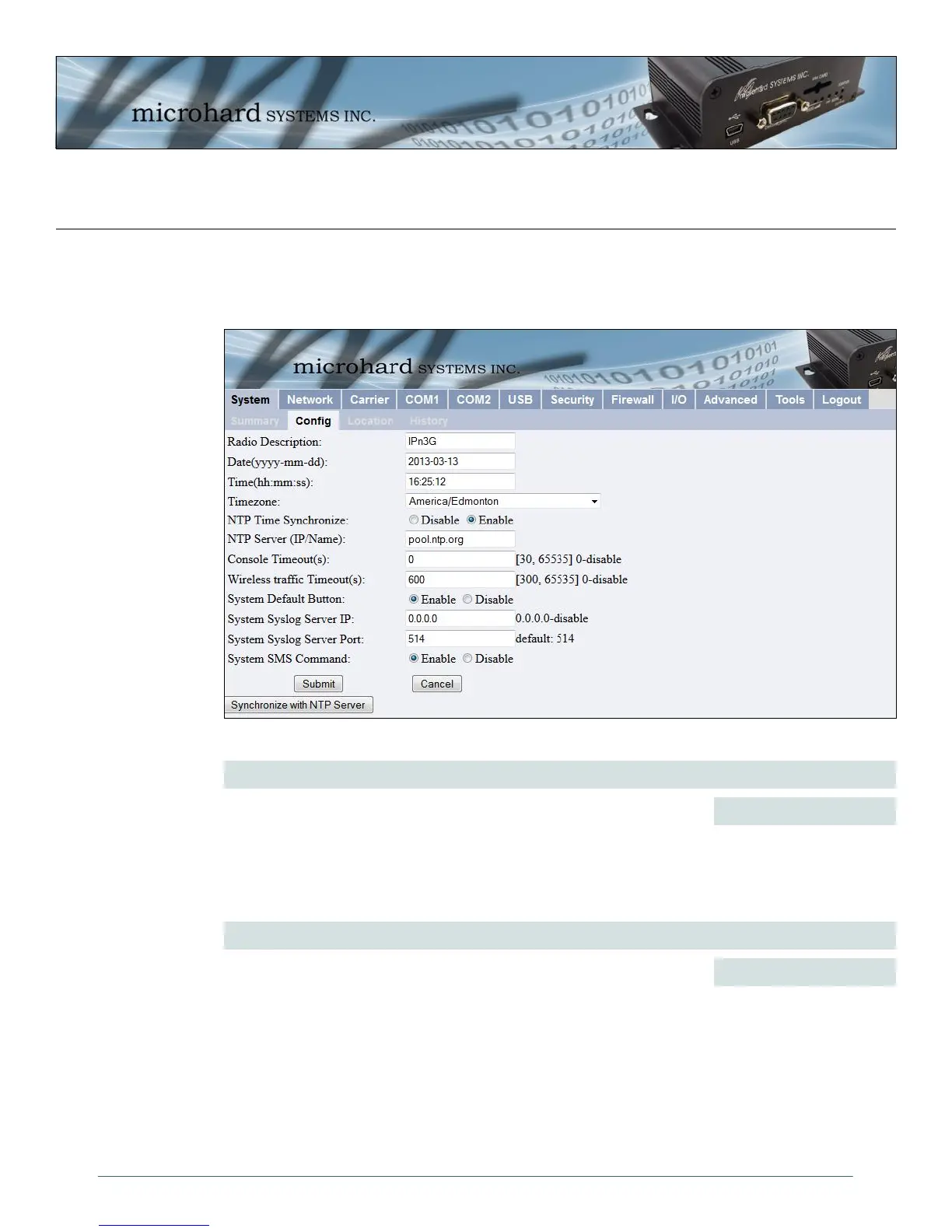
The System Config submenu allows the configuration of the Radio Description, the Time and Date,
including NTP time server parameters. As well as the Console and Wireless Traffic timeouts.
Image 4-4: System Config Window
valid date values, where
yyyy = 4-digit year
mm = 2-digit month
dd = 2-digit day
Date (yyyy-mm-dd)
The calendar date may be entered in this field. Note that the entered value
is lost should the IPn3G lose power for some reason.
Values (2010-08-05)
The Radio Description is simply a convenient identifier for a specific IPn3G,
e.g. Pump Station 5, 123 Main Street, etc. This feature is most welcome
when accessing units remotely: a convenient cross-reference for the unit’s
IP address. This ‘name’ appears in all menu windows. It has no bearing
on the unit’s operation.
Radio Description
Values (Characters)
Default is model-dependent
up to 30 characters



 To Next Page