© Microhard Systems Inc. 24
4.0 WebUI Configuration
4.2 System
4.2.1 System > Summary
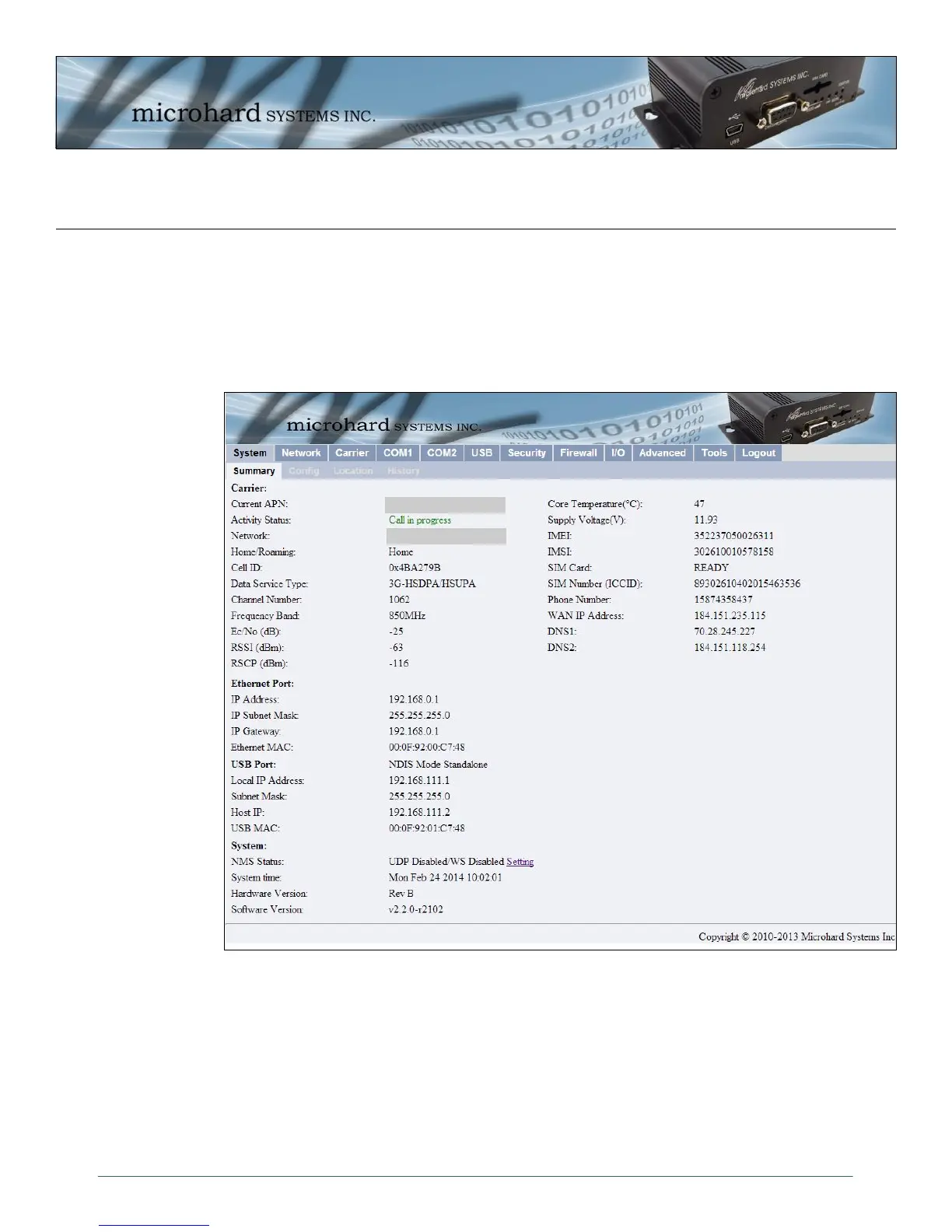
The System Summary window displays an overview of the current IPn3G configuration. When initially
logging into the unit, this will be the first window displayed, allowing a user to quickly identify configuration
information.
Image 4-3: System Summary Window
The System Summary window displays information about the wireless carrier as well as local network,
USB and System information:
Carrier: Activity Status, Network, WAN IP, Phone Number, SIM Card info etc
Ethernet Port: Local Ethernet Port information of rear RJ45 Connector.
USB Port: USB Port information, NDIS IP Address etc.
System: Hardware and Software versions and System time.
Carrier Name
Carrier APN



 To Next Page