© Microhard Systems Inc. 193
Appendix F: Firewall Example
Step 2
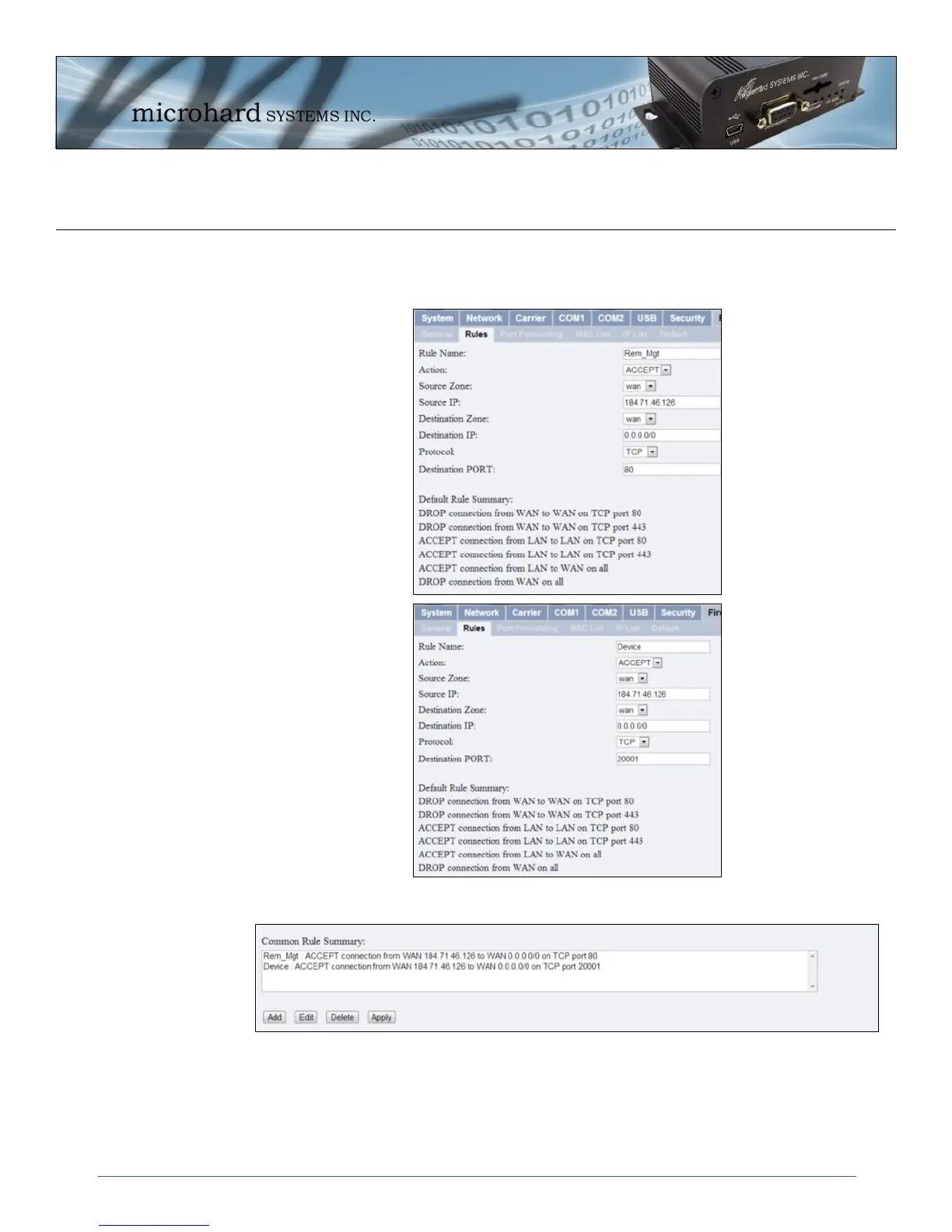
Under the Rules tab we need to create two new rules. A rule to enable Host A access to the Remote Management Port
(TCP Port 80), and another to access the device attached the to serial port (WAN TCP Port 20001).
After each rule is created be sure to click the ADD button, once both rules are created select the APPLY button to write
the rules to the IPn3G. The common rule summary should look like what is shown below.
Step 3
Test the connections. The IPn3G should only allow connections to the port specified from the Host A. An alternate
means to limit connections to the IPn3G to a specific IP would have been to use the IP List Tool. By using Rules, we can
not only limit specific IP’s, but we can also specify ports that can be used by an allowed IP address.
Rule 1
Rule 2



 To Next Page