© Microhard Systems Inc. 98
4.0 WebUI Configuration
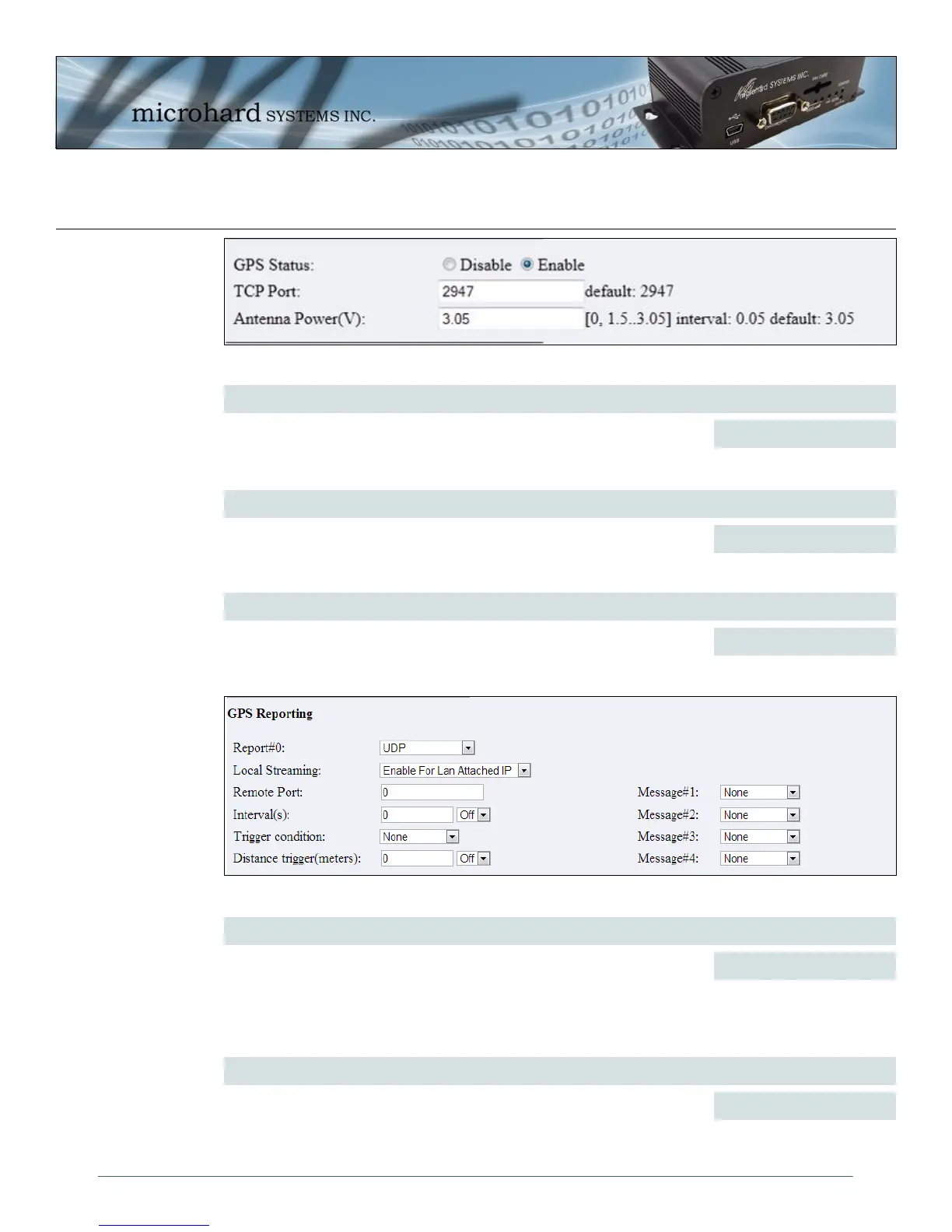
Image 4-59: GPS Polling submenu
GPS Status
Enable or disable the GPS polling function of the IPn3G. The default is
disabled.
Values (selection)
Disable / Enable
TCP Port
Specify the TCP port on the IPn3G running that a remote GPS system can
connect and poll for GPSD information.
Values (1-65535)
2947
Antenna Power (V)
Specifies the output power supplied to the GPS antenna as required for the
specific antenna being used. Refer to your antennas manufacturer for more
information. In 0.05V intervals.
Values (1.5 - 3.05)
3.05
GPS Reporting Report #
Enable UDP and/or Email or disable GPS Reporting. Up to 4 reports can
be set up and configured independently.
Values (selection)
Disable
UDP
Email
Image 4-60: GPS Reporting submenu - UDP
Local Streaming
If enabled local streaming will stream the GPS data selected to a device
connected to the LAN.
Values (selection)
Disable
Enable for LAN Attached IP



 To Next Page