10 Contacts: Tracking Friends and Colleagues
Contacts: Tracking
Friends and Colleagues
This chapter tells you how to use Contacts for viewing and managing your contacts
information.
10.1 Starting and Exiting Contacts
NOTE: If you have created Microsoft Contacts information on your computer, you can copy
the information to your device. (See section 11.4 for information.)
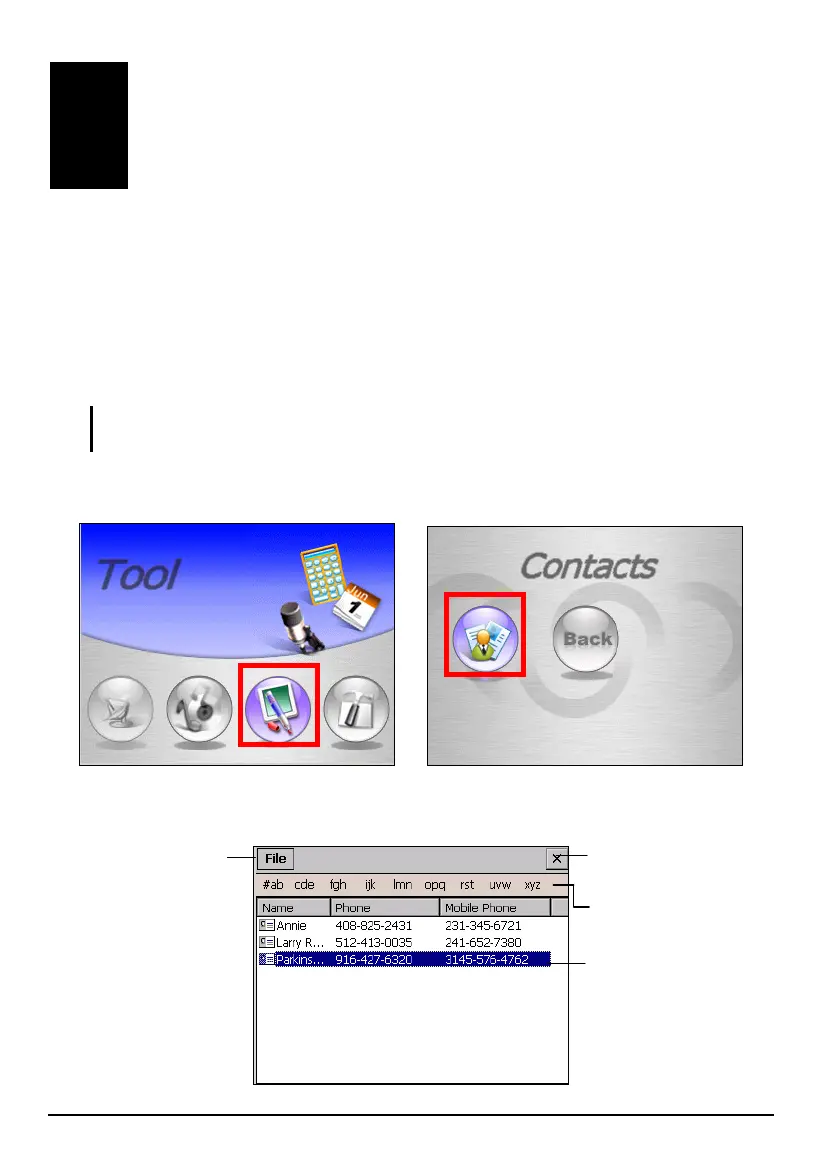
To start Contacts, tap
Tool on the Home screen and tap Contacts.
You will see the contact list screen.
Tap and hold to
display a pop-up
menu of actions.
Tap an alphabet
group to quickly find
your contacts.
Tap to display a
summary screen of a
contact.
Tap to exit and return
to the Home screen.
93



 To Next Page