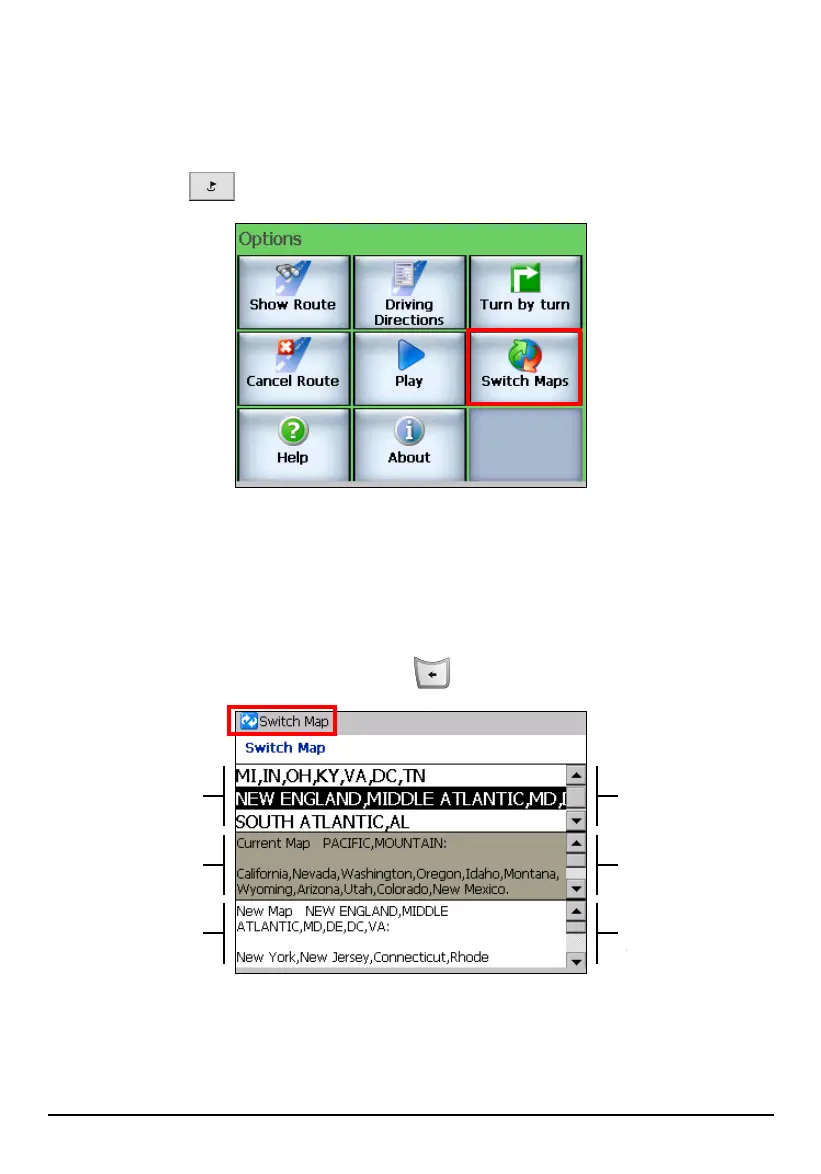
7.3 Switch Maps
Mio Map provides maps for North America including seven regions or parts of
USA, USA Roads, and Canada. To switch to another map, press the Navigation
Settings button
twice and tap Switch Maps.
The middle of the screen shows the current map in use. To change to the map that
matches your area, tap the top scroll bar to scroll through the list and tap
(highlight) the desired map. The bottom of the screen displays the details of the
selected map.
To switch to the selected map, tap
Switch Map (top toolbar). To leave without
changing the map, press the Back button
.
Scroll down for
more maps (three at
a time).
Other maps
Scroll down for
more details.
Current map in use
Scroll down
for more
Scroll down for
more details.
Selected map
78



 To Next Page