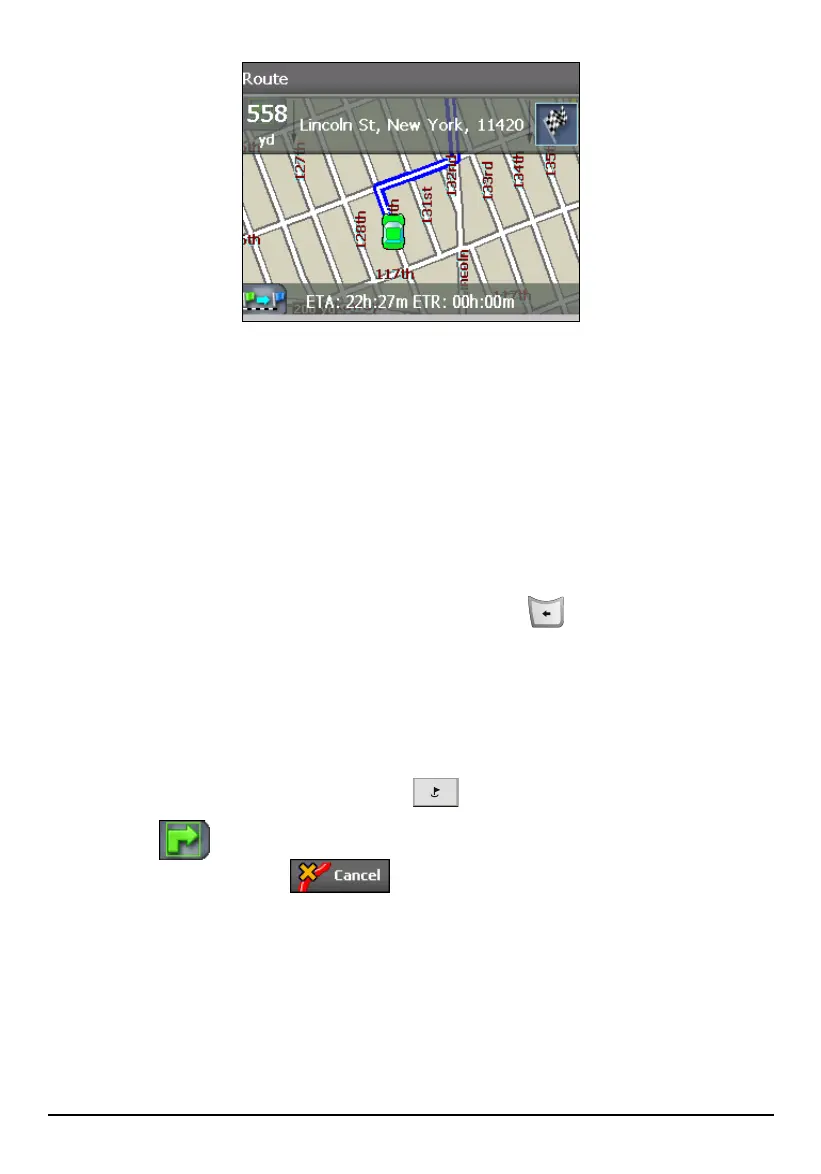
On the map:
The starting point is indicated with a green car, and the destination with a
black and white checkered flag. The calculated route is always displayed in
blue.
In the top details bar:
Total length of journey and address of the destination.
In the bottom details bar
Estimate Time Of Arrival (ETA) and Estimated Time Remaining (ETR)
To exit the Show Route screen, press the Back button
.
5.5 Cancel Route
Use Cancel Route to terminate navigation to a destination at any time. To cancel
the route, you can use one of the two ways:
Press the Navigation Settings button twice and tap Cancel Route.
Tap the button (upper left corner) twice until the Driving Directions
screen appears and tap
(top toolbar).
Once you cancel the route, the route is cleared and you can start all over again.
52



 To Next Page