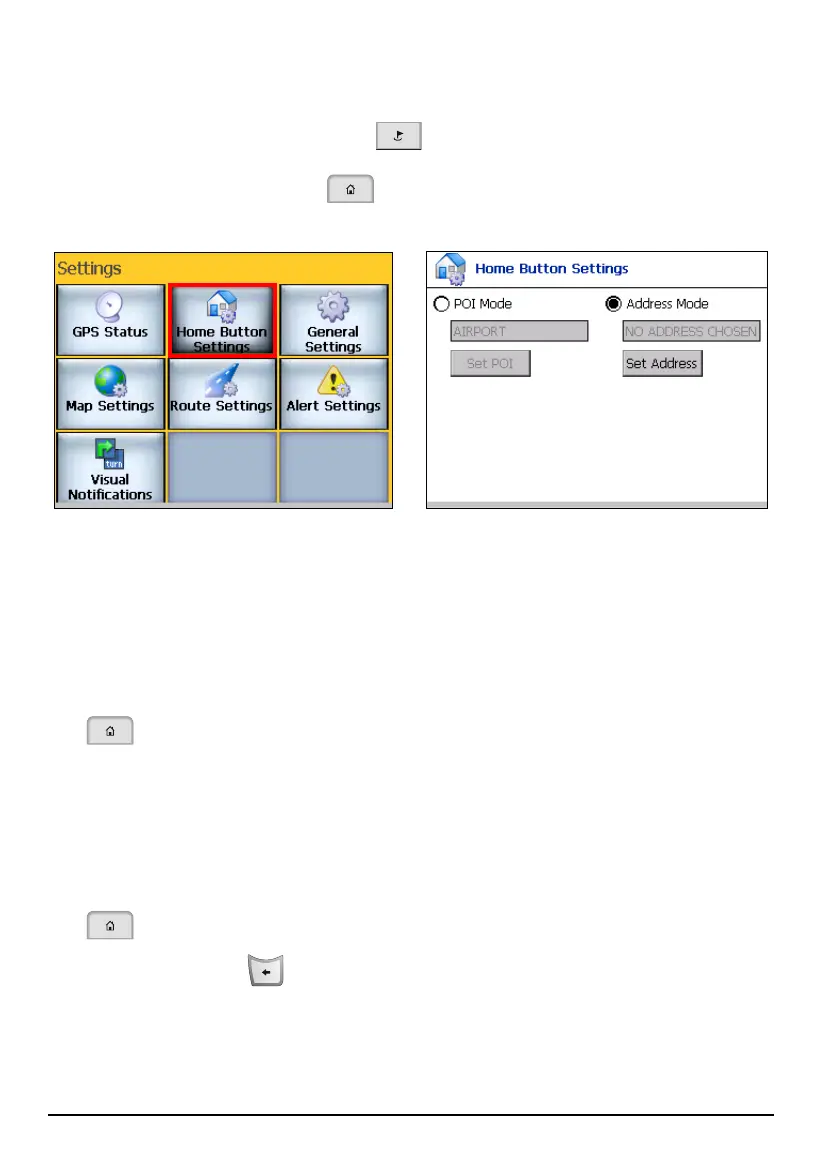
8.2 Home Button Settings
Press the Navigation Settings button three times and tap Home Button Settings
to define an address or a POI as your home destination. With a home destination,
you can press the Home button
to directly navigate to your home destination
from your GPS position.
You can set two types of home and use one of them:
Address Mode
Tap
Address Mode and tap Set Address to select an address as your home. (See
section 5.2 for instructions on selecting an address.) After selecting the
address, tap
OK to go back to Home Button Settings screen. The address will
appear on the Home Button Settings screen. If this type of home is selected,
you will be navigated to the specified address when you press the Home button
.
POI Mode
Tap
POI Mode and tap Set POI to select a POI category as your home. (See
section 5.2 for instructions on selecting a POI.) After selecting the POI, tap OK
to go back to Home Button Settings screen. The POI will appear on the Home
Button Settings screen. If this type of home is selected, you will be navigated
to the nearest POI of the specified category when you press the Home button
.
Press the Back button
to exit and save any changes you have made.
80



 To Next Page