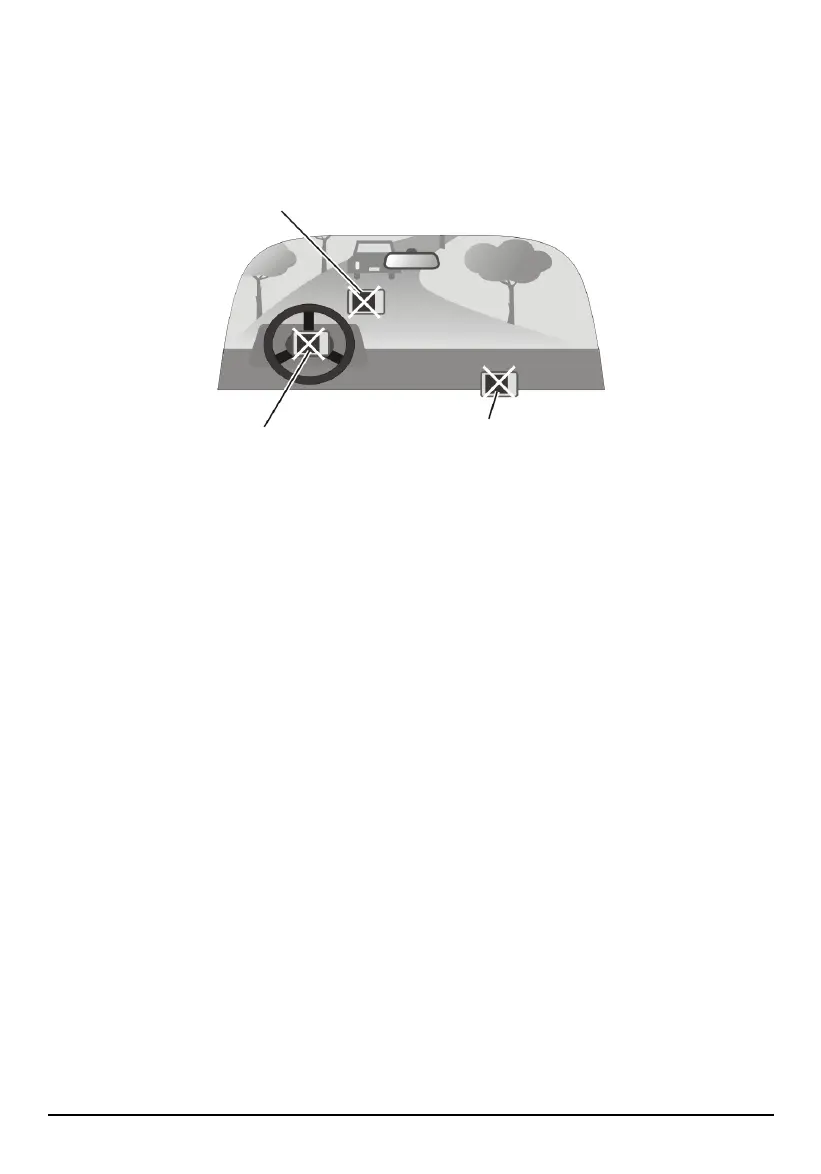
A car holder is needed when using the device in a car. Be sure to place the
device in an appropriate place, so as not to obstruct the driver’s view, or
deployment of airbags.
Do not mount where the driver’s
field of vision is blocked.
Do not place unsecured
on the dashboard.
Do not mount in front of
airbag panels.
Do not mount in front of an
airbag field of deployment.
Features
GPS Navigation Features
Electronic maps of North America with roads, freeways, highways, railways,
rivers, lakes, points of interest, etc.
GPS positioning
Optimal route calculation and trip plan
Friendly and efficient navigation with turn-by-turn, voice, and visual guidance
Various ways for searching a location on the map
− Using a known address
− Using a POI (point of interest)
− Using Favorites (personal stored locations)
− Using History (previous destinations)
Viewing modes for different needs and situations:
− 2D, 2D Night, 3D, 3D Night view
− Turn-by-turn view of the route
− Driving direction of the route
Recording and playback of journeys
viii



 To Next Page