Using Home
Home is a friendly feature of your system. It allows you to press one single button
, and immediately a route is calculated starting from your GPS position to
your home.
To use this feature, you need to first set up the location of your “home.” (See
section 8.2 for instructions.)
NOTE: If you press the Home button
without setting up first, you will be brought to the
Home Button Settings screen.
5.3 Navigational Aids
Calculating a Route
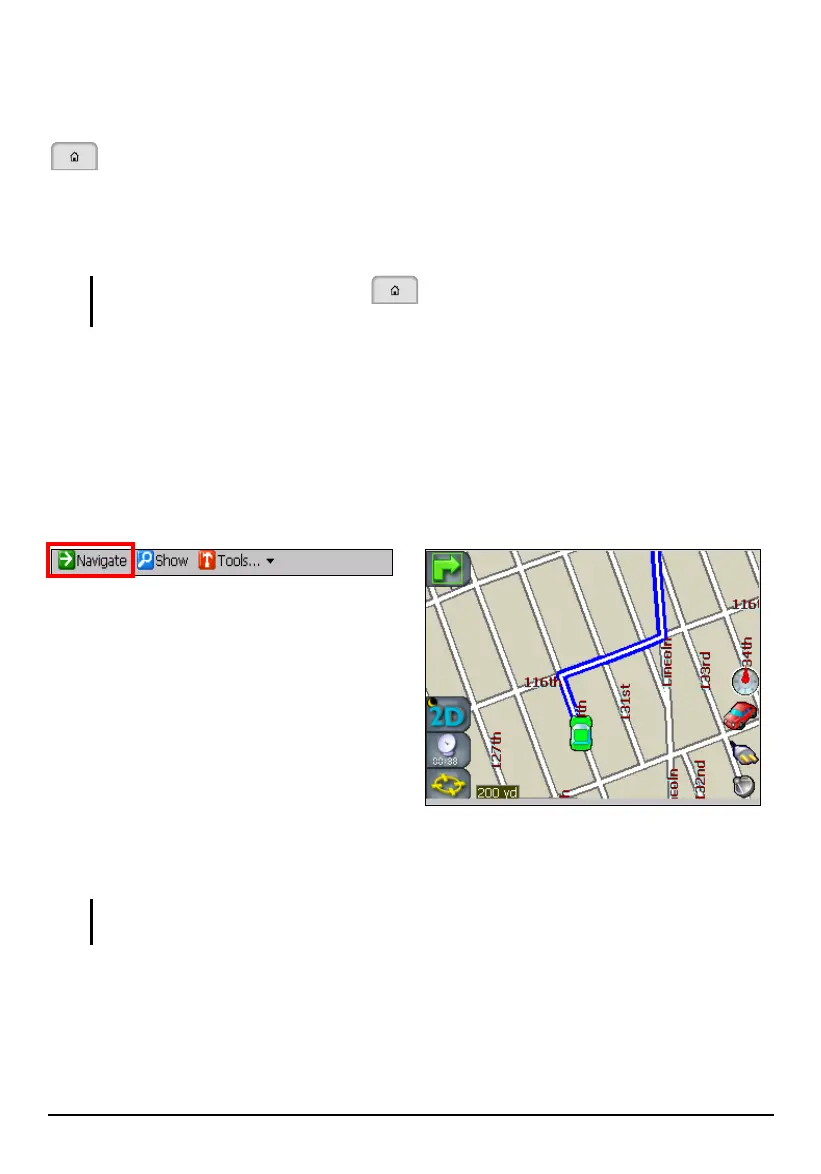
With a destination selected, tap Navigate (top toolbar). Mio Map
calculates the route
and shows the route in a blue line on the map.
You can start your journey right away. As you go along, Mio Map gives you
turn-by-turn voice prompts to get you to your destination.
NOTE: When Mio Map program starts, the sound volume of your device is automatically
adjusted to its highest level.
By default, Mio Map gives both voice and visual alerts at 3 miles, 2 miles, 1 mile,
500 yards, 300 yards, and 100 yards announcing upcoming turns or change of
direction.
49



 To Next Page