6.5 Trip Planner
NOTE: Trip Planner is not available in Walker mode.
The Trip Planner feature allows you to calculate a route any time without
initiating GPS positioning.
You can manually select your own origin, waypoints, and destination. Then you
can calculate a route for future use.
Trip Planner includes four major parts:
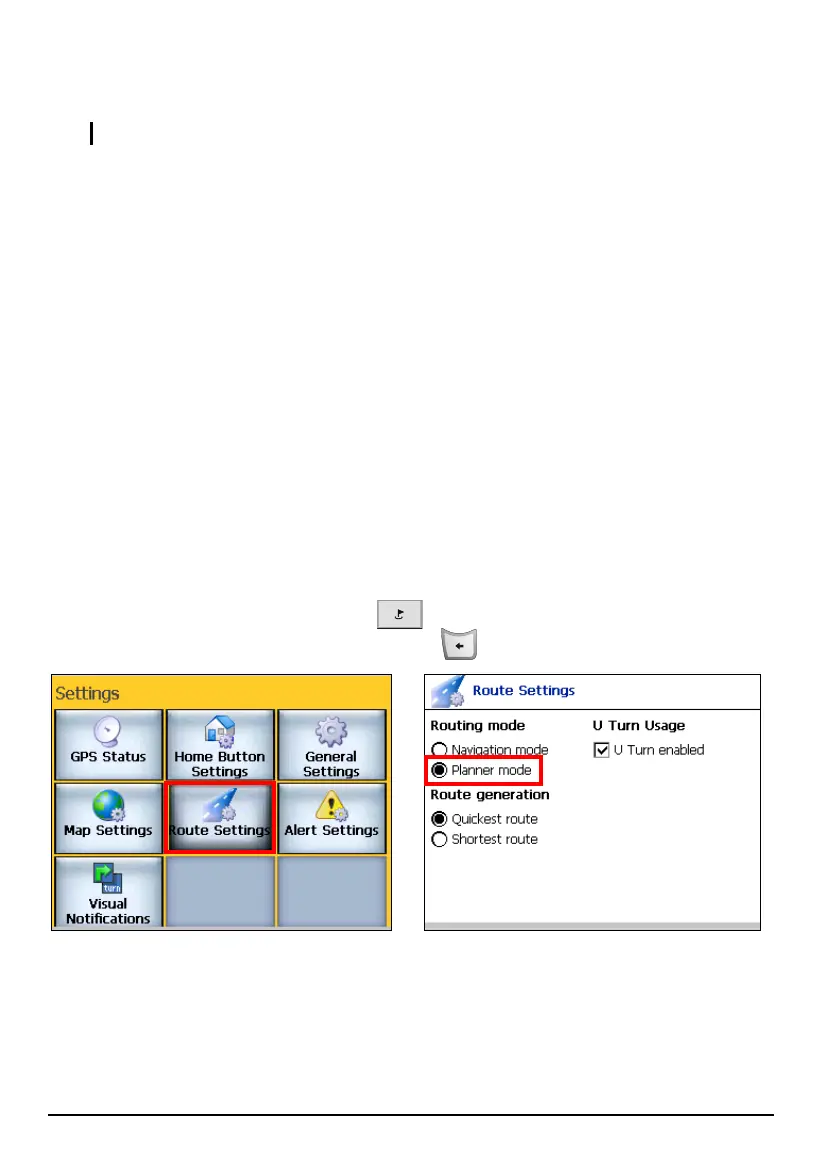
Part 1: Select Planner mode
Part 2: Manually select the origin
Part 3: Set waypoints
Part 4: Calculate the trip route
Part 1. Select Planner Mode
You can use the Trip Planner feature only if you are in Planner mode.
Press the Navigation Settings button
three times and tap
Route Settings. Tap
Planner mode and then press the Back button .
65



 To Next Page