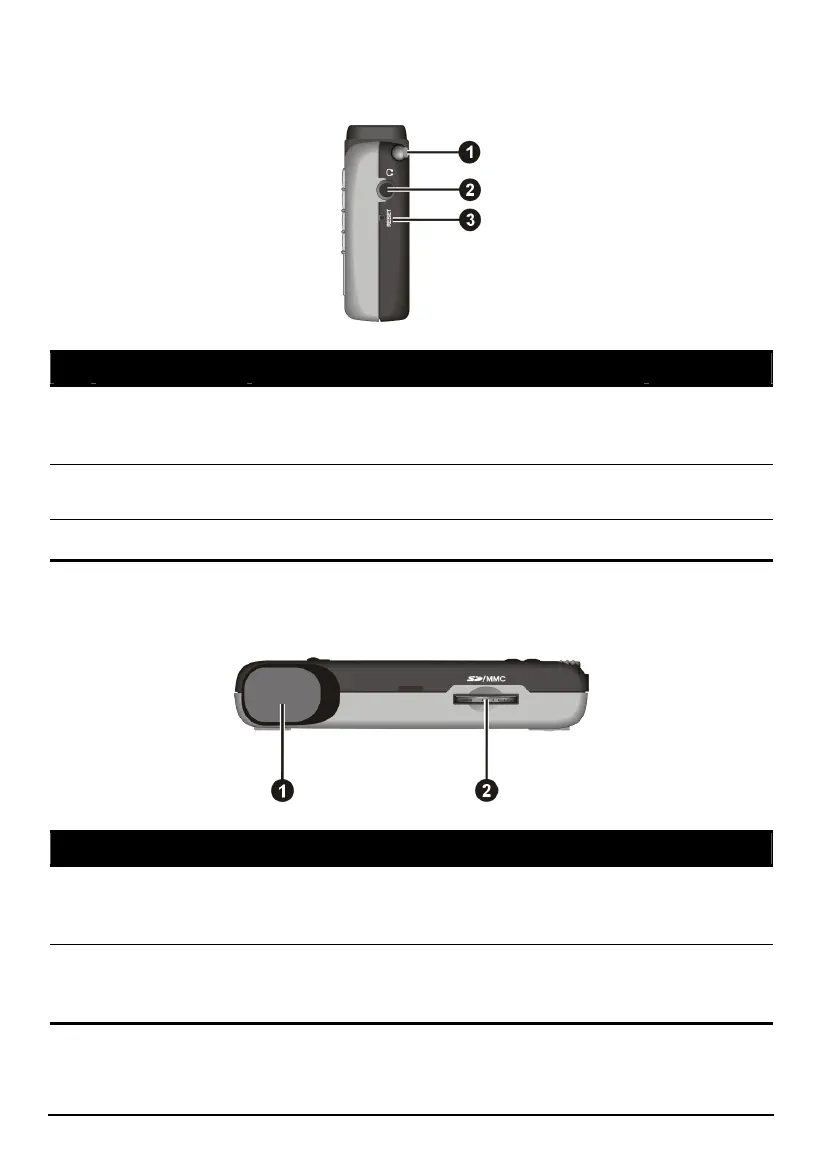
Right-Side Components
Ref Component Description See Also
Stylus
Tap on the touch screen to make selections and
enter information. Pull the stylus out of its slot
to use it, and store it in the slot when not in use.
Section 2.2
Headphone
Connector
Connects to stereo headphones.
Reset Button
Restarts your device (soft reset). Section 12.1
Top Components
Ref Component Description See Also
GPS antenna
Receives signals from the GPS satellites
overhead. Make sure that it has a clear view of
the sky.
SD/MMC Slot
Accepts a SD (Secure Digital) or MMC
(MultiMediaCard) card for accessing data such
as MP3 music.
Section 2.3
10



 To Next Page