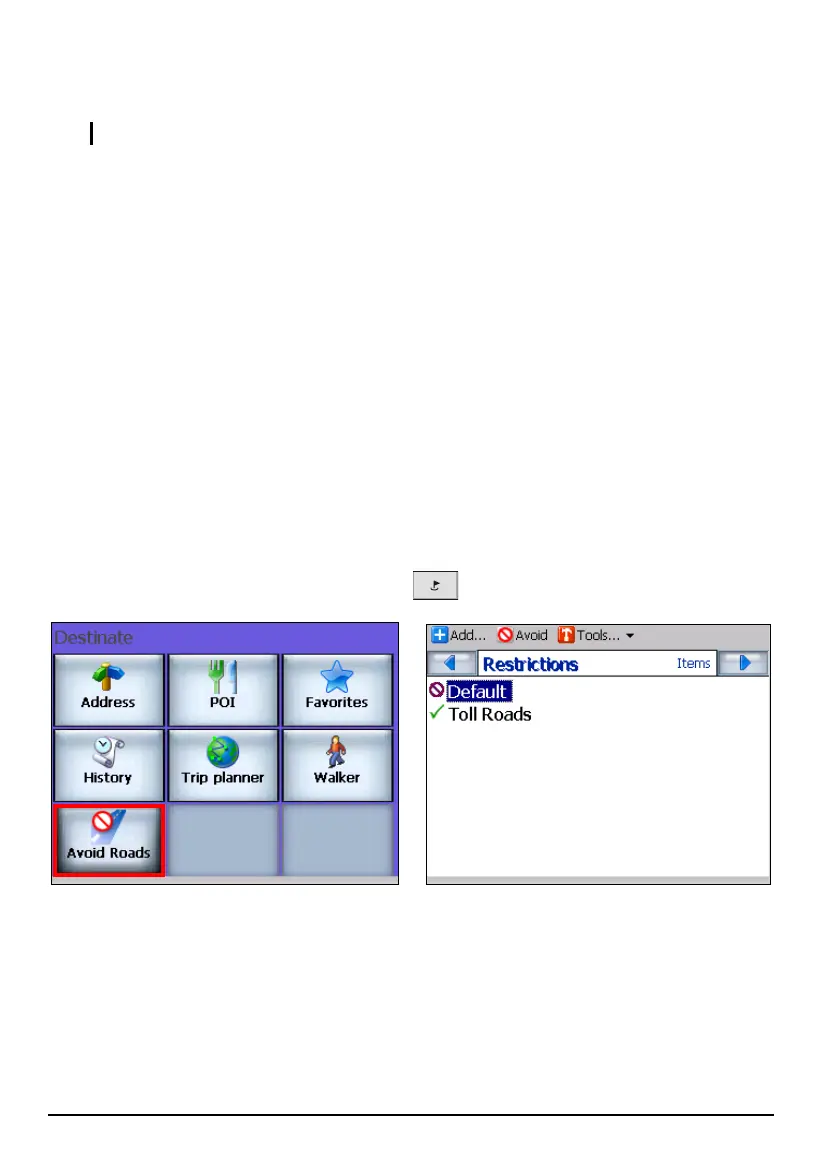
6.2 Avoid Roads
NOTE: Avoid Roads is not available in Walker mode.
Avoid Roads allows you to specify that certain roads not be included in your route
calculations. For example, there might be road works, detours, or other obstacles
along your planned route. You can avoid these, as well as certain roads such as
highways, expressways or toll roads.
A Toll Roads category is already built into Mio Map. You can also create your
own restriction category.
Using Avoid Roads is a two-part process:
Part 1: Create a list of roads to avoid
Part 2: Select the roads to be avoided before calculating a route
Creating a List of Roads to Avoid
You can create your own list of roads to avoid.
1. Press the Navigation Settings button
once and tap Avoid Roads.
2. You can tap a predefined category such as Default or create a new category.
To add a category, tap
Add (top toolbar), enter the desired category name (e.g.
Bypass), and tap
Save.
55



 To Next Page