Playing a Recording
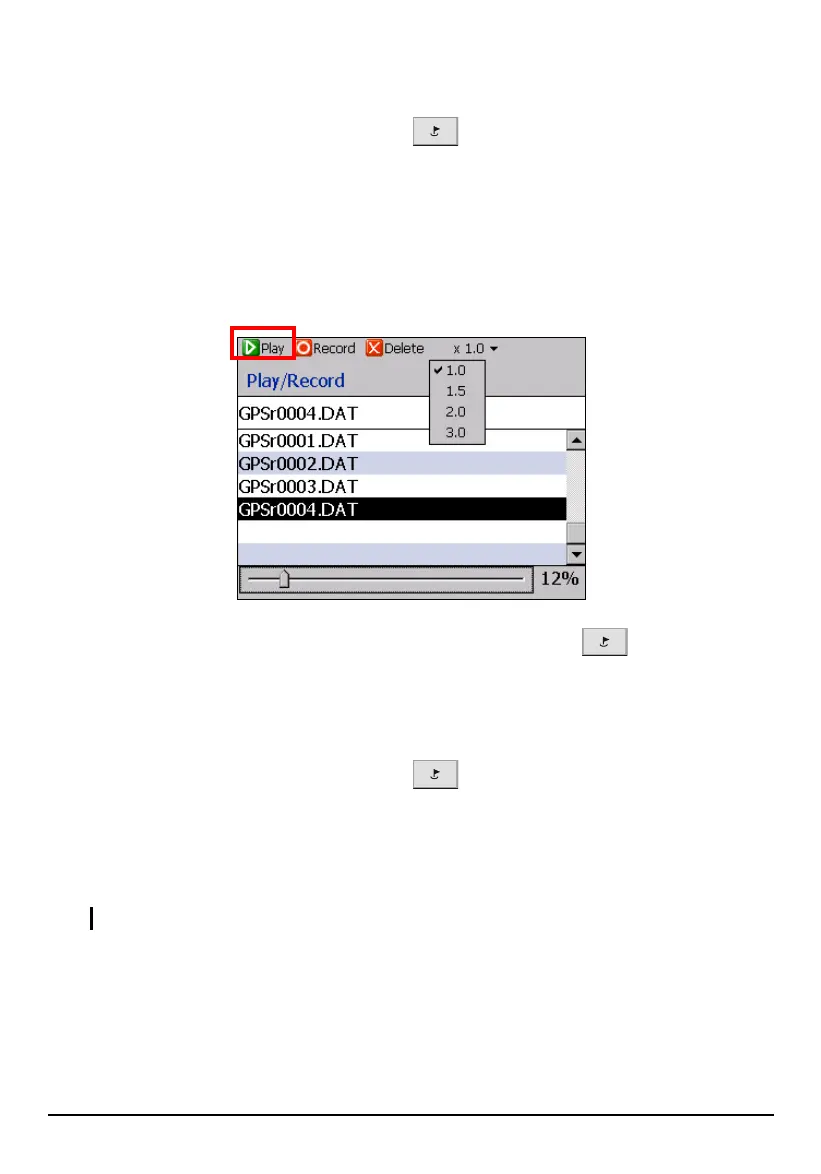
1. Press the Navigation Settings button twice and tap Play.
2. Tap the file you want to play back and tap
Play (top toolbar).
3. You can advance the playback to start at a different point by moving the slider
at the bottom of the screen along the progress track.
You can also adjust the playback speed i.e.: from normal to 3x normal from the
pop up list at the top of the screen.
4. To stop the replay, press the Navigation Settings button
twice and tap
Play Stop
(top toolbar).
Deleting a Recording
1. Press the Navigation Settings button twice and tap Play.
2. Select the GPSr00xx.DAT file (where xx = the recorded route number) to be
deleted.
3. Tap
Delete (top toolbar) Yes.
CAUTION: Once the recorded route is deleted, it is not retrievable.
72



 To Next Page