Using Point of Interest (POI)
POI on a map represents local places of interest or importance. POIs are identified
on the maps by various icons (e.g.
for Banks or for Restaurants).
Mio Map allows you to choose your destination from a vast database of POIs. POI
navigation is especially handy when you need to find a facility, attraction or
amenity by the type or sort. For example, you can ask Mio Map to guide you to the
closest bank, mall, hotel, restaurant, gas station, etc.
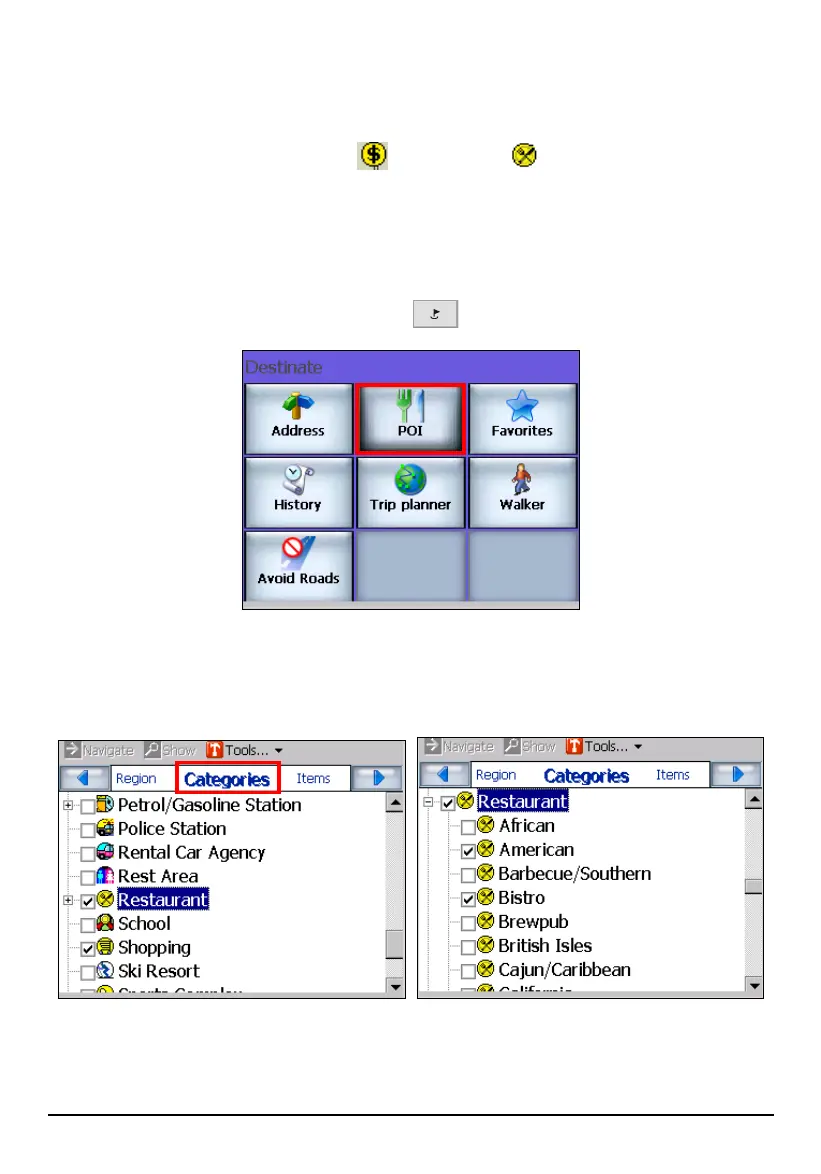
1. Press the Navigation Settings button
once and tap POI.
2. In the category list, tap (highlight) the desired category name (not the check
box). You can scroll up or down for other choices. Expand categories with a
[+] beside them for more detailed choices.
42



 To Next Page