NOTE:
By tapping Region, you can switch to another map. This cross-region navigation feature
allows you to navigate a route that extends across more than one region (map).
A check mark () before a category means that the POI icons will display on the map.
The plus sign (+) located to the left indicates that the main category contains at least one
sub-category (e.g. Restaurants - Italian, Indian, Barbecue or Cajun).
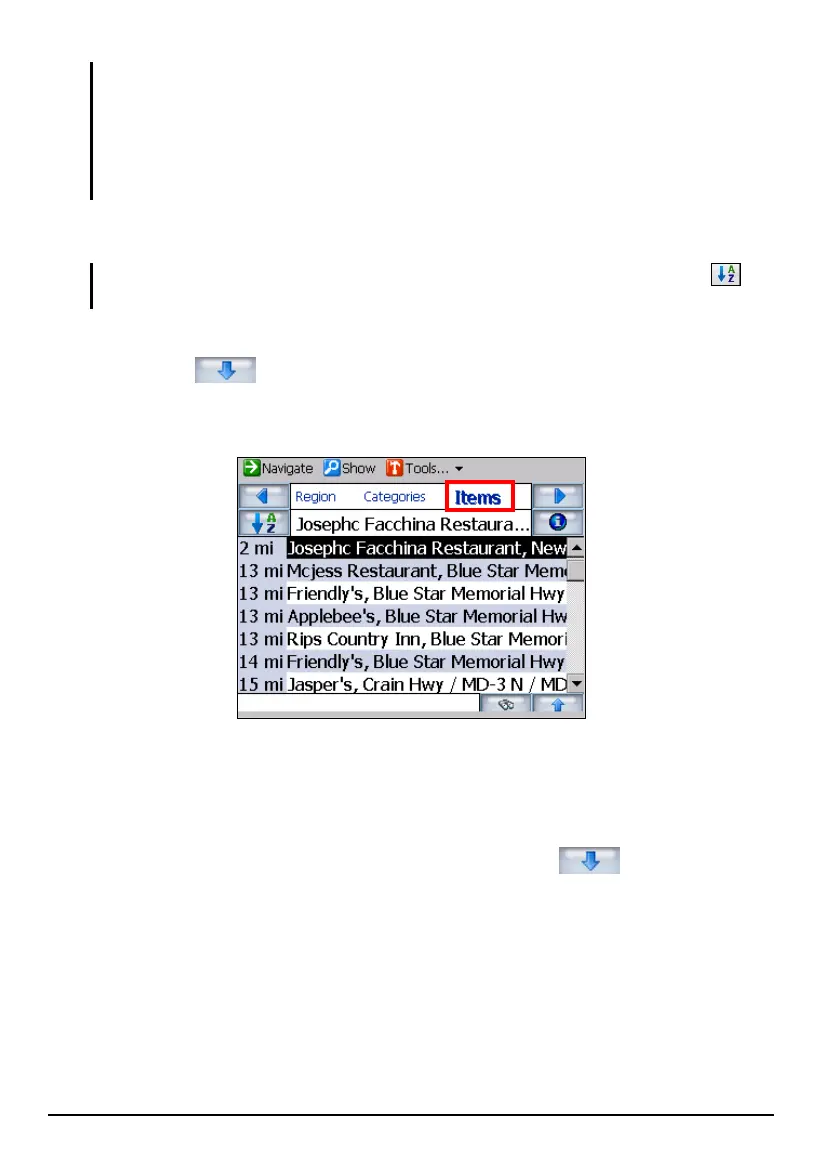
3. Tap Items. Use one of the following ways to select a POI.
NOTE: The POIs are listed in order of distance. To sort them alphabetically, tap the
button.
Search from the full scroll list.
Tap the
button to expand the list of all the POIs matching the
selected category or categories. You can then scroll through the list and
tap (highlight) the desired POI.
Use the soft keyboard.
To speed up the selection if you know the name of the POI, tap the soft
keyboard to enter the first few characters of the name. As you enter
characters, the scroll list updates according with the first match displaying
on the screen. For more matching choices, tap the
button to expand
the scroll list and tap (highlight) the desired POI.
43



 To Next Page