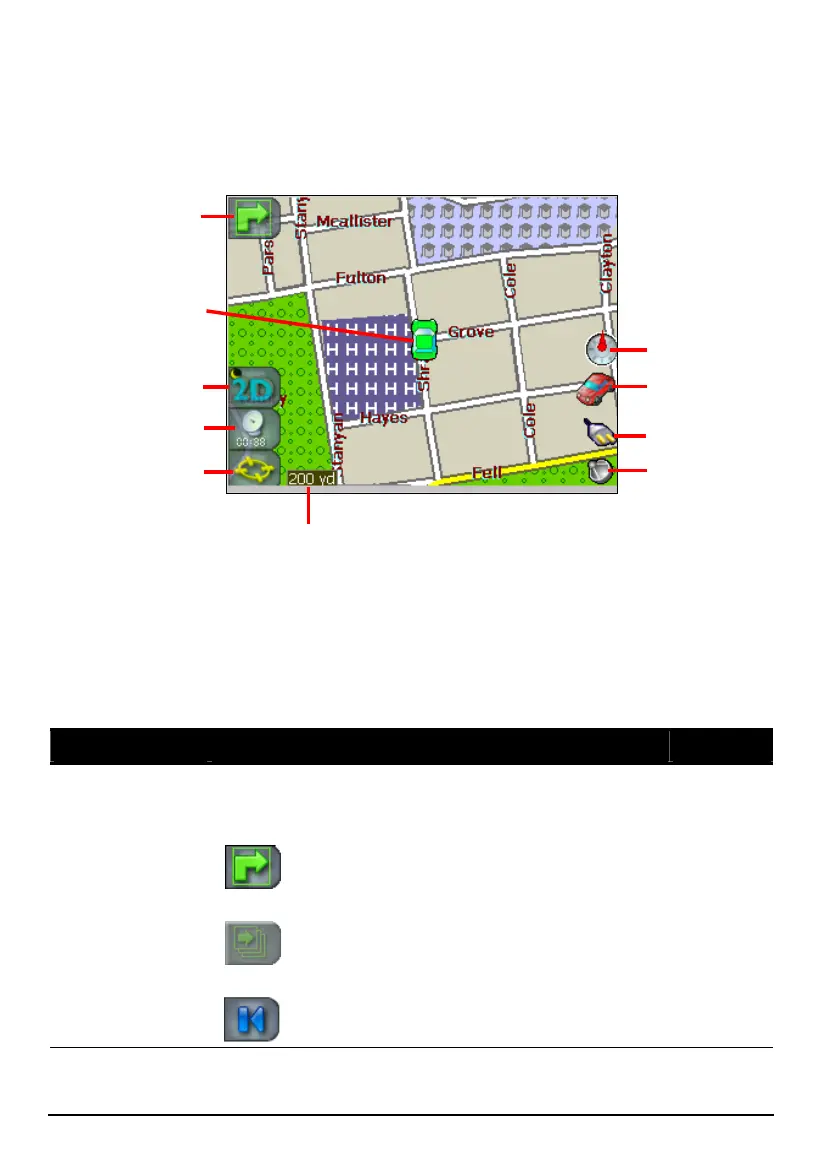
4.3 Map, Buttons, and Status Icons
The map screen contains a scalable map in the middle, map screen buttons along
the left side, and status icons along the right side.
Show Direction
Route Details
GPS-Generated
Details
Power Status
Travel Mode
Map Views
GPS position
Compass
GPS Status
Ma
Scale Indicato
Map Screen Buttons
Map screen buttons provide a quick way to switch modes or view information
without leaving the map screen. They operate in a cyclic way. The current icon
indicates the next mode to use or item to display. See the table below for
descriptions of the buttons.
Name Description See Also
Show Directions
Tap to show the next turn or driving direction
information. This button works only after a route has
been calculated.
Section 7.2
Tap to show the next turn information in a
details bar.
Tap to show a complete list of driving
directions.
Tap to close the driving direction screen.
32



 To Next Page